




INTRODUCTION
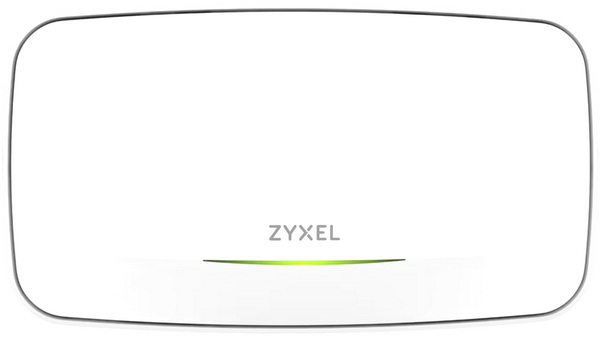
Wi‑Fi sits at the heart of every modern workspace, and the access point is the piece that quietly decides whether that experience feels effortless or frustrating. Good access points (APs) don’t just broadcast a wireless signal, they shape coverage, manage client loads, and keep performance steady across busy areas. Depending on the design, you’ll find ceiling units built for wide, even distribution, compact wall‑mounted models for corridors, and high‑bandwidth Wi‑Fi 6/6E/7 devices pushing multi‑gigabit speeds on the 5GHz and 6GHz bands. Into this landscape comes Zyxel’s NWA240BE BE15000 8-Stream Wi-Fi 7 Triple-Radio NebulaFlex Access Point, a unit aimed at bringing cleaner wireless performance and smarter cloud‑driven management to everyday deployments.
Zyxel Networks is a leading provider of secure, AI-powered cloud networking solutions for SMBs and the enterprise edge. We deliver seamless connectivity and flexible scalability through subscription services, all backed by robust security. With a reputation built on decades of unlocking potential and helping people adapt to the changing workplace, Zyxel Networks has earned the trust of over 1 million businesses across 150 markets.
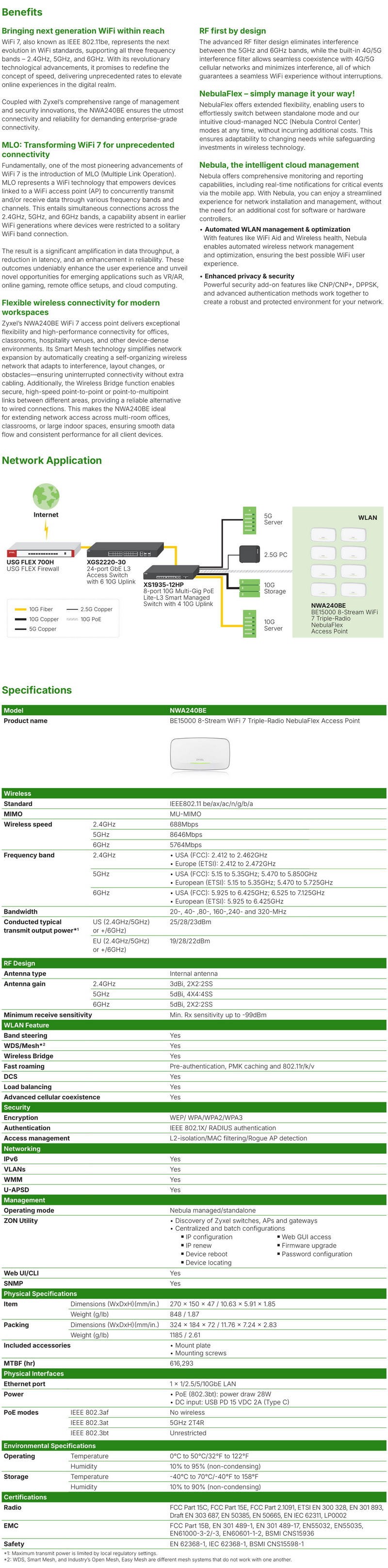
Zyxel’s NWA2400E BE15000 WiFi 7 Triple‑Radio NebulaFlex Access Point is a flagship enterprise‑grade unit built to showcase the full potential of IEEE 802.11be. It delivers 8‑stream connectivity across 2.4GHz, 5GHz, and 6GHz bands, reaching combined speeds up to 15Gbps, thanks to Multi‑Link Operation (MLO), a Wi‑Fi 7 innovation that lets devices transmit simultaneously on multiple bands for lower latency and higher throughput. Its RF‑first design uses advanced filtering to eliminate cross‑band interference, allowing both 5GHz and 6GHz radios to operate cleanly in parallel. Internal high‑gain antennas (5dBi @ 2.4GHz, 6dBi @ 5GHz/6GHz) and 4×4 MIMO arrays ensure consistent coverage even in dense deployments. Security and management are handled through NebulaFlex, giving administrators the choice between standalone control or full Nebula Cloud orchestration with real‑time analytics, firmware updates, and privacy safeguards like DPPSK and 802.1x RADIUS authentication. The unit’s 10GbE LAN port, DC12V input, and compact 160x103x59mm chassis make it ideal for ceiling or wall installations in high‑density offices, collaborative spaces, or IoT‑heavy environments. With support for band steering, load balancing, and advanced cellular coexistence, the NWA2400E stands as Zyxel’s most complete Wi‑Fi 7 access point, a forward‑looking solution that merges raw wireless performance with intelligent, cloud‑managed simplicity.
SPECIFICATIONS AND FEATURES
PACKAGING AND CONTENTS
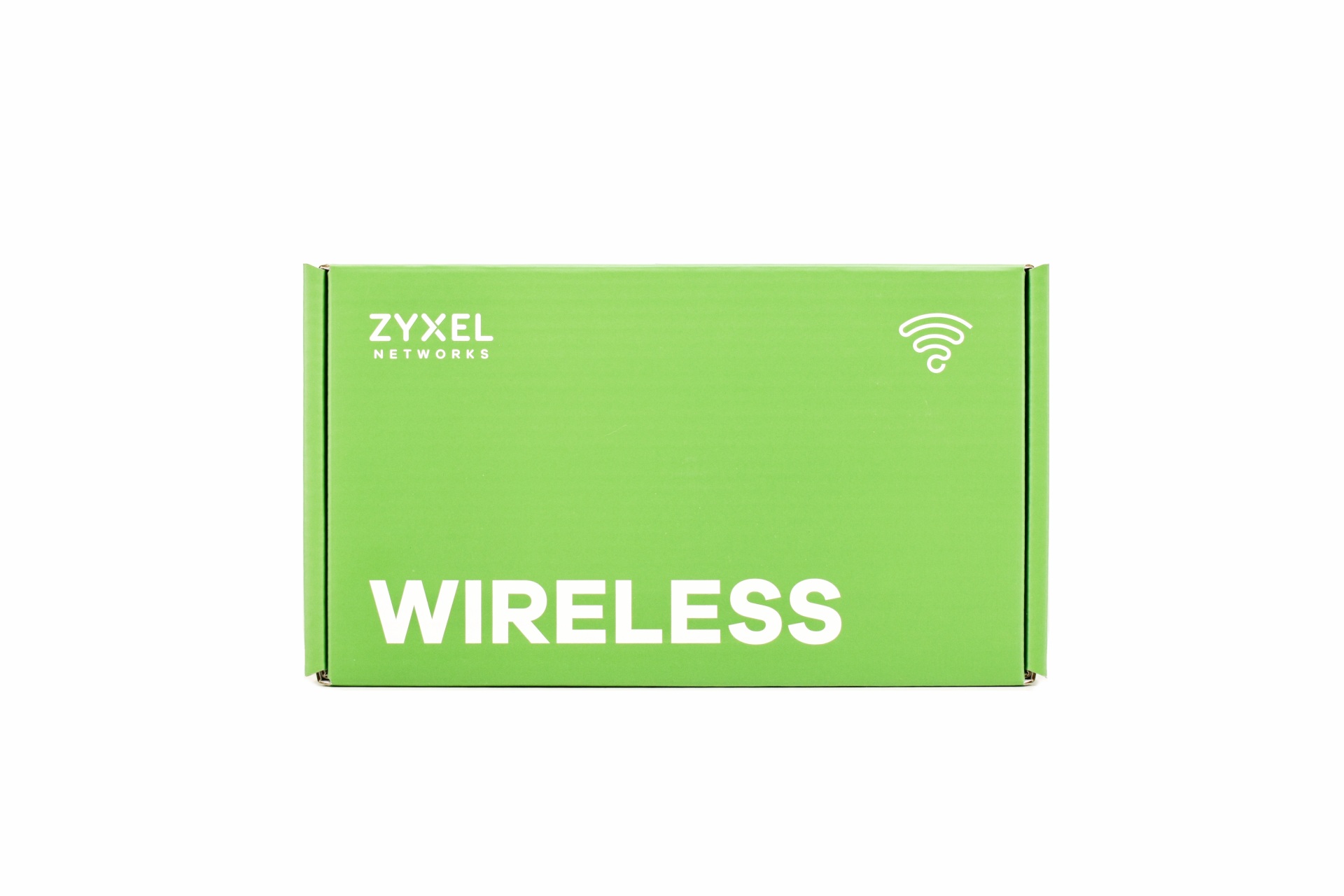
Since the NWA240BE is an enterprise-grade model the only thing at the front of the box is the company name and the word wireless.
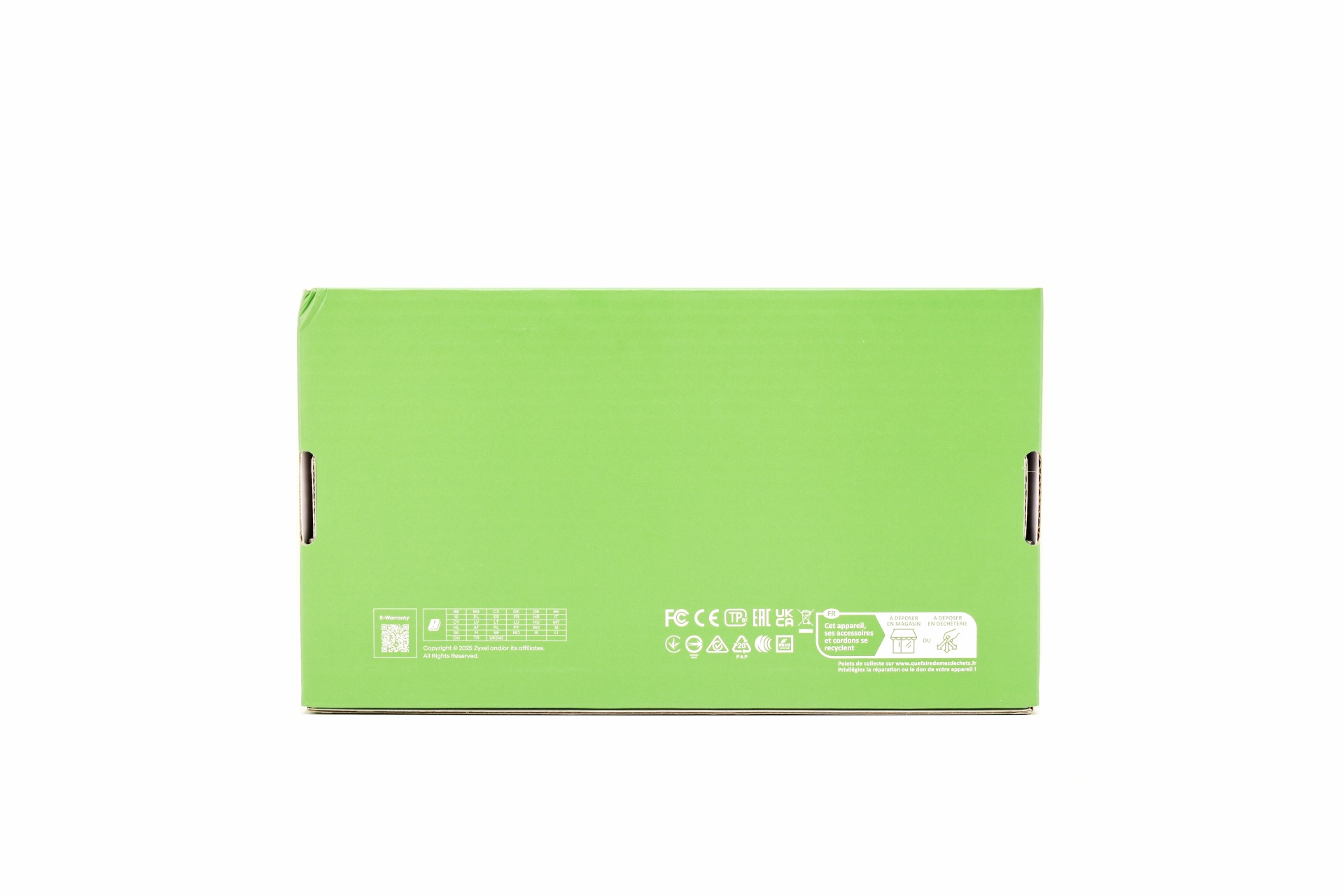
Several certifications are printed at the rear of the box (again, no model name).
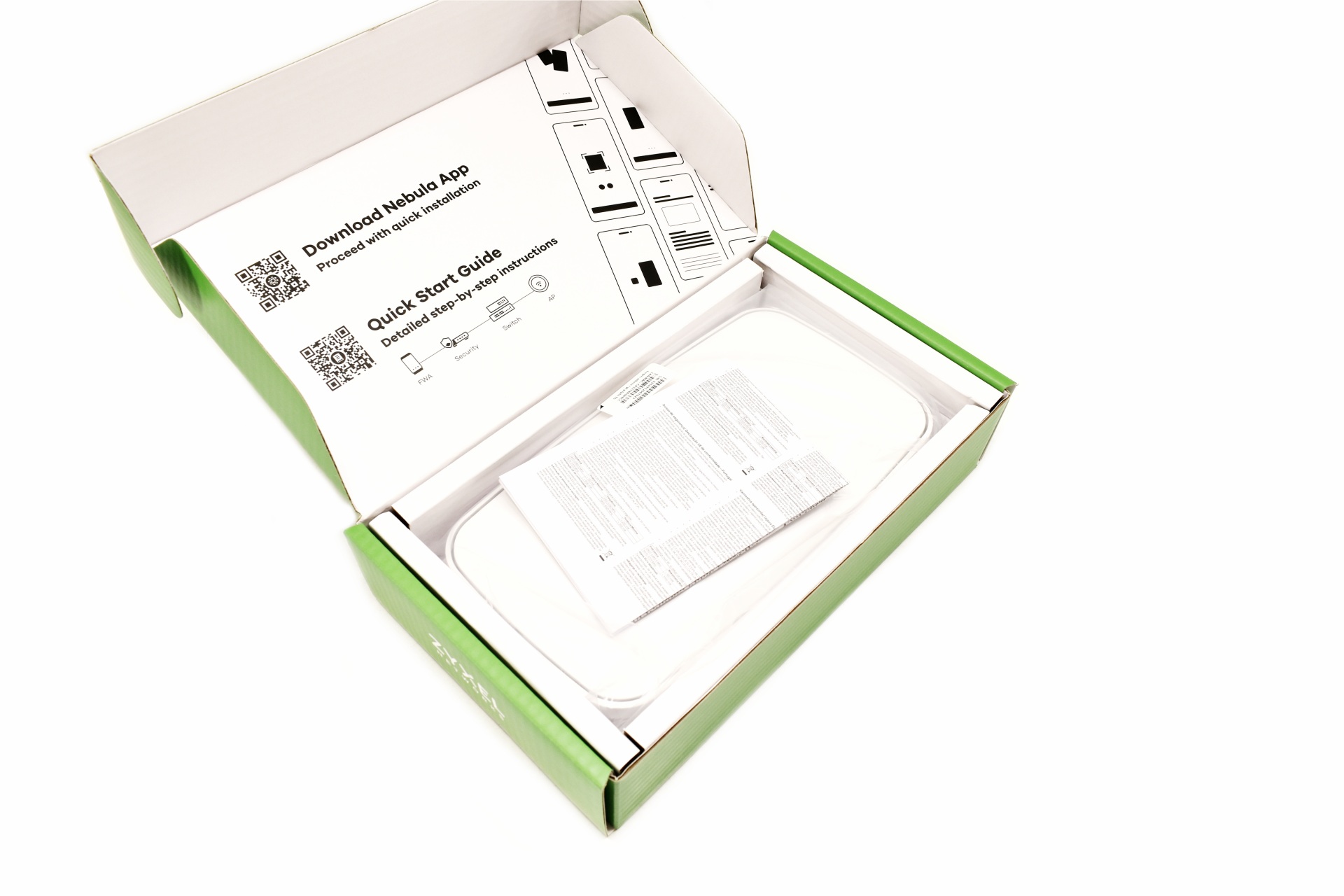
The AP is wrapped inside a plastic bag and placed in a formed piece of cardboard.
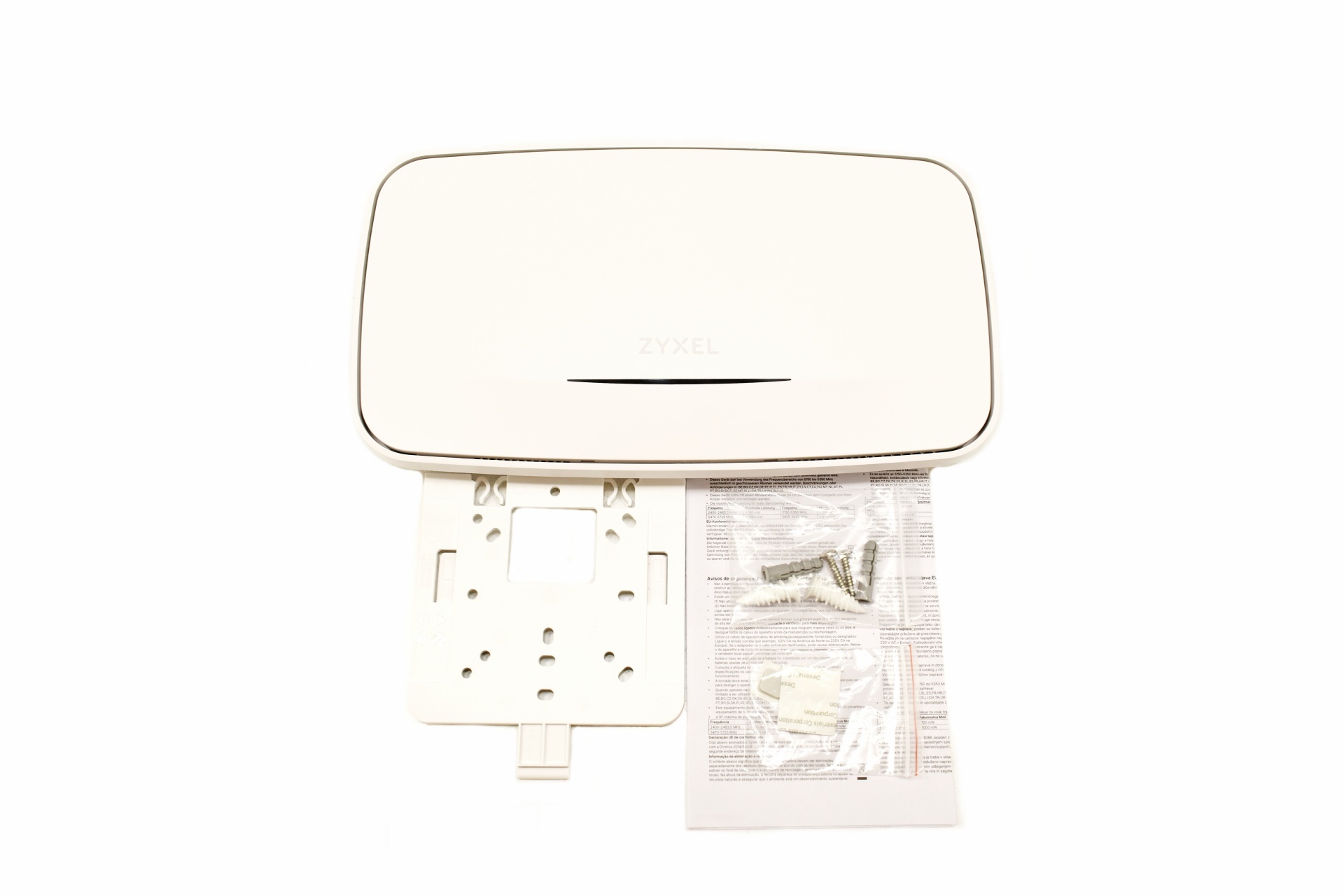
Along with the NWA240BE inside the box you'll also find a wall mount with all required mounting addons and the user manual.
THE NWA240BE
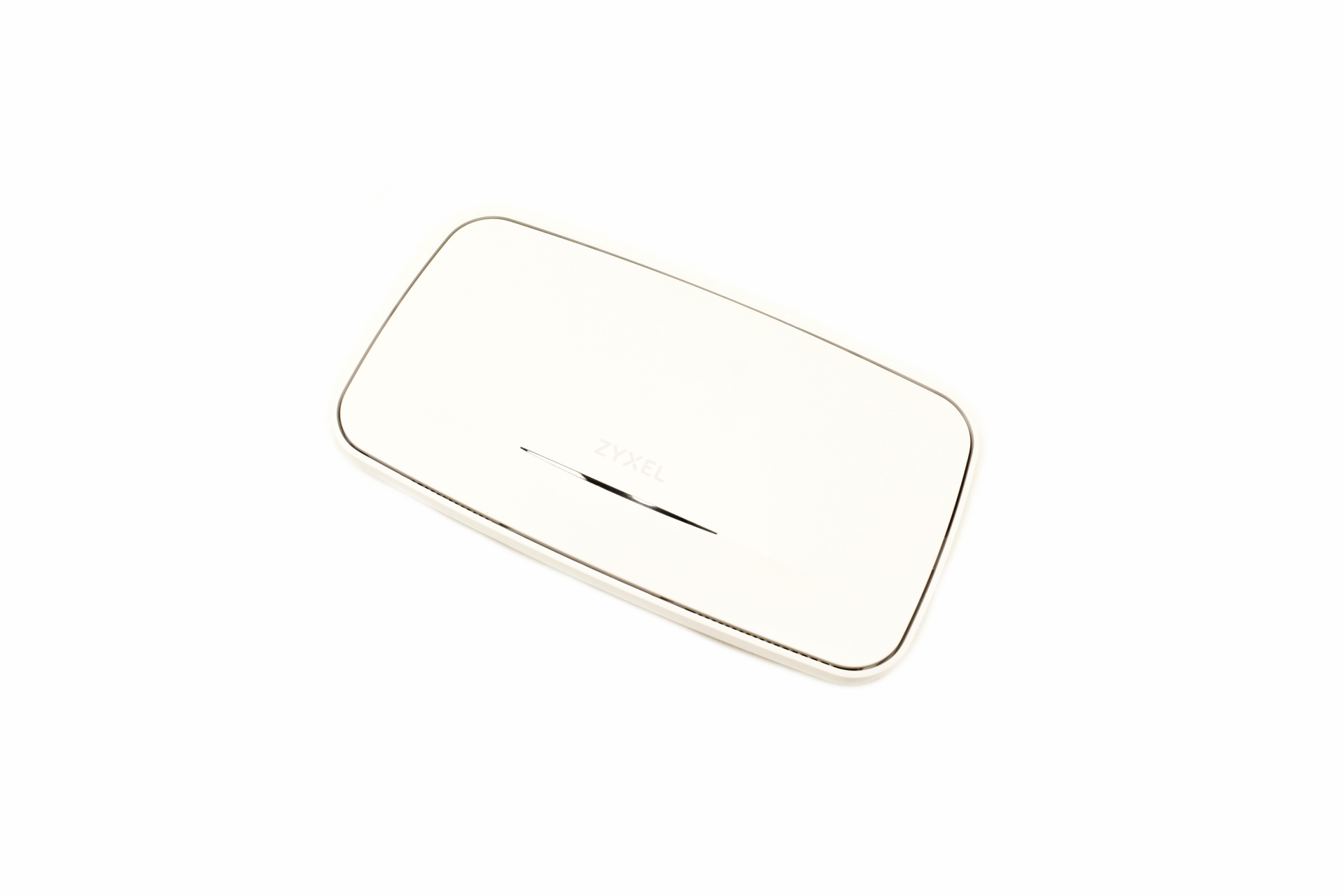
Just like with most similar devices the plastic body of the NWA240BE is available in white and measures 270mm in length, 150mm in width and 47mm in thickness (weighs just 1185g).
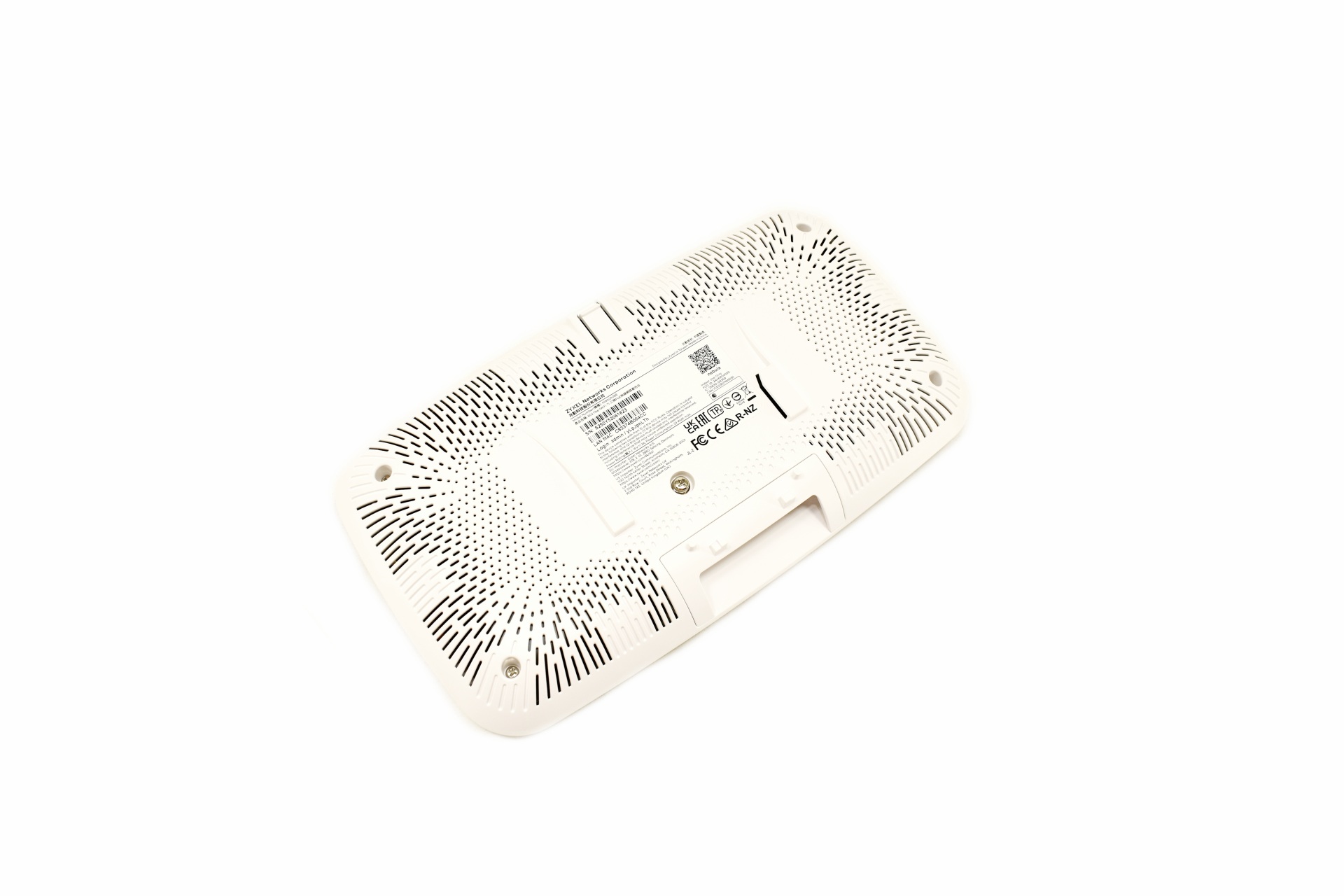
Most of the rear is perforated and at the center we find a sticker with the 2D barcode required for pairing with the Nebula app, serial number, barcode, user name, password and several certifications.
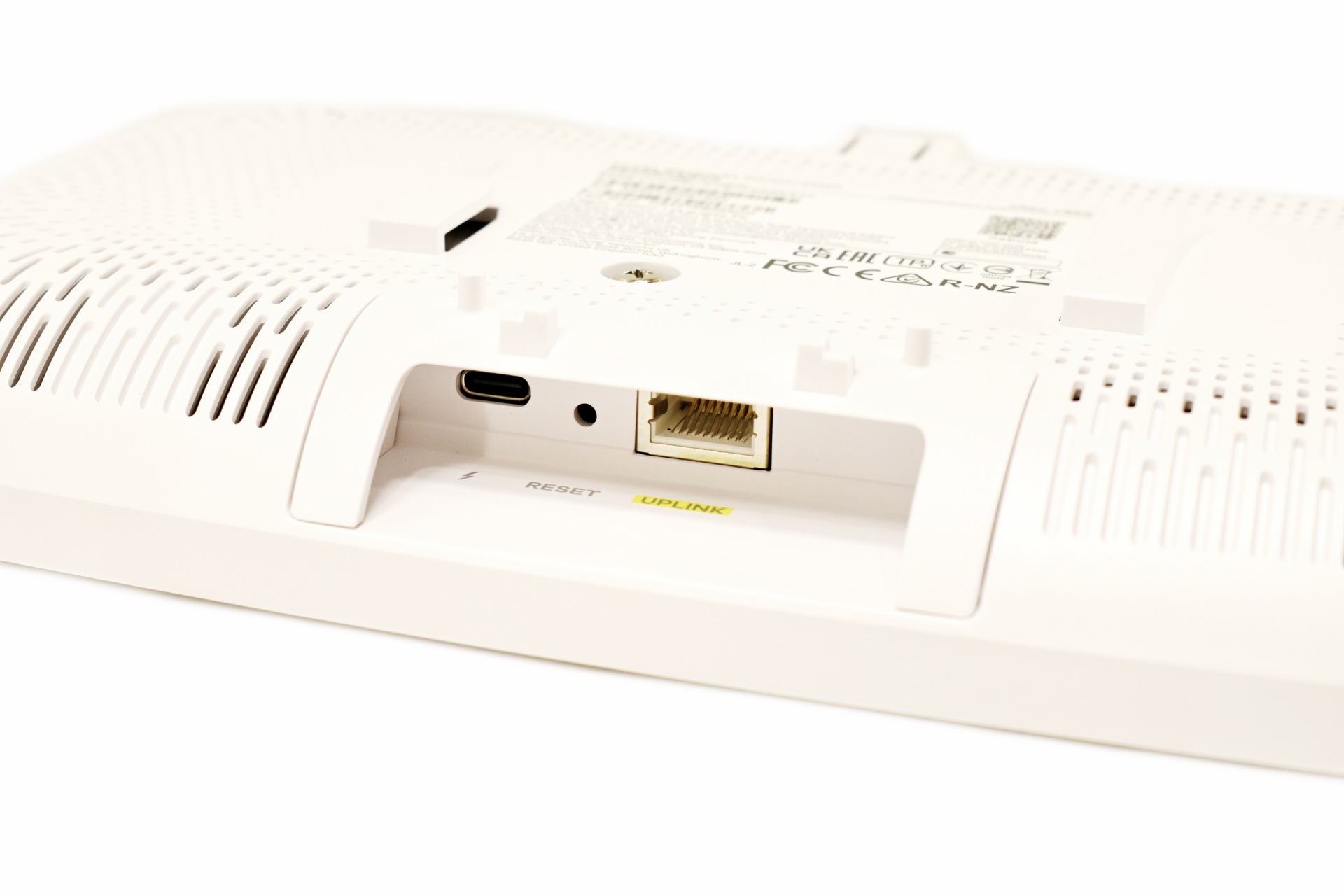
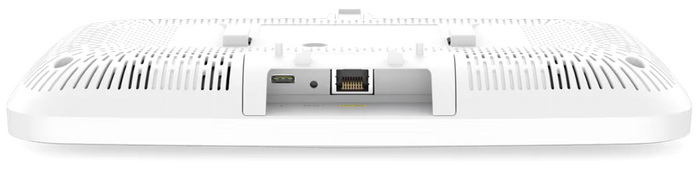
A USB-C port (used for installations without PoE) along with the DC-in and an RJ45 1/2.5/5/10GbE PoE port are all located at the lower end of the rear as seen above (the plastic around that area is removable for easier access).
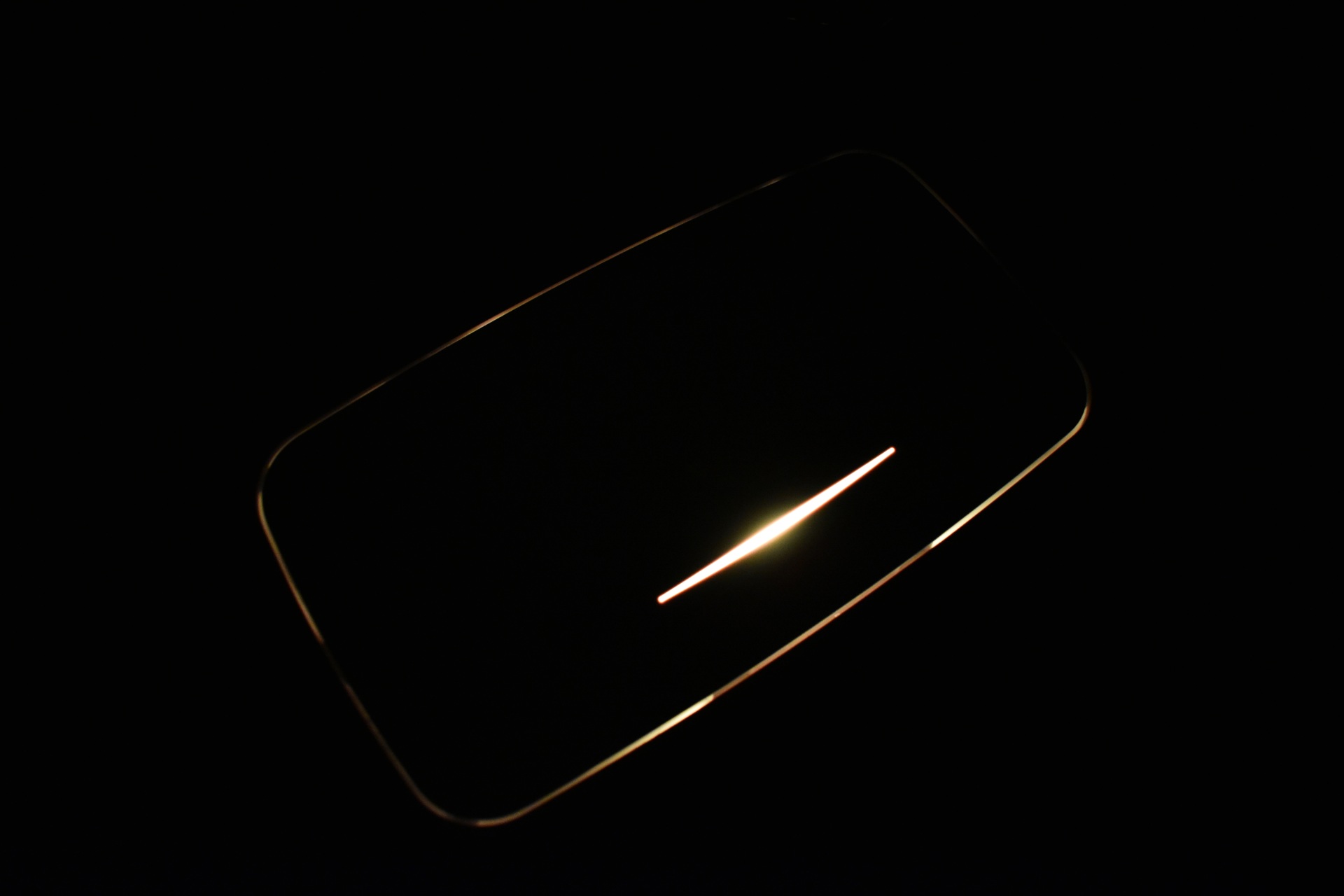
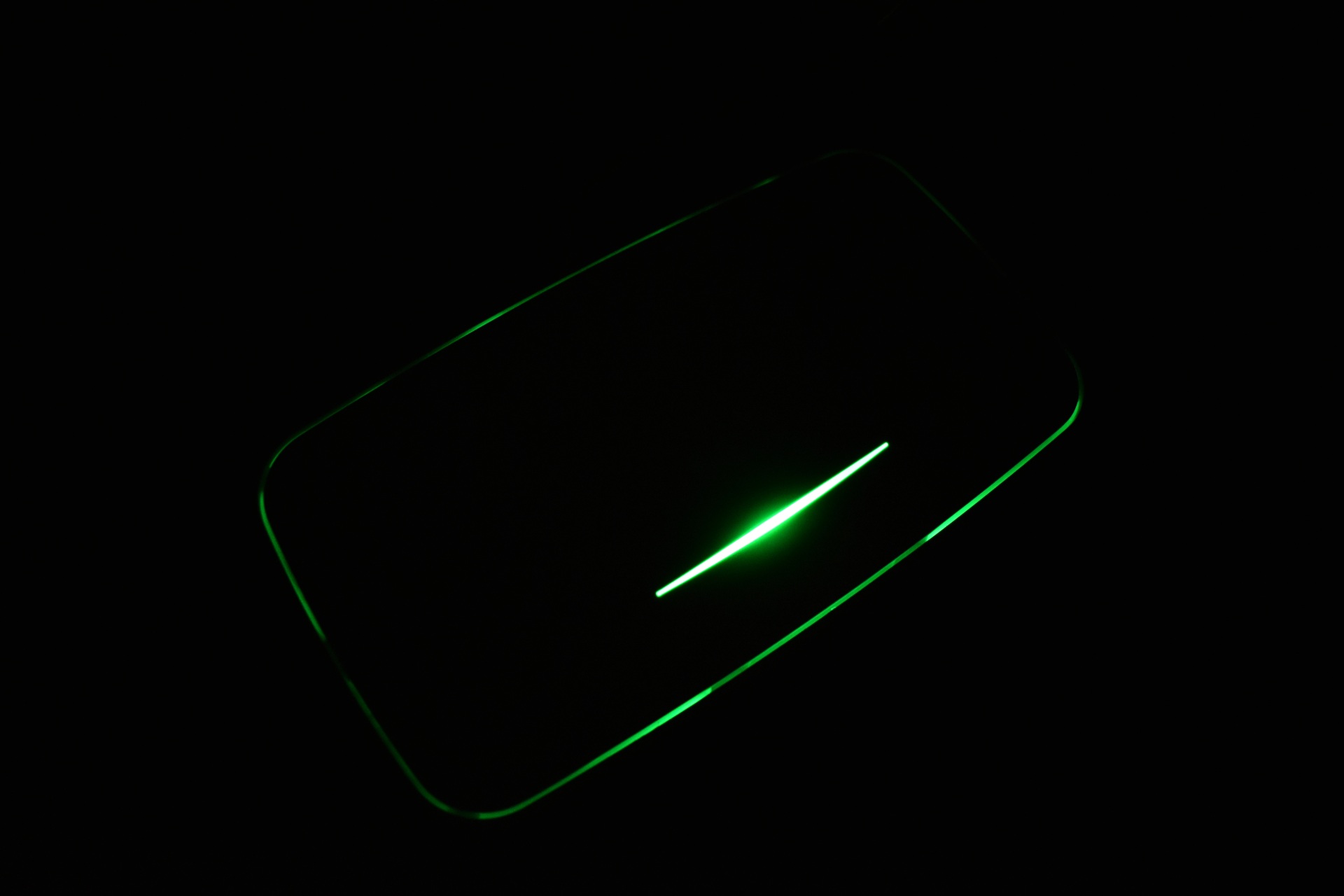
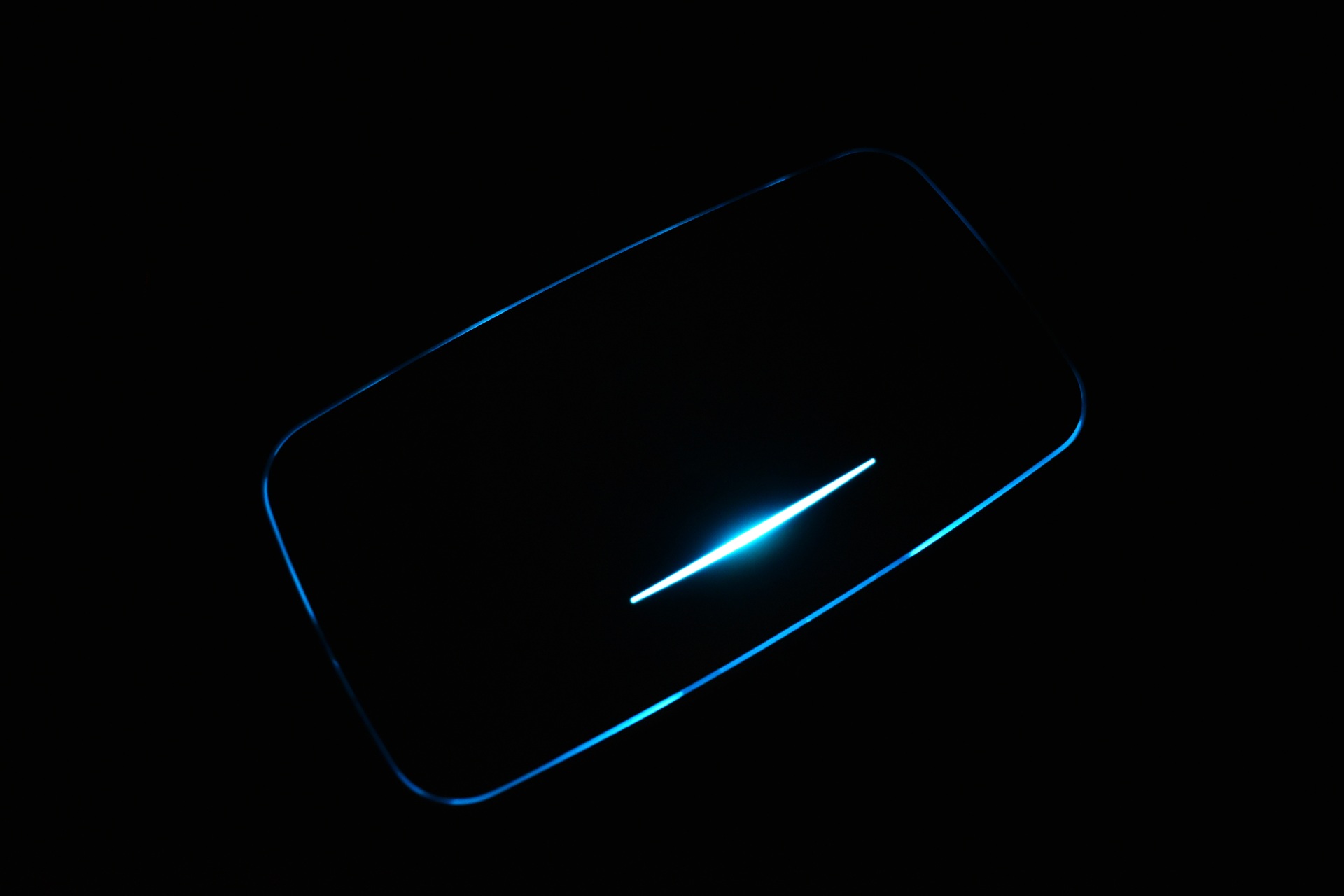
The activity LED at the front actually extends to all sides partially (yellow, green and blue).
WEB GUI
There are two control options for the NWA240BE, the local web GUI and the Nebula cloud app.
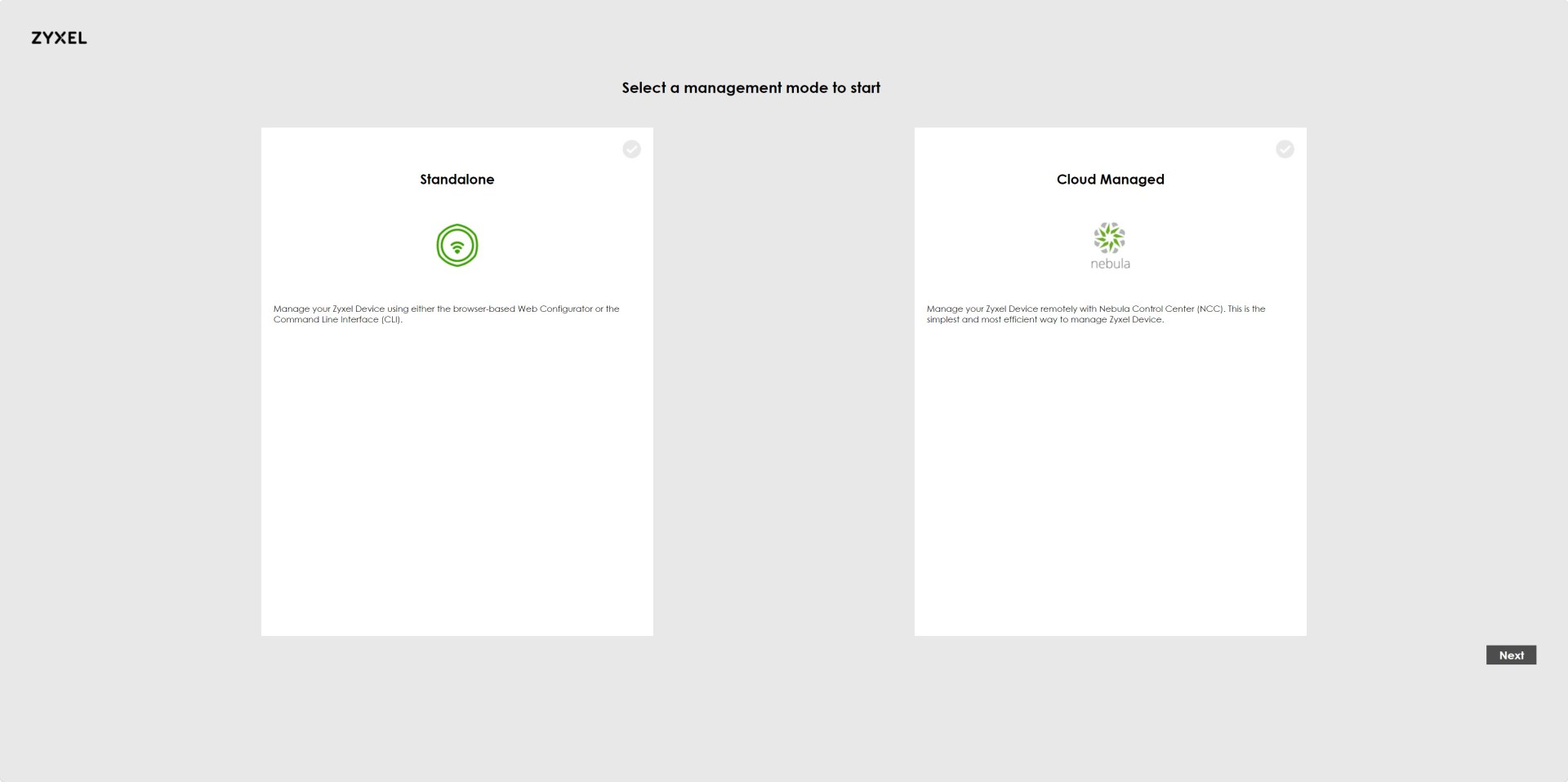
From the 1st web tab, you can choose between local standalone management or cloud control via Nebula.
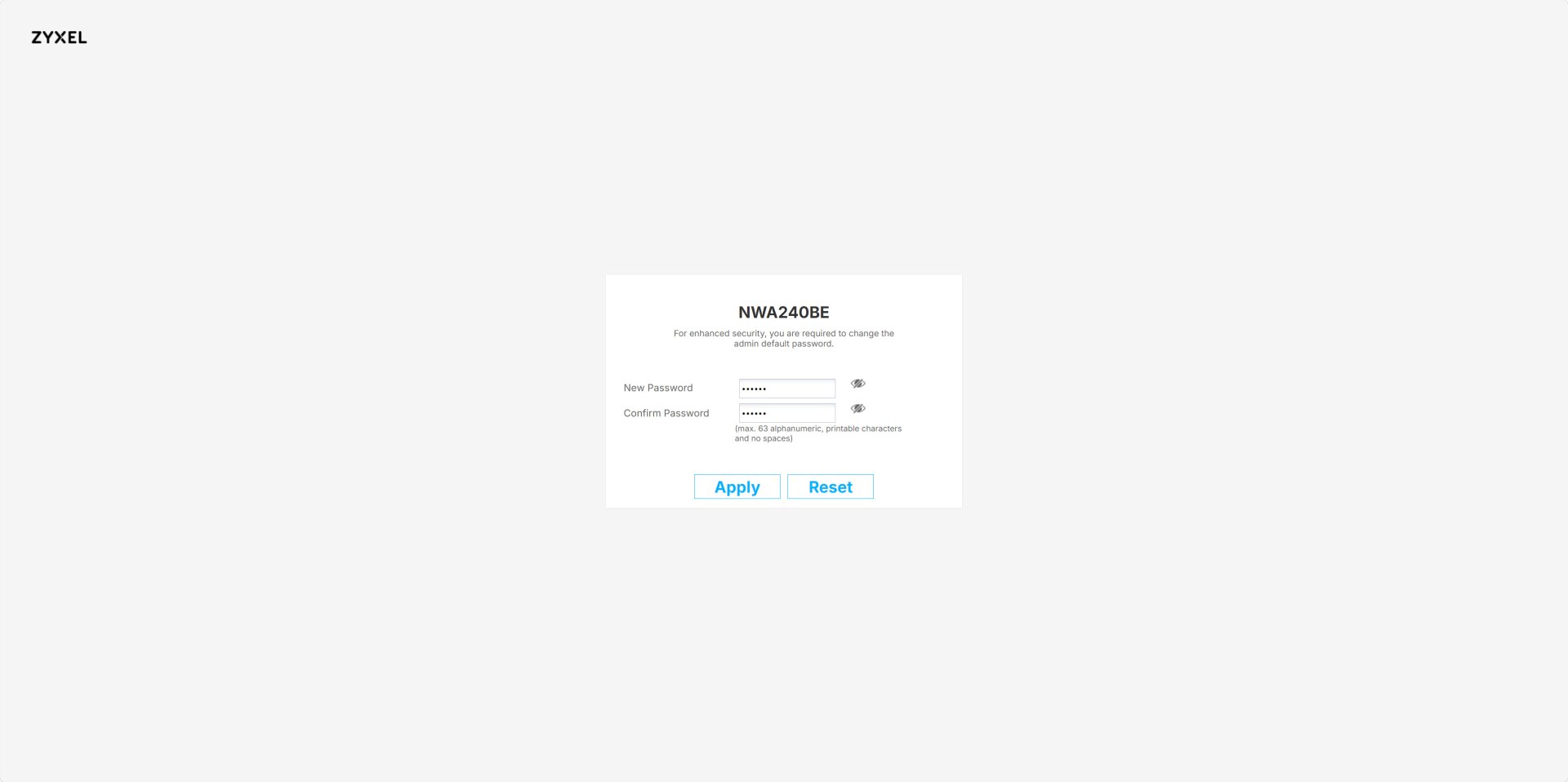
You will be required to change the password for the device if you continue using the web end.
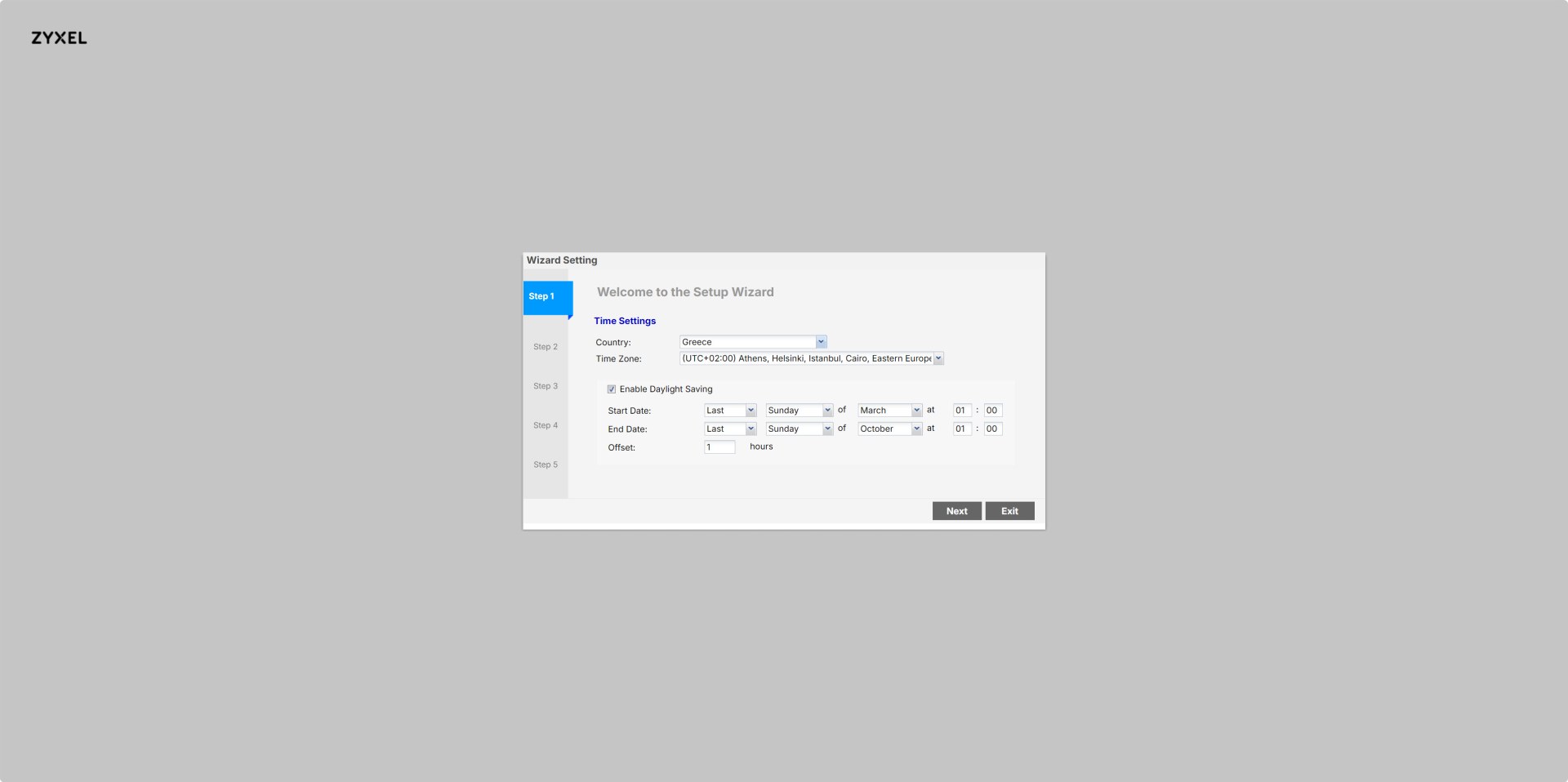
After that you will be asked to set country, time zone, and daylight‑saving rules for accurate system time.
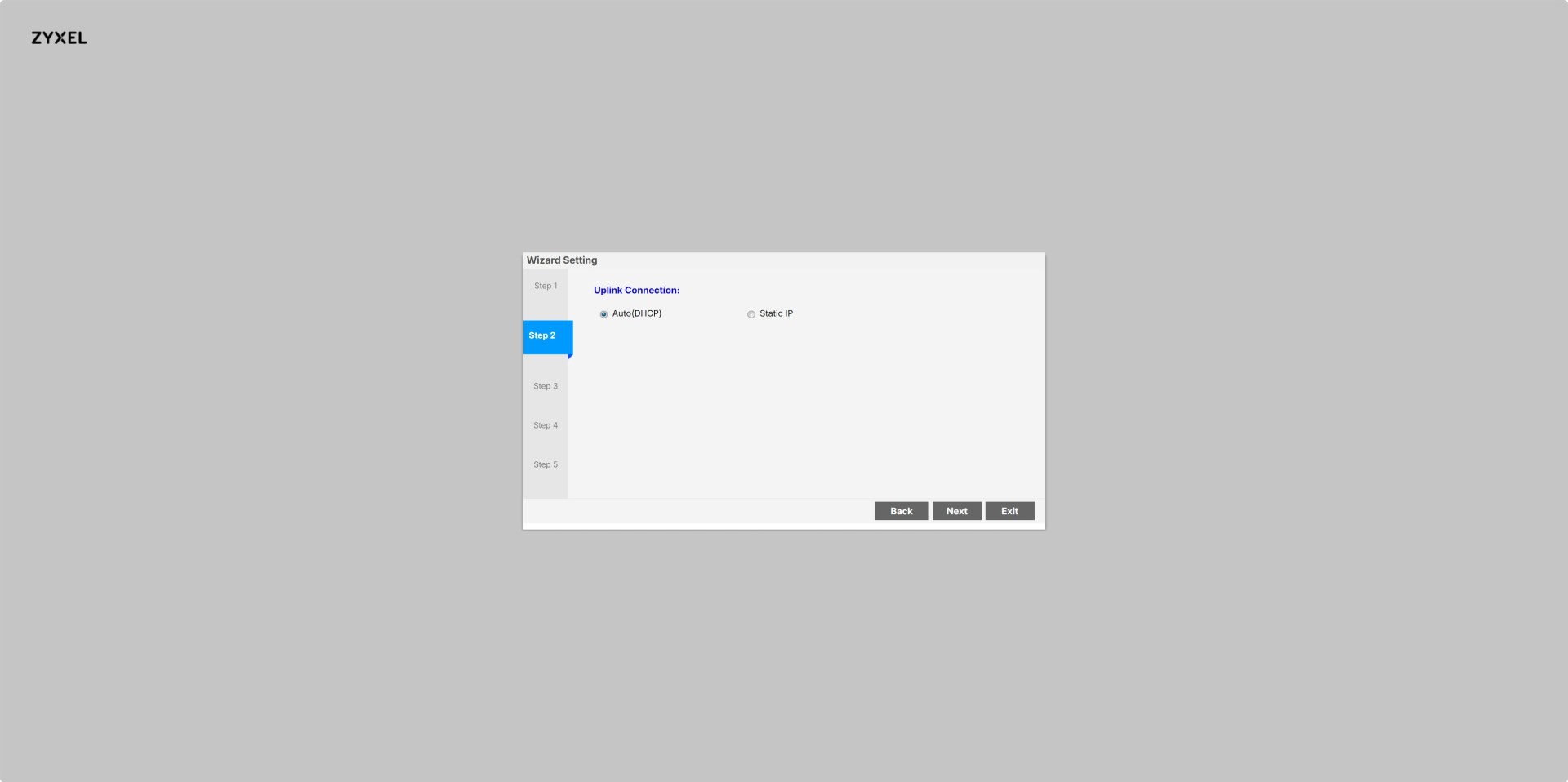
You also need to choose how the AP gets its IP address: automatic via DHCP or manual static IP.
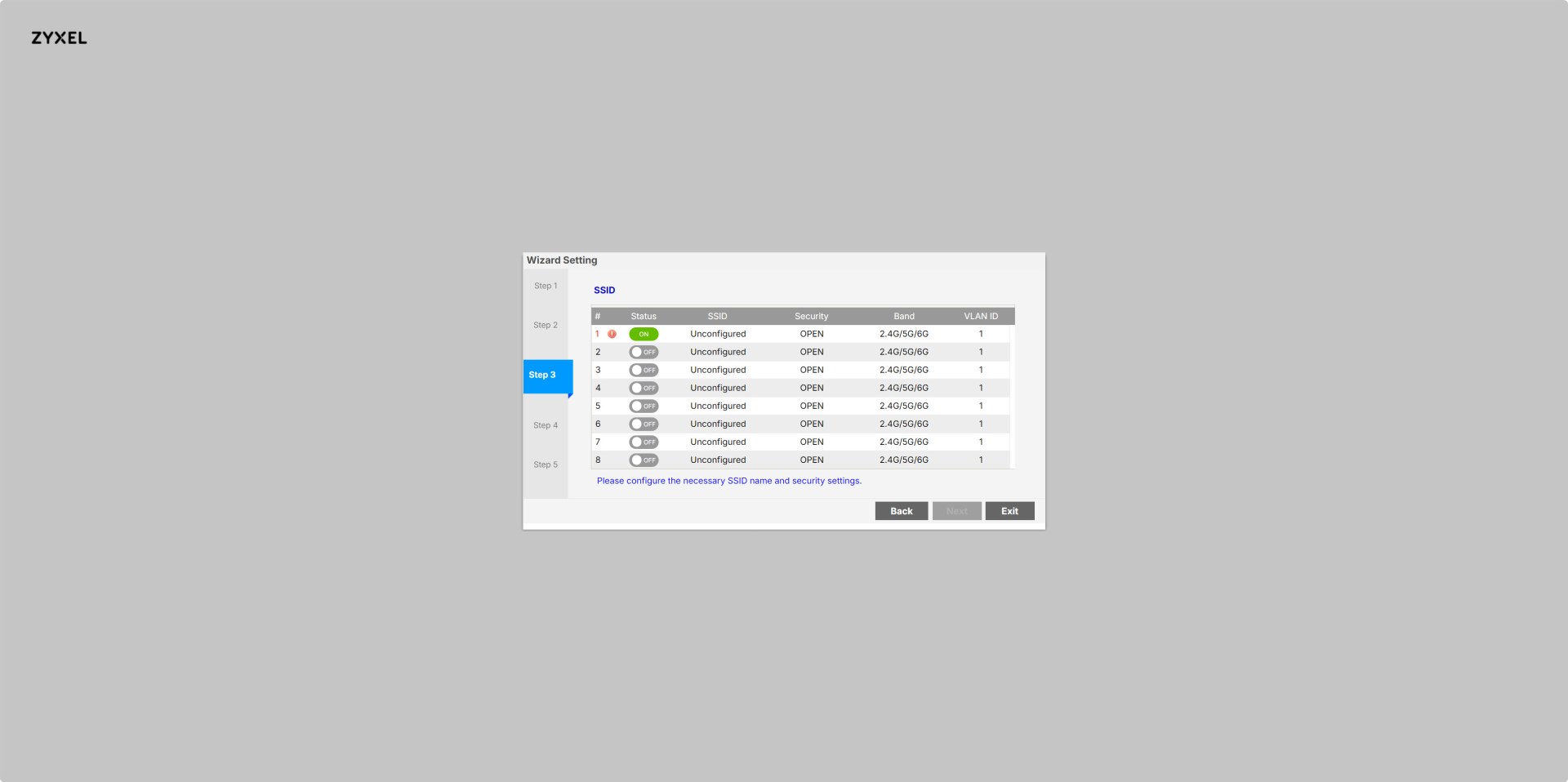
Next comes the available SSID slots from where the user can enable, name, and secure each wireless network.
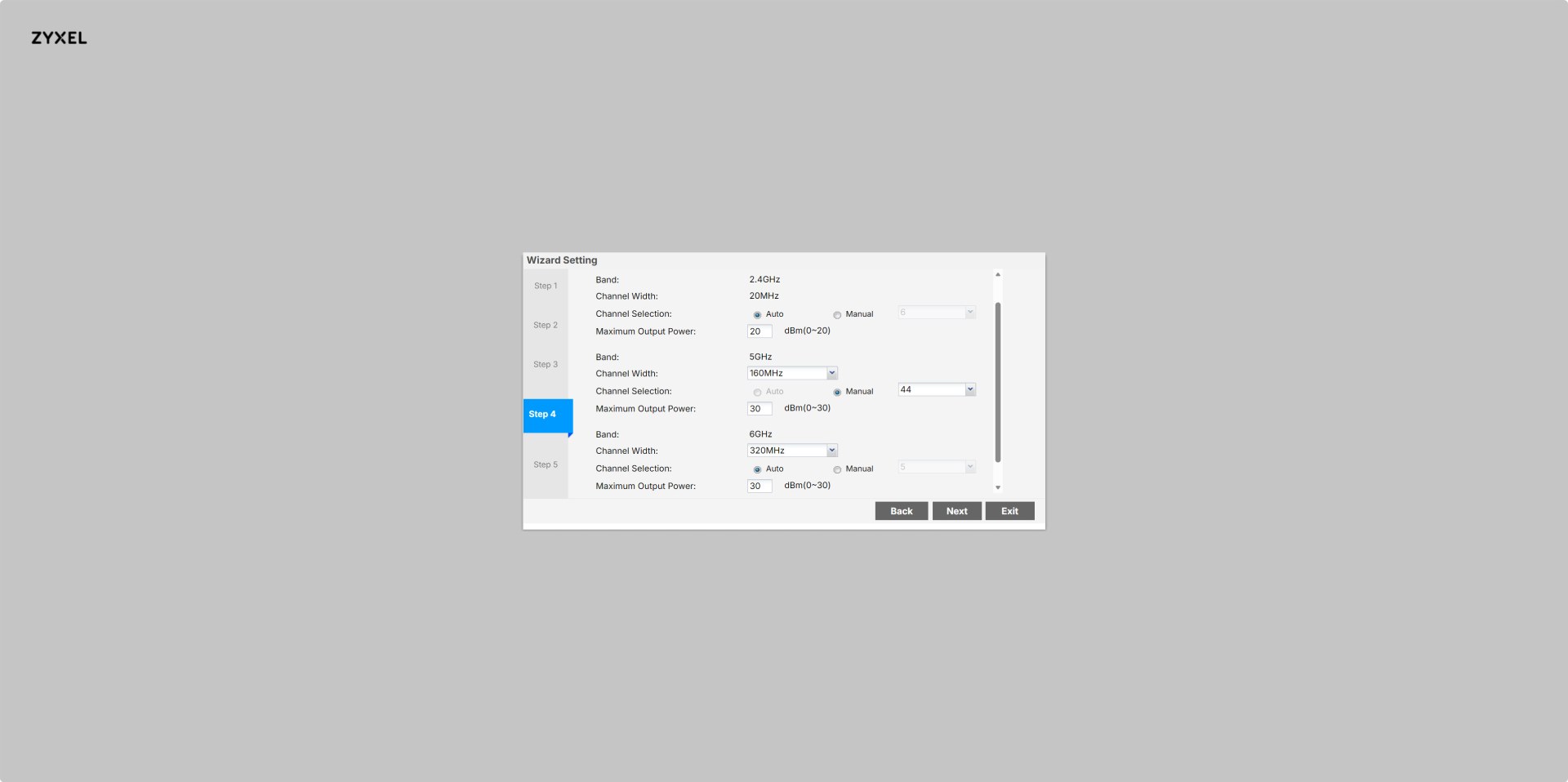
Step 4 allows configuration of 2.4G/5G/6G radio bands, channel width, channel selection, and transmit power.
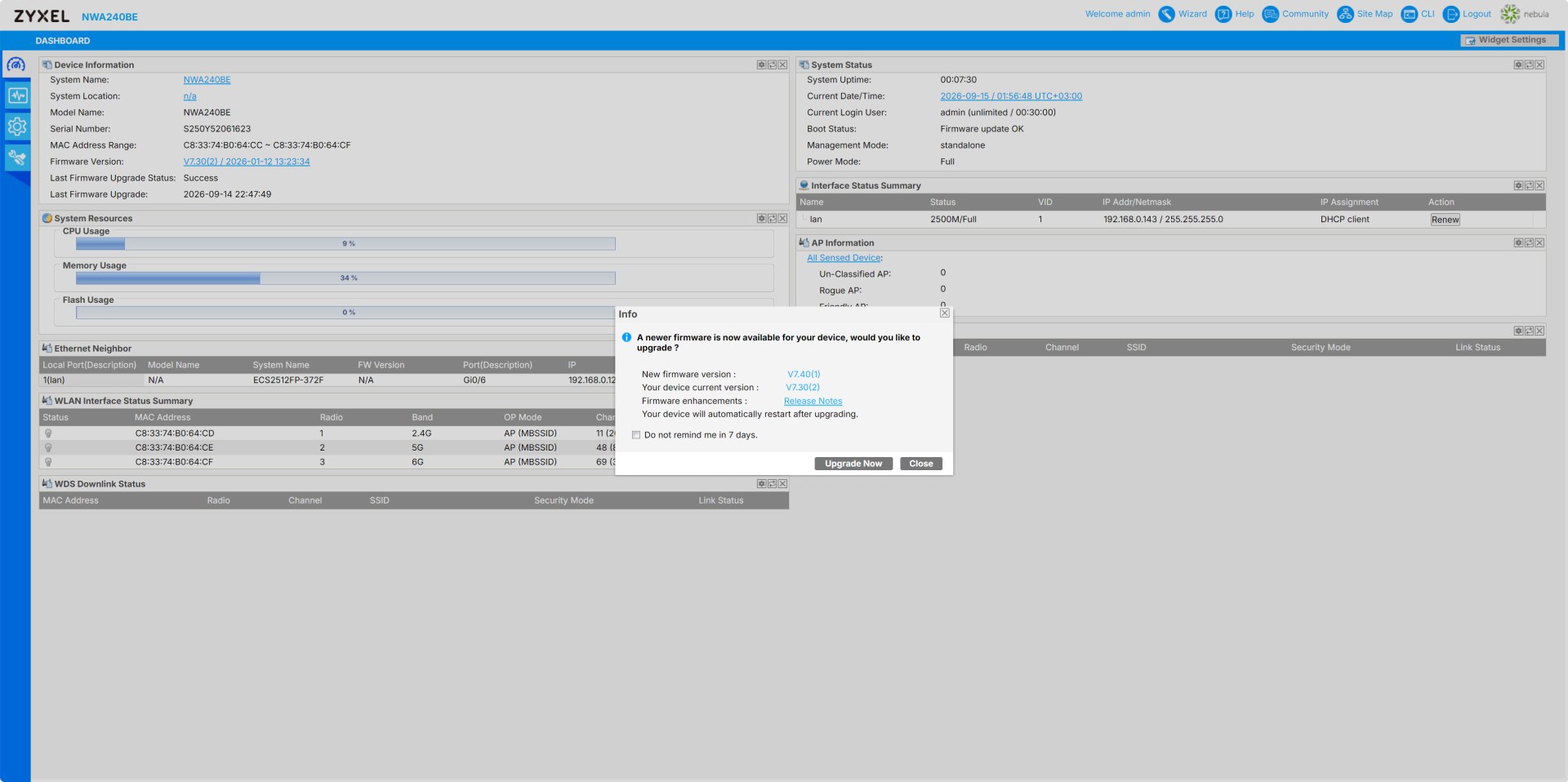
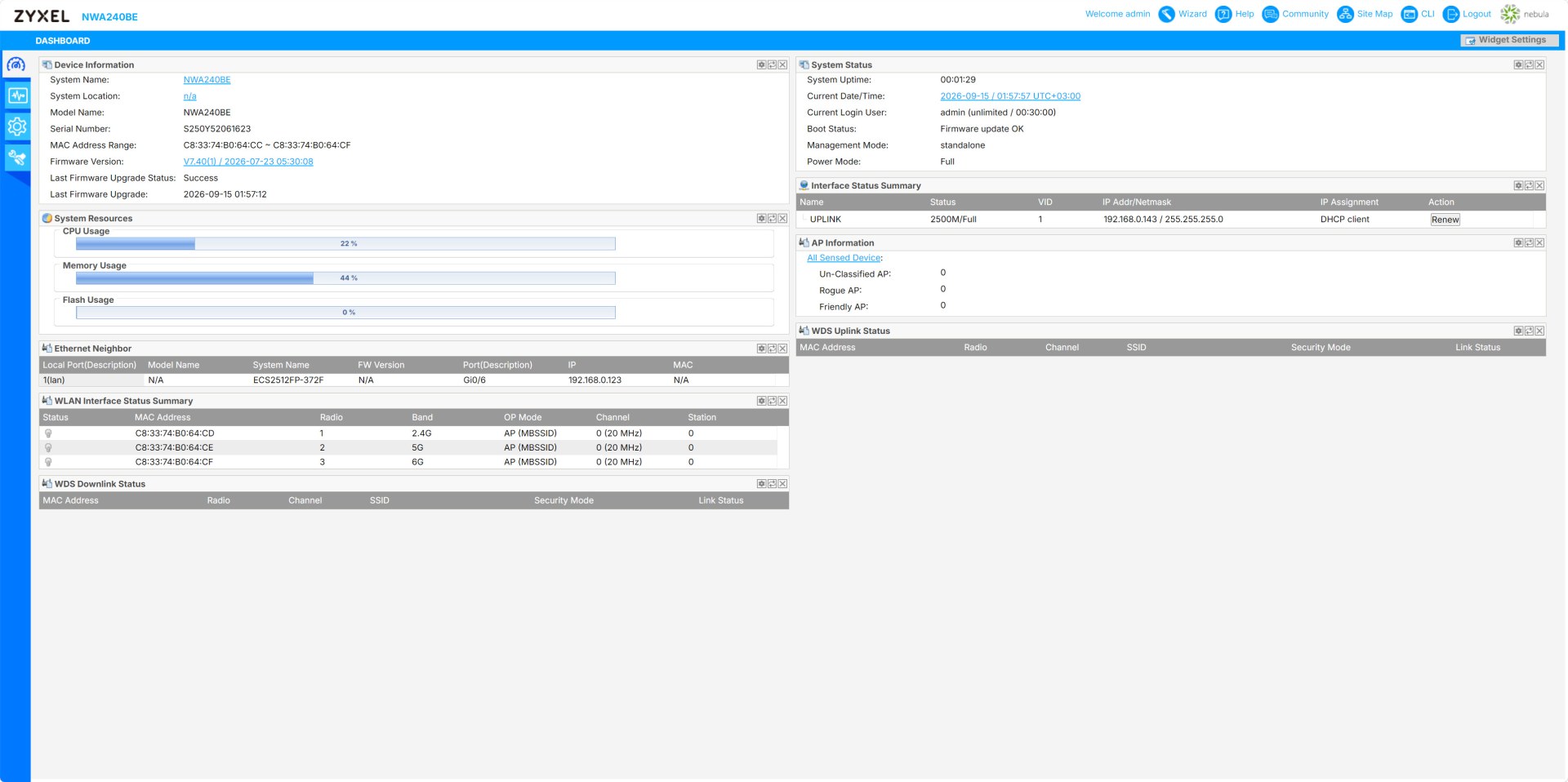
The main web dashboard displays device status, resource usage, radio channels, network info, and firmware update prompts.
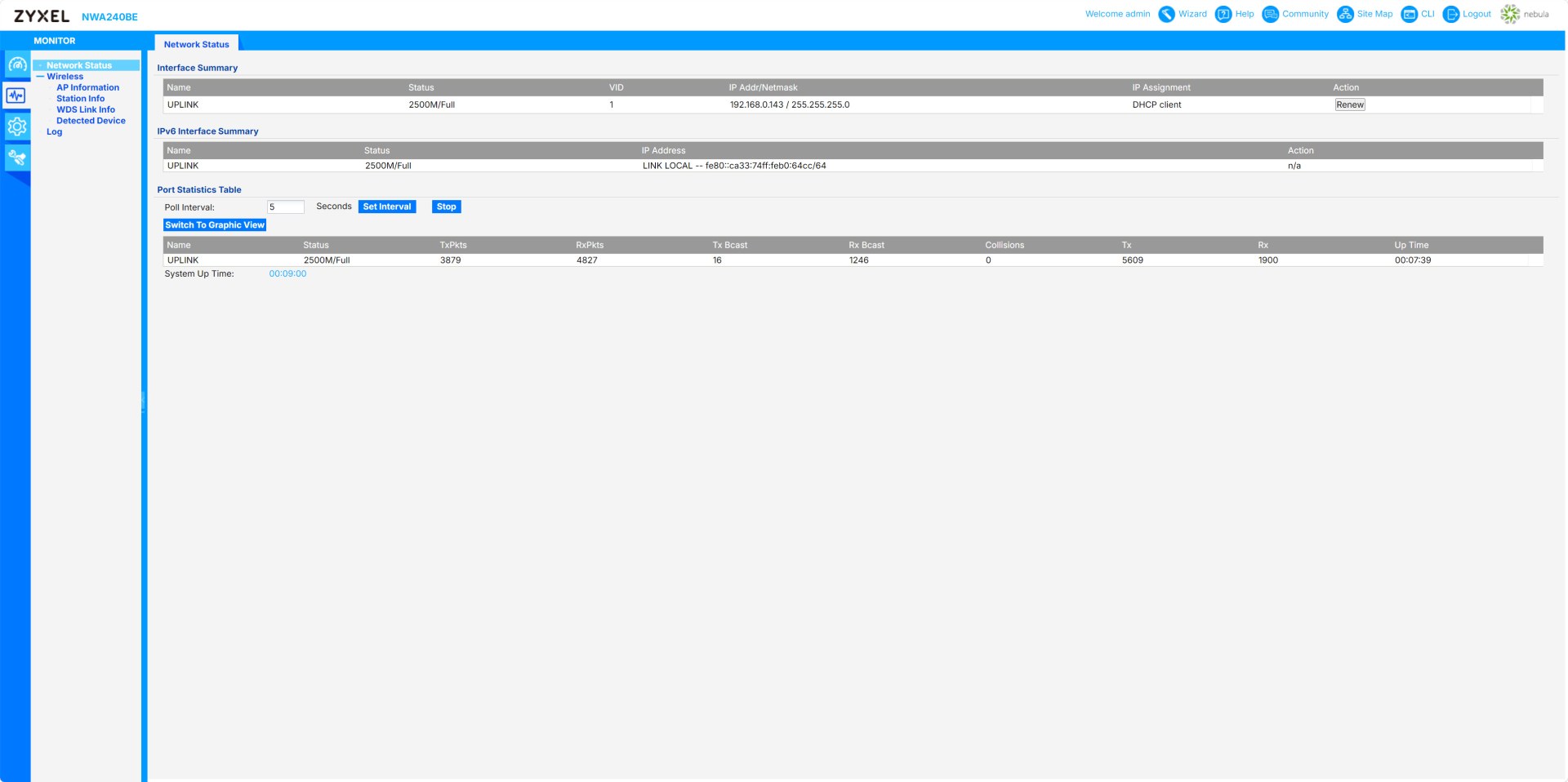
Moving to the monitor menu this provides real‑time link status, IPv4/IPv6 info, packet counters, and interface performance metrics.
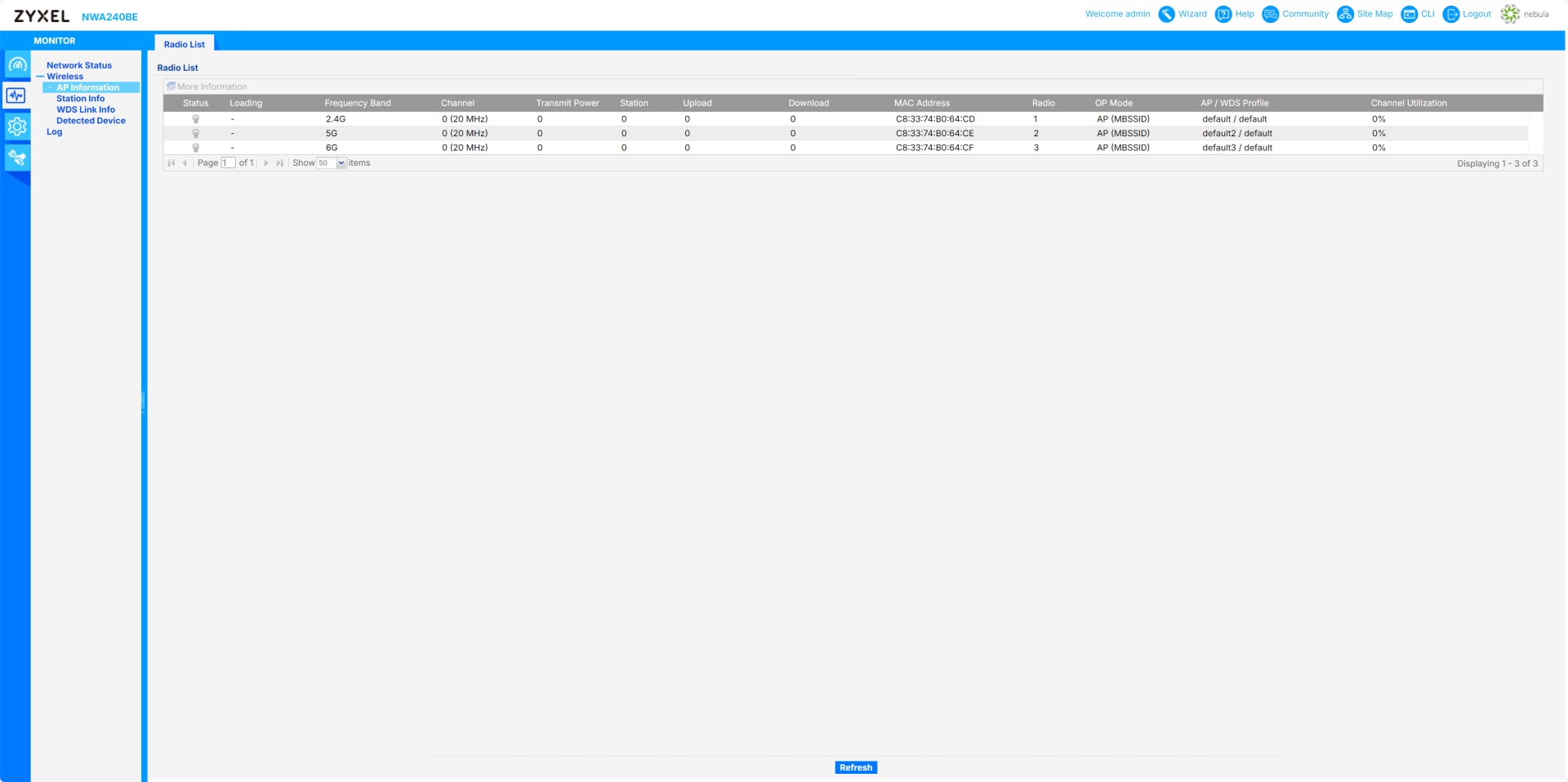
The AP info tab shows each radio’s band, channel, power, connected stations, and channel utilization.
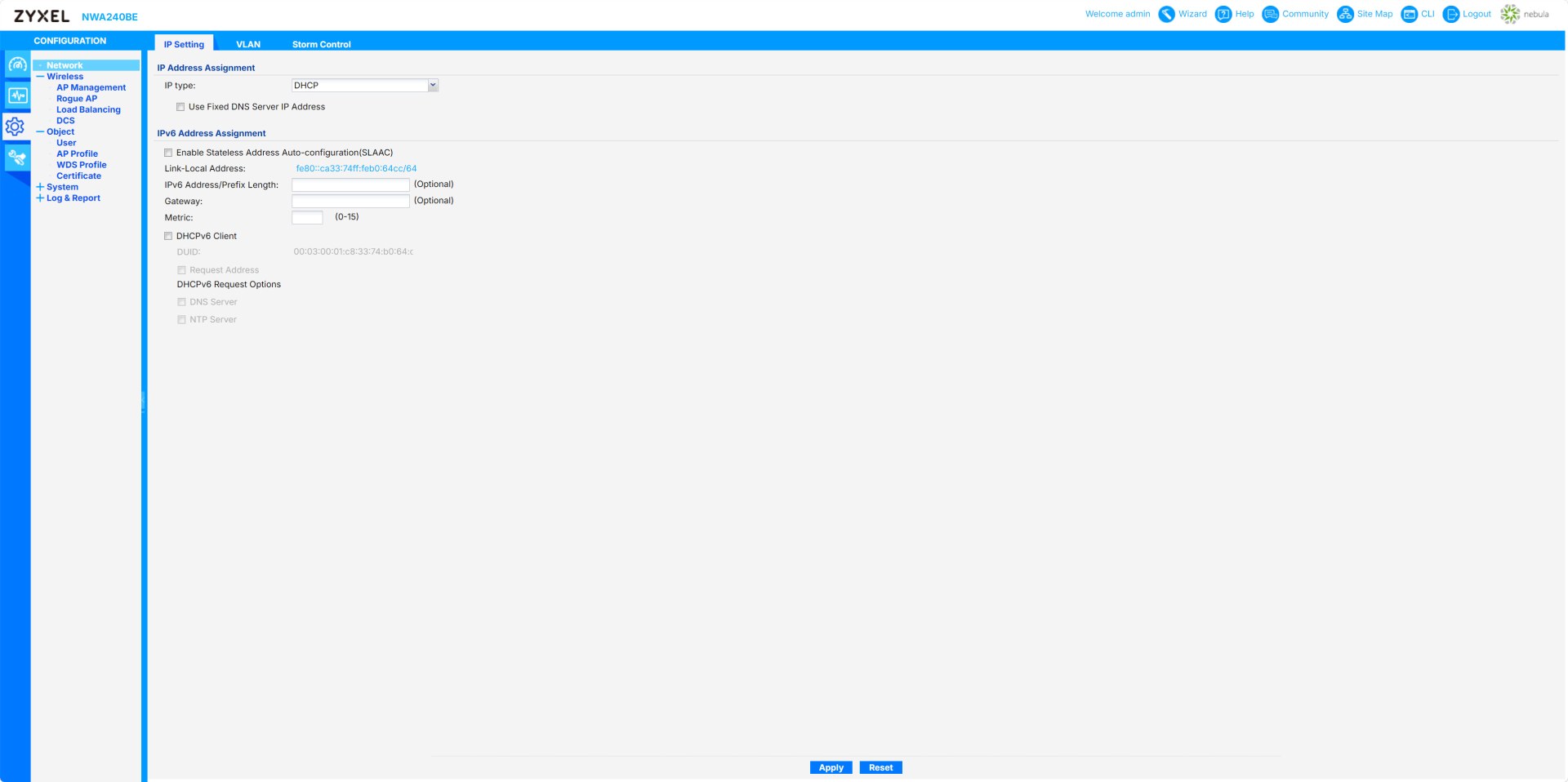
From the network tab inside the configuration menu, you can configure IPv4/IPv6 addressing, DHCP options, DNS, gateway, and SLAAC settings.
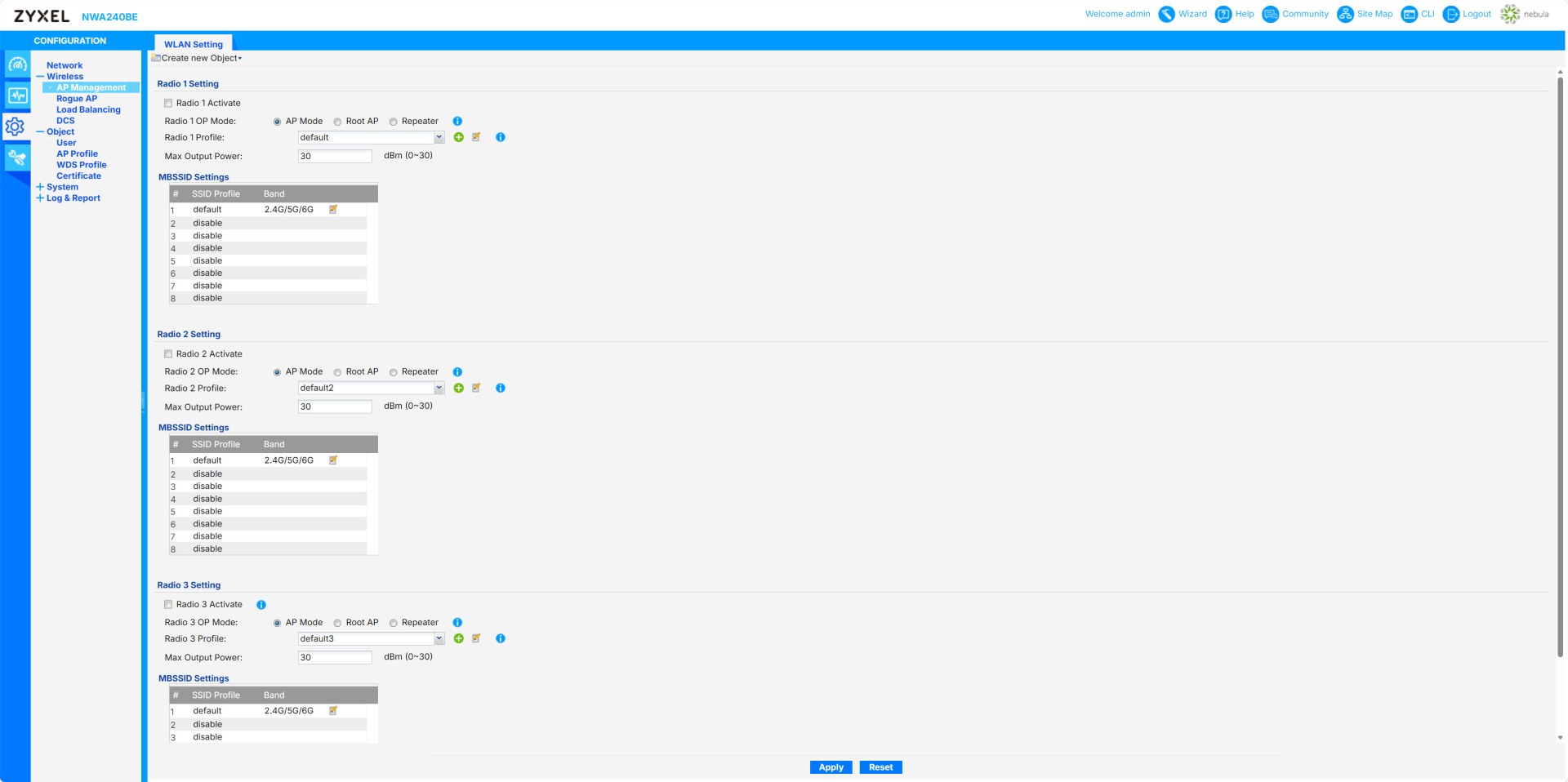
You can also activate radios, select AP/WDS modes, power levels, and assign SSID profiles.
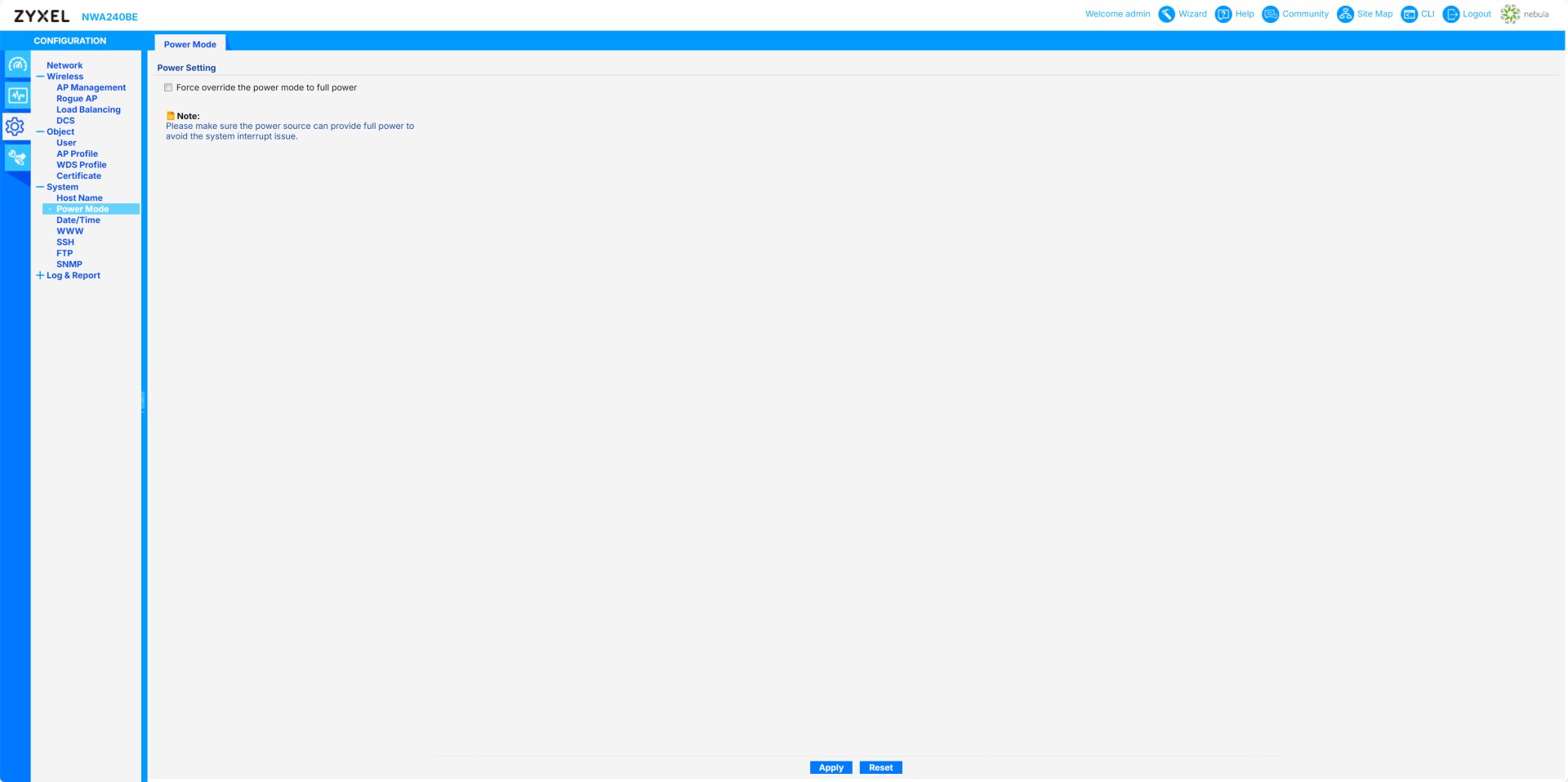
The power mode lets the user force full‑power operation when the power source can support it (not available via the Nebula app).
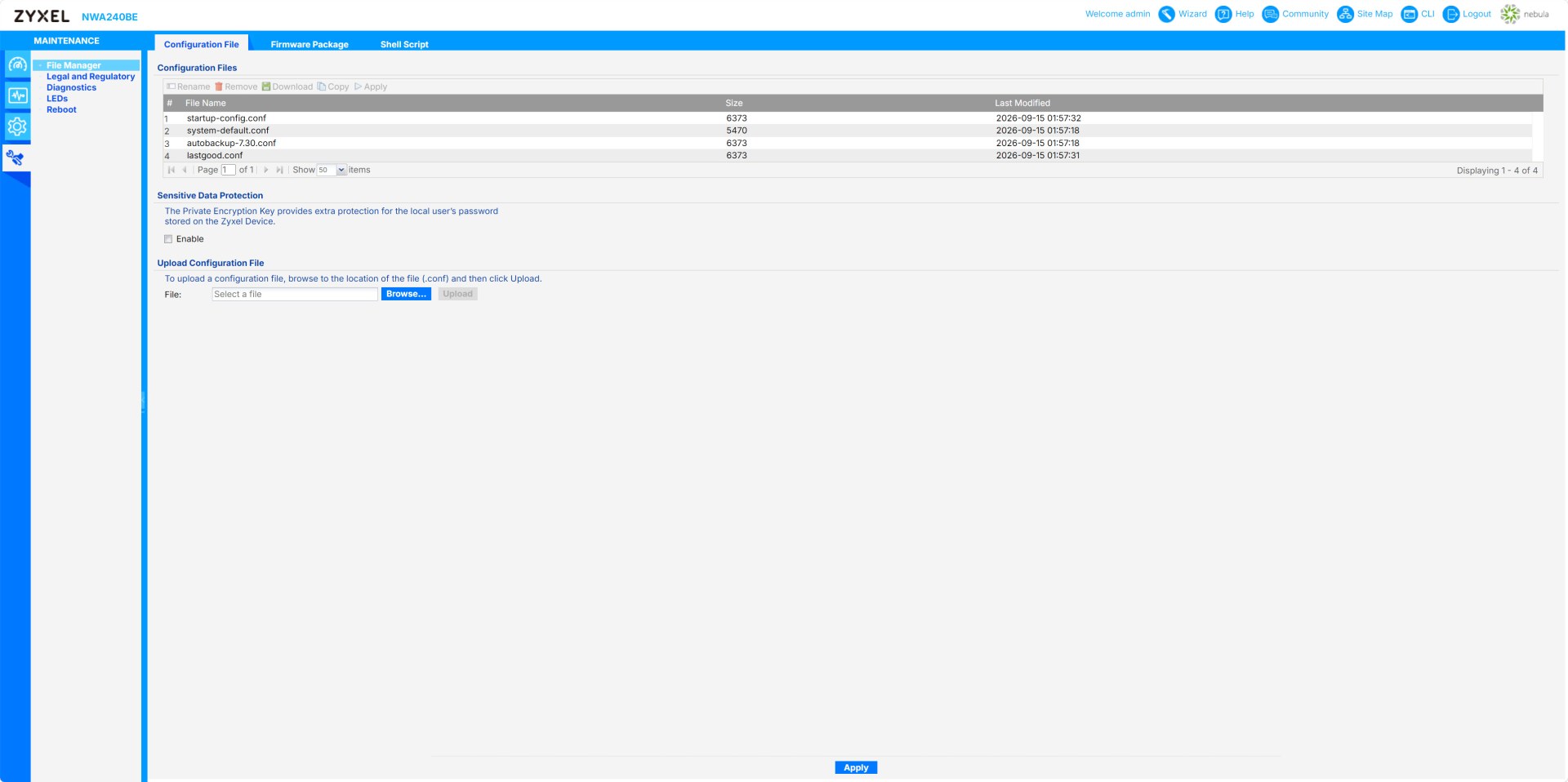
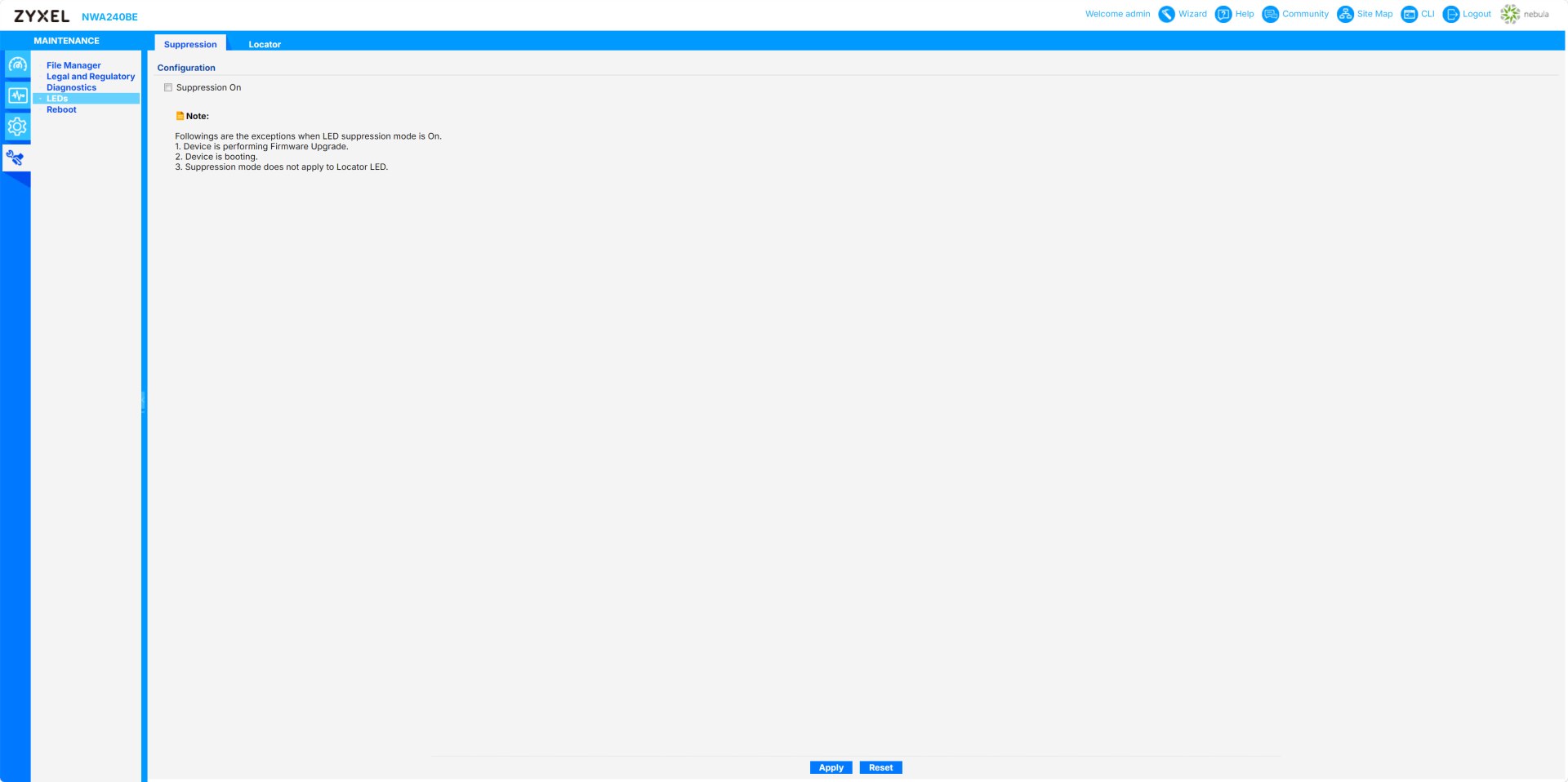
Inside the maintenance menu you'll be able to manage configuration files and disable front‑panel LEDs except during boot, upgrades, or locator mode.
NEBULA APP
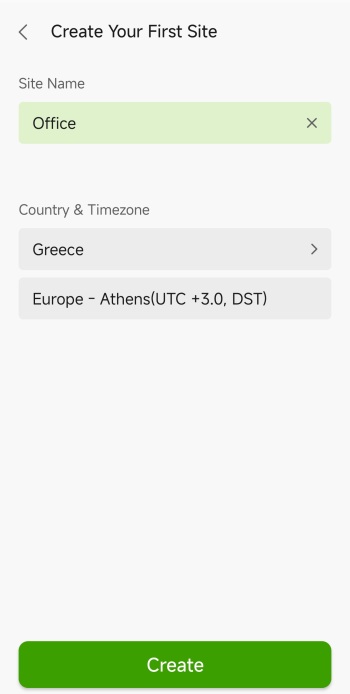
Once you install the Nebula app and pair the AP using the 2D barcode on its belly you will need to create a site and set its country/timezone.
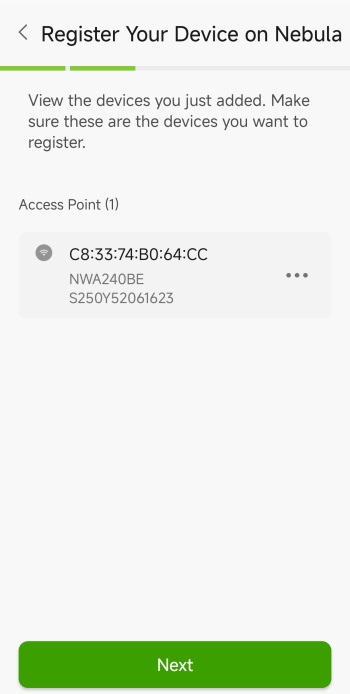
After that the app shows the AP you’re about to register and confirms its MAC/model/serial before proceeding.
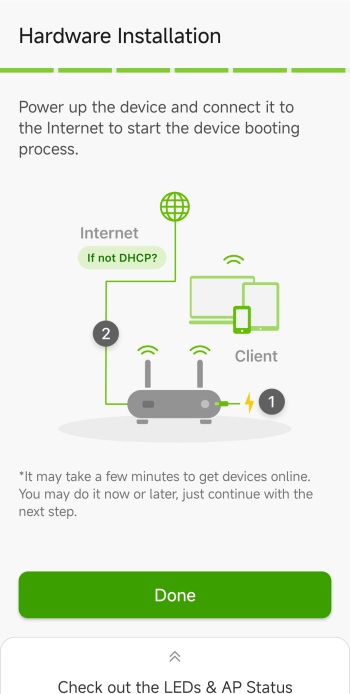
There's also a tab telling the user to power the device, connect it to the internet, and wait for it to come online.
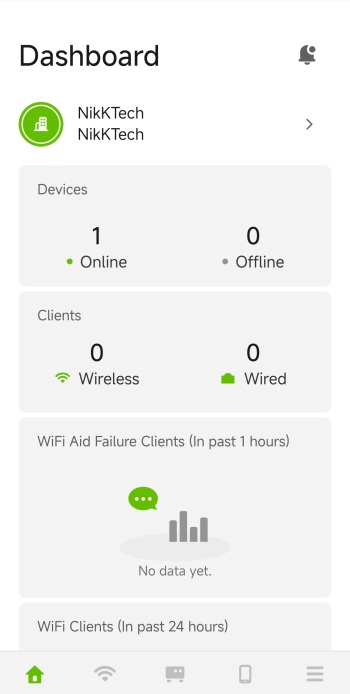
The main software tab displays site‑wide status: online/offline devices, wireless/wired clients, and recent Wi-Fi activity.
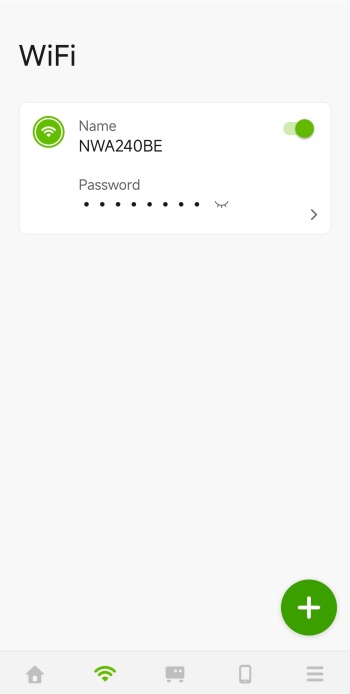
From the Wi-Fi tab you can see the connected SSID, password, and add or manage Wi-Fi networks.
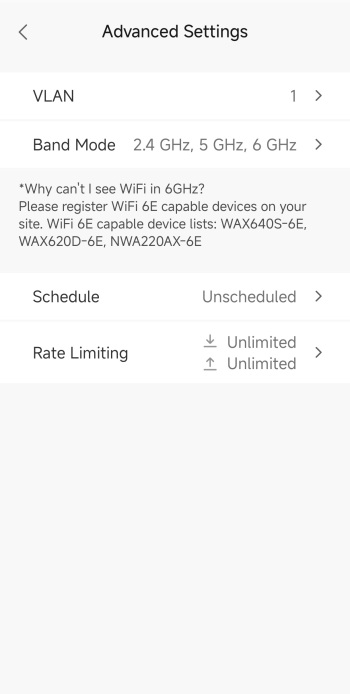
Settings for VLAN, bands, scheduling, and rate‑limit options for the wireless network are all inside the advanced settings tab.
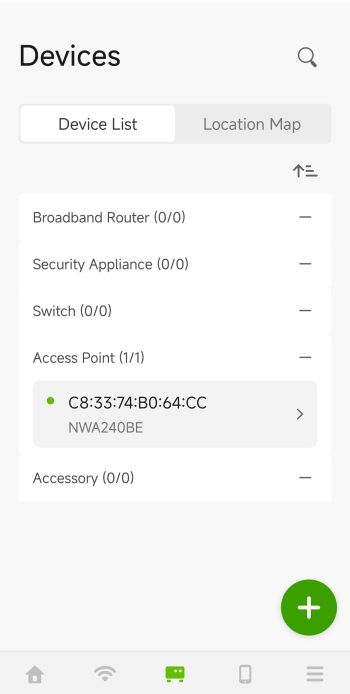
The devices tab shows all devices registered in the organization.
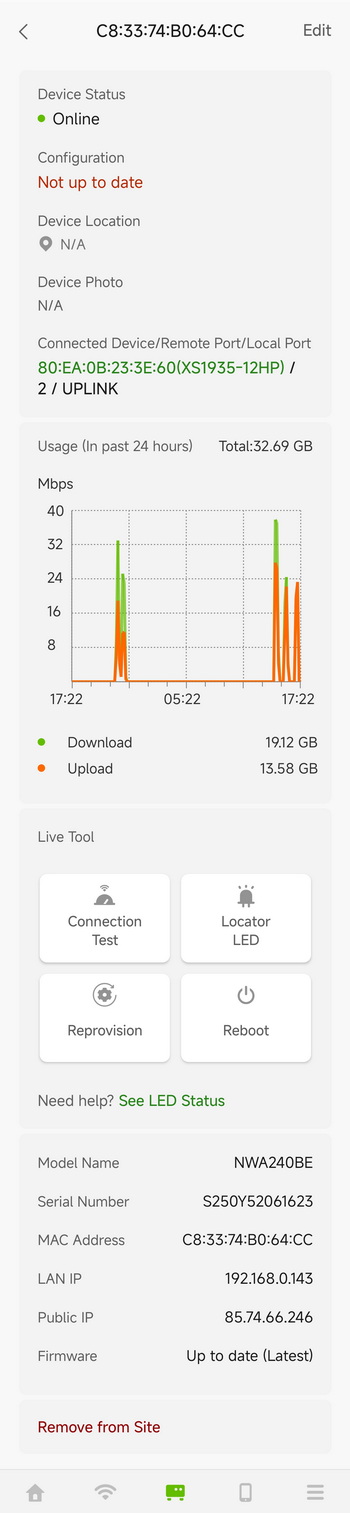
You can check the AP health, uplink info, traffic graphs, tools (test, reboot, locator), and device details from inside the device status page.
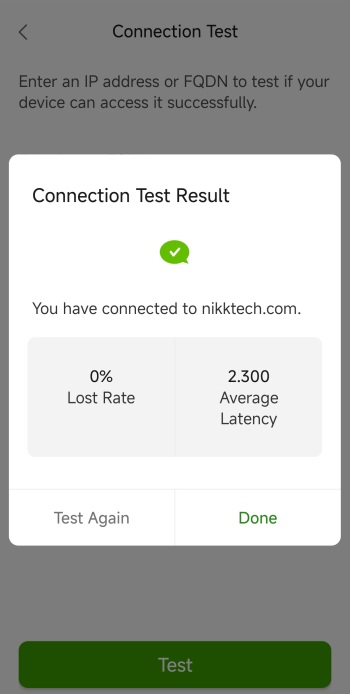
The connection test shows whether the AP can reach a given domain/IP, including packet loss and latency.
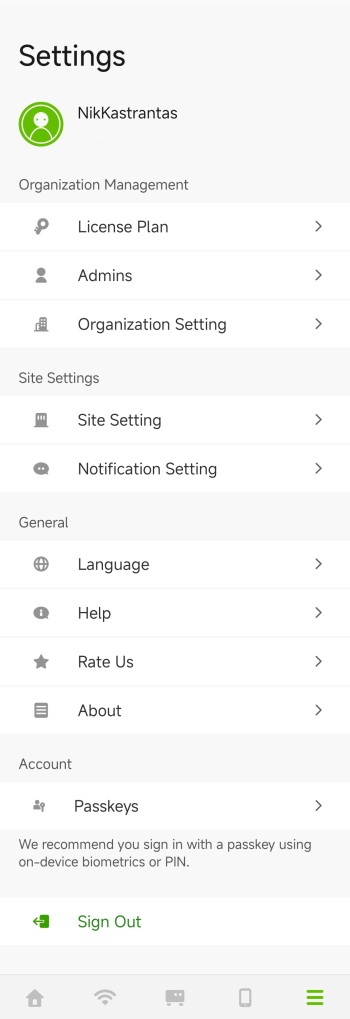
Finally, from inside the settings tab, you can manage organization settings, site settings, language, help, and account options.
TESTING METHODOLOGY
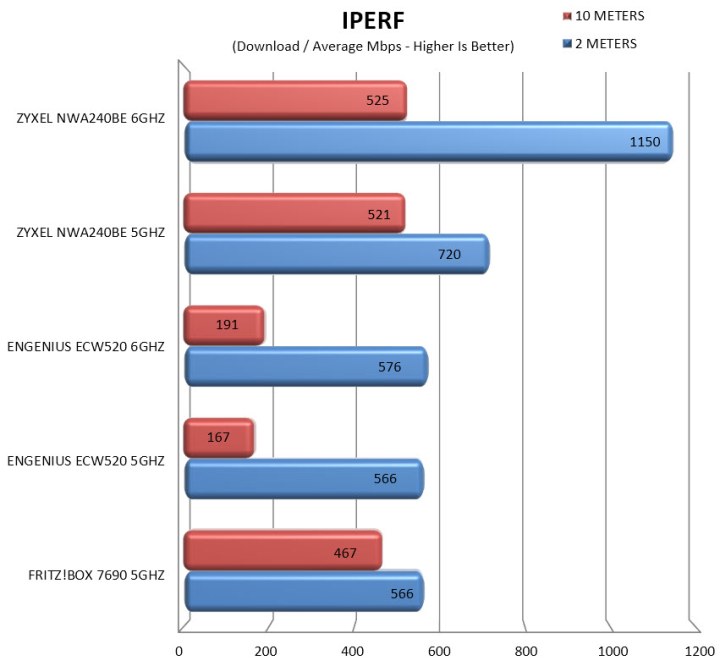
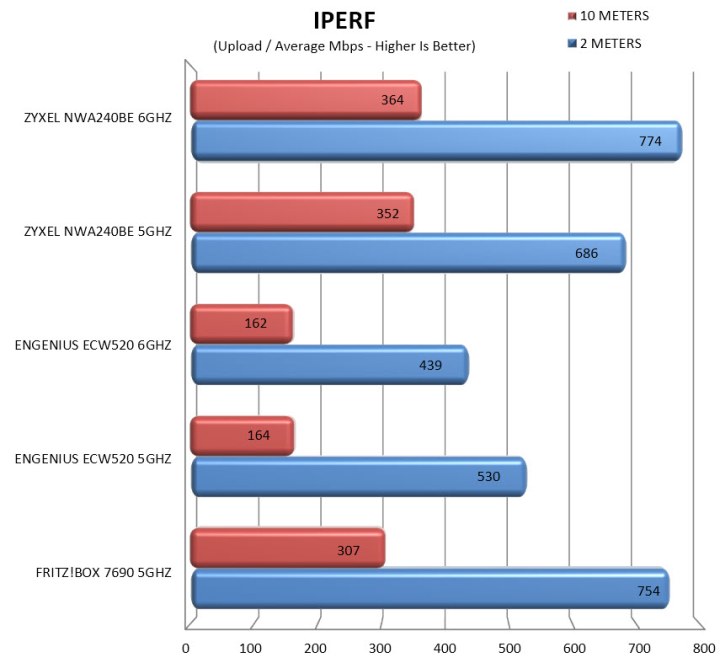
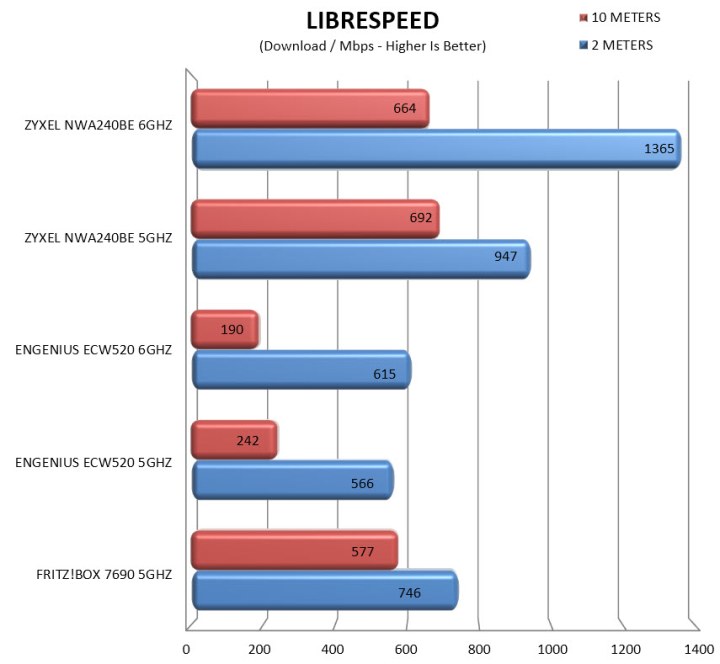
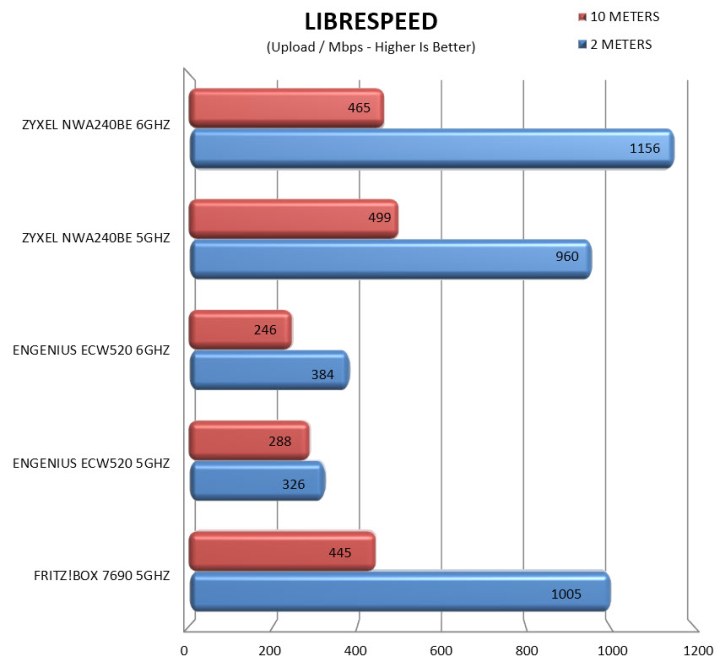
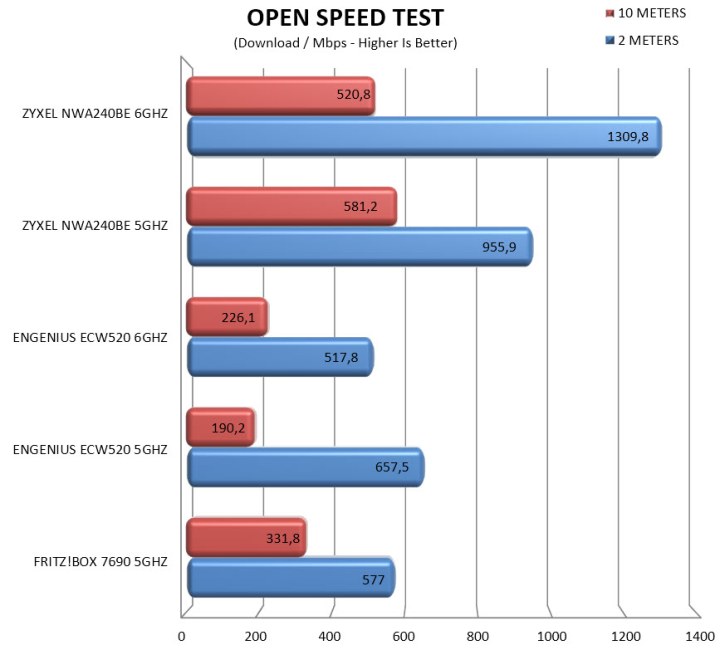
To evaluate access points moving forward, I’m shifting entirely to a LAN‑based performance workflow built around iPerf, LibreSpeed and Open Speed Test, all hosted on a dedicated 10Gbps backbone. Each benchmark is repeated three times after which the average numbers are recorded in the charts.
The test server is connected through the XS1935-12HP 10G switch by Zyxel equipped with an Intel X710-T2L (10G) network card, ensuring that throughput measurements on both the 5GHz and 6GHz bands are not bottlenecked by the wired side. For the client device, I’m using the Xiaomi 15T smartphone, positioned at 2m and 10m. All access points operate with 10 concurrent Wi‑Fi clients (laptops and smartphones) associated but idle, to simulate realistic airtime conditions without introducing external traffic.
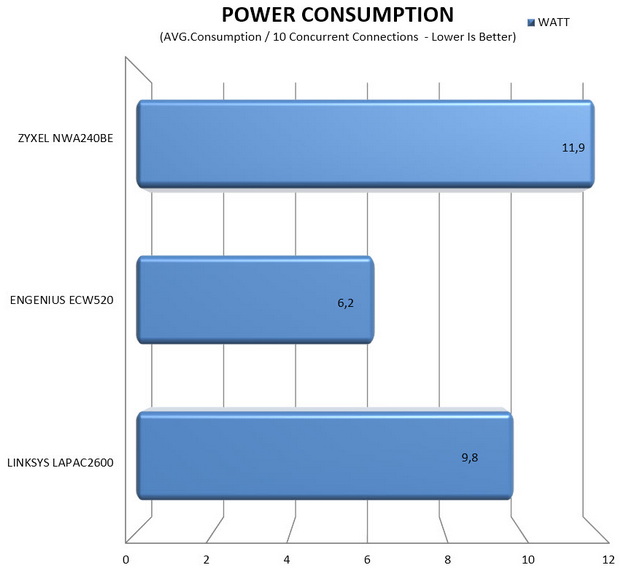
Finally, power consumption is measured using the APC BR1600SI and AVM FRITZ!Smart Energy 210 for adapter‑powered units, while PoE/+/++ models are monitored through the Zyxel XS1935-12HP switch to capture load draw during testing.
TEST RESULTS - IPERF
TEST RESULTS - LIBRESPEED
TEST RESULTS - OPEN SPEED TEST
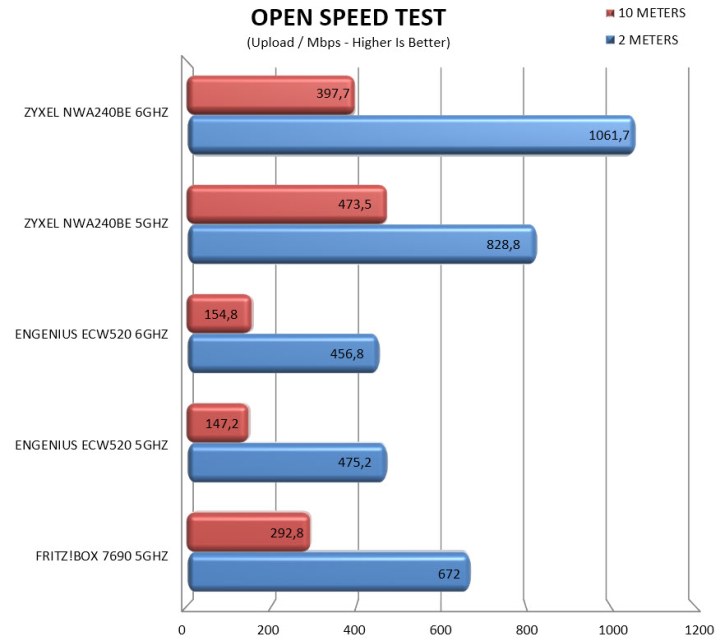
TEST RESULTS - POWER CONSUMPTION
 ..........
CONCLUSION
What stands out after using the Zyxel NWA240BE is how confidently it handles busy wireless environments. The 5GHz band stays smooth even with multiple active clients while the 6GHz radio brings the kind of clean, high‑capacity performance that makes Wi‑Fi 7 feel like a genuine upgrade. What rounds that out is the management experience. If you prefer cloud management, Nebula gives you polished cloud control, real‑time monitoring, DPPSK security, and easy multi‑site management. If you prefer hands‑on administration, the web GUI is detailed, responsive, and gives you everything from radio tuning to LED suppression to configuration file handling. It’s rare to see both paths implemented this well. The only real trade‑offs are its slightly larger footprint and higher power draw (always compared to similar products by the competition), but those feel minor compared to the control and wireless capability you get.
With a current retail price of 248.76Euros inside the EU (Amazon.de) the NWA240BE BE15000 8-Stream Wi-Fi 7 Triple-Radio NebulaFlex Access Point by Zyxel is priced relatively well. Yes, it may be larger than some other models in the market and it’s slightly more power hungry (which makes sense due to its performance) but thanks to its wireless performance, available features and ability to control either via the web GUI or the Nebula cloud app the NWA240BE is a great access point and that’s why it deserves our Golden Award.

PROS
- Build Quality
- Tri Band Model (2.4/5/6GHz)
- Wireless Performance
- WPA3 / WPA2 Encryption
- 1/2.5/10GbE RJ45 Port
- PoE & USB C Powered
- Web GUI & Nebula Cloud App
- Support
CONS
- Wall Power Adapter/Injector (Extra)
- Current Availability (USA)





