



INTRODUCTION
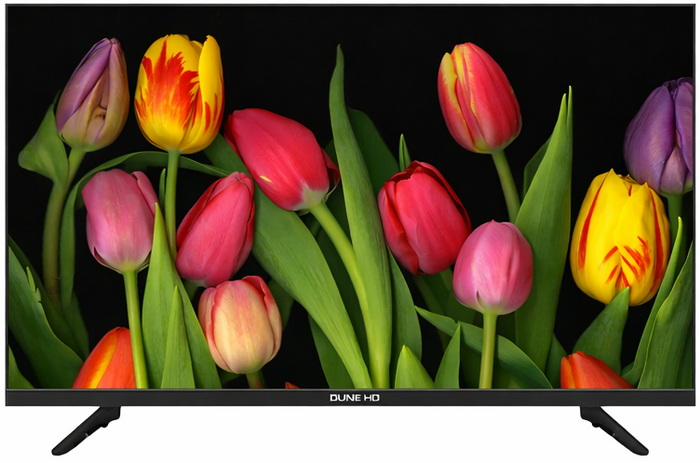
Smart TVs have become the default living‑room hub, not because they’re flashy (well, some are), but because they quietly centralize everything from streaming and casting to local playback and even light gaming. The real shift is that a TV is no longer just a panel, it’s an operating system with an opinion. Some platforms lean into aggressive recommendations, others into simplicity, others into codec support. That’s why the hardware underneath matters more than ever, and why the jump from basic LED sets to QLED panels has become the sweet spot for people who want better picture quality without paying OLED prices. QLED displays sit in that middle ground, quantum‑dot layers for richer color volume, higher peak brightness for daylight viewing, and generally better uniformity than budget LCDs. They’re not chasing the perfect black of OLED, they’re chasing consistency, punch, and longevity. For most households, that’s exactly the trade‑off that makes sense. And when you pair QLED hardware with a lightweight OS instead of a bloated one, you get a device that feels responsive instead of sluggish after a year. Dune HD recently released their very own TV line with the 43-inch Q43R1 model arriving in the lab a couple of months ago.
Dune HD is recognized as a global leader in high-performance digital media players. We received more awards than any other company in the category for delivering the very best in networked digital media devices. Dune HD products support the widest number of digital media formats in use today.
The Dune HD Whale TV Q43R1 is built around a 43‑inch 4K QLED VA panel that uses quantum dots to push richer color and stronger contrast (4000:1) than standard LCD sets, with typical and peak brightness levels set at 300 and 320 nits respectively. It supports HDR10, HDR10+ and HLG, running on a 60 Hz panel with ALLM to keep gaming input responsive. Audio comes from two 10W speakers with Dolby Atmos decoding, and as for connectivity the Q43R1 is equipped with eARC, SPDIF, 3.5mm jack, dual‑band Wi‑Fi 2x2 (b/g/n/ac), Bluetooth v5.0, RJ45 Ethernet, 2xHDMI 2.0 ports, 2xUSB 2.0, and a full DVB‑T/T2/S/S2/C tuner with PVR and TimeShift. Inside, a quad‑core ARM A55, Mali‑G31 MP2 GPU, 2GB RAM, and 16GB storage keep the system responsive. The real separation point is the software stack, a 3‑layer system built around Android 13, Whale OS, and the full Dune HD media center, which effectively turns the TV into a dedicated playback appliance. This isn’t the usual “supports MP4 and MKV” checkbox, the Dune HD media center handles an unusually broad range of video containers (MKV, TS, PS, M2TS, VOB, AVI, MOV, MP4, ISO, VIDEO_TS, BDMV), audio formats from everyday MP3/AAC to enthusiast‑grade FLAC, ALAC, APE, WavPack, and even SACD ISO/DSD stereo, plus playlist formats like M3U and PLS. Subtitle support is equally deep, covering SRT, SUB, SSA/ASS, VobSub, PGS, and online subtitle fetching when needed. On the codec side, it decodes AV1, H.264, H.265, VP9 Profile 2, AVS2, VC‑1, MPEG‑4, MPEG‑2, and more with full passthrough for Dolby Atmos, TrueHD, DTS‑HD MA, DTS:X, depending on the output path (SPDIF, ARC, or eARC). The media center also brings the familiar Dune features, SMB/NFS network browsing, ISO playback with full menus, advanced subtitle controls, and the “My Collection” system that automatically organizes local libraries into a proper catalog. So, let's see just how good the 1st step in the TV arena by Dune HD really is.



