





GG SOFTWARE
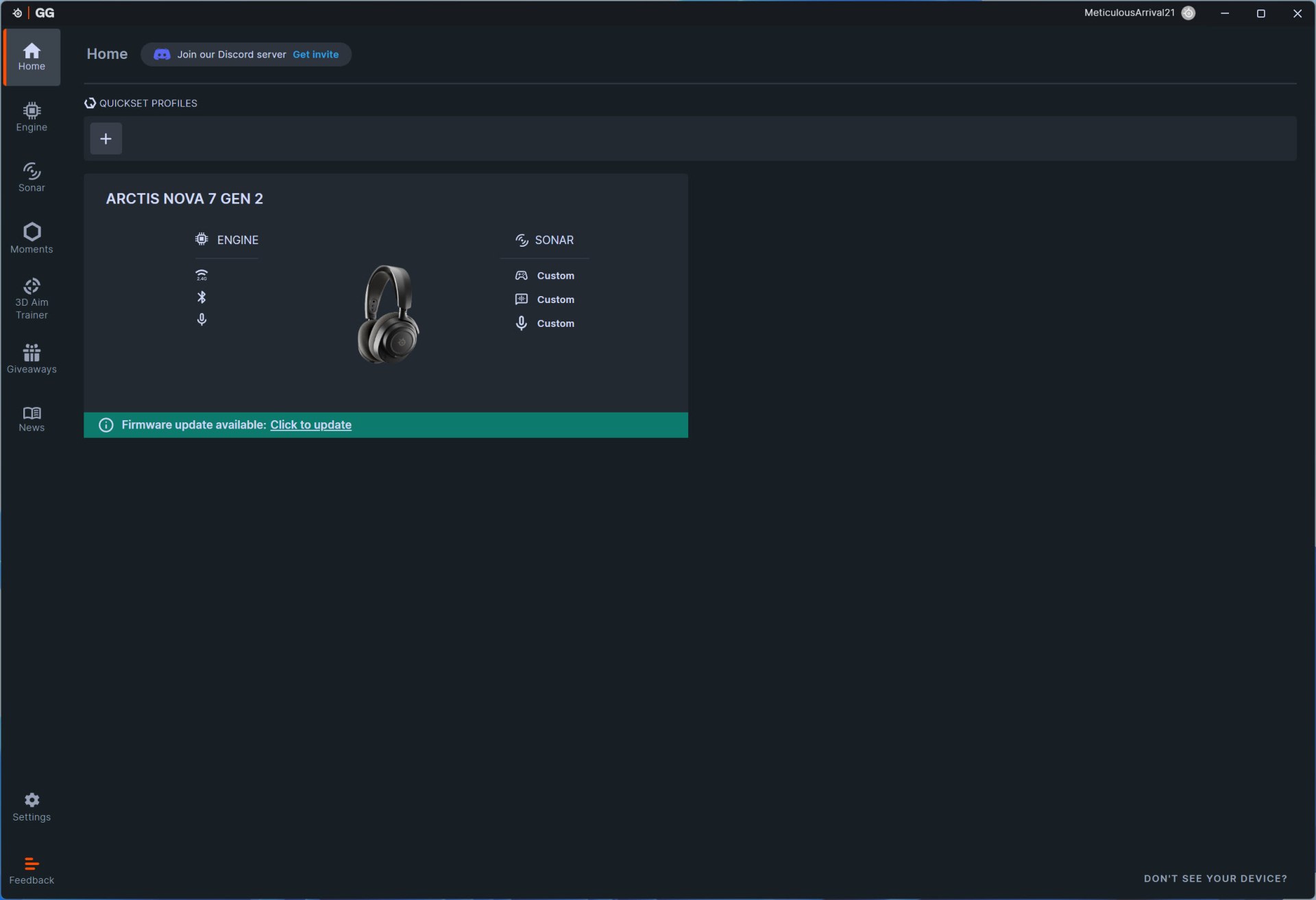
Once you install the GG software by SteelSeries it will detect connected compatible devices, list then and also check for available firmware updates.
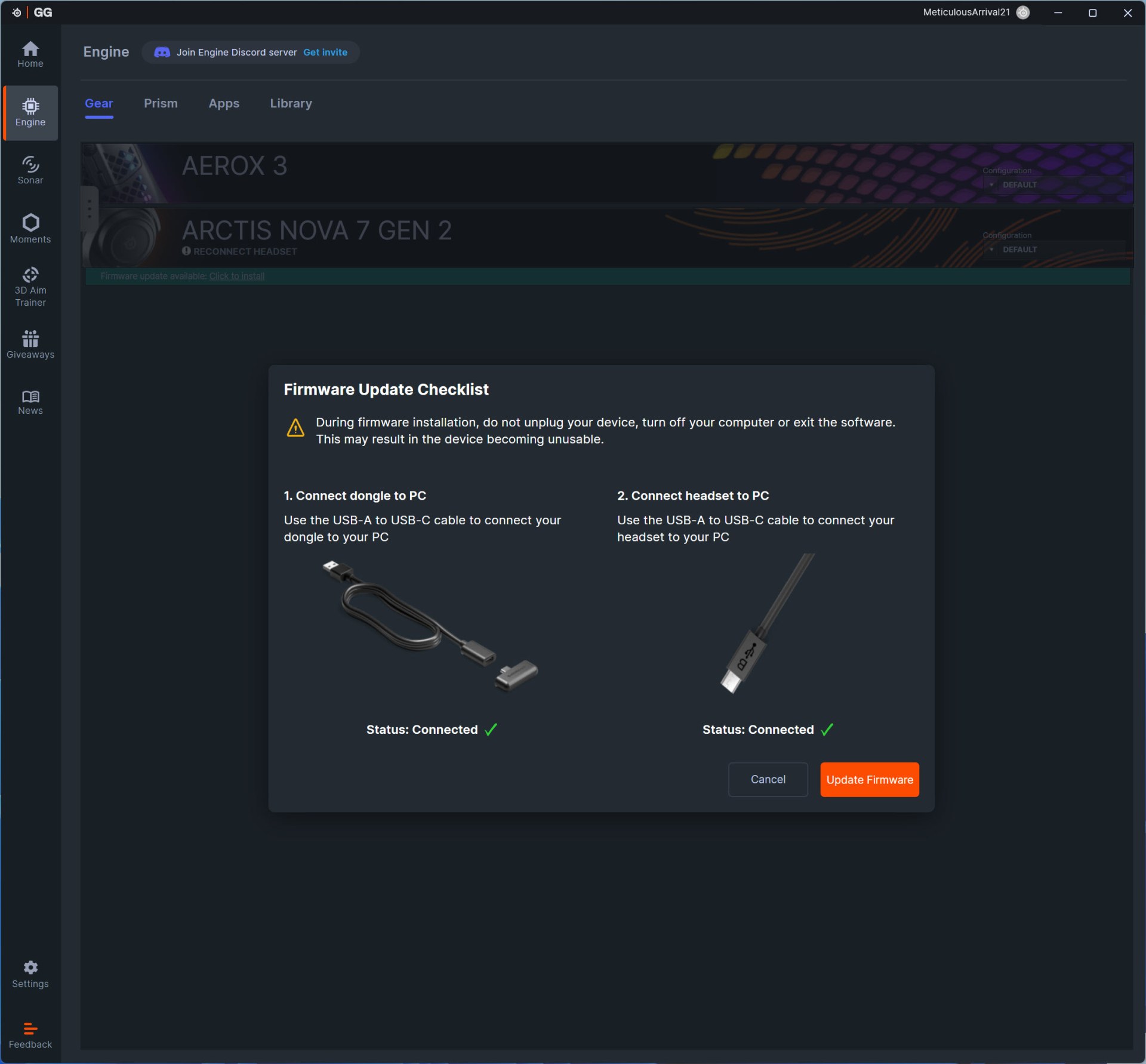
As with past models, you'll need to connect both the headset and the USB-C dongle to perform a firmware update.
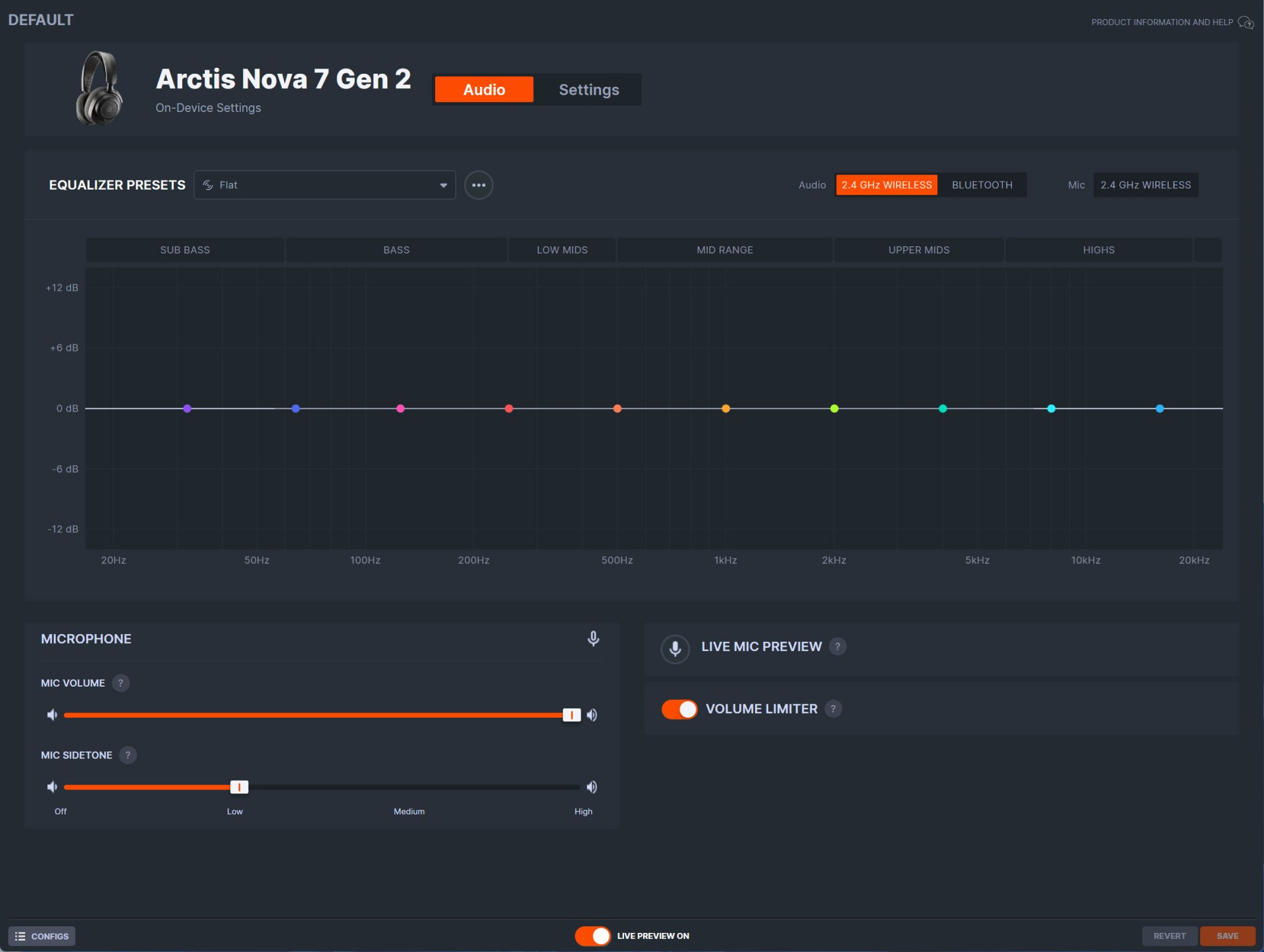
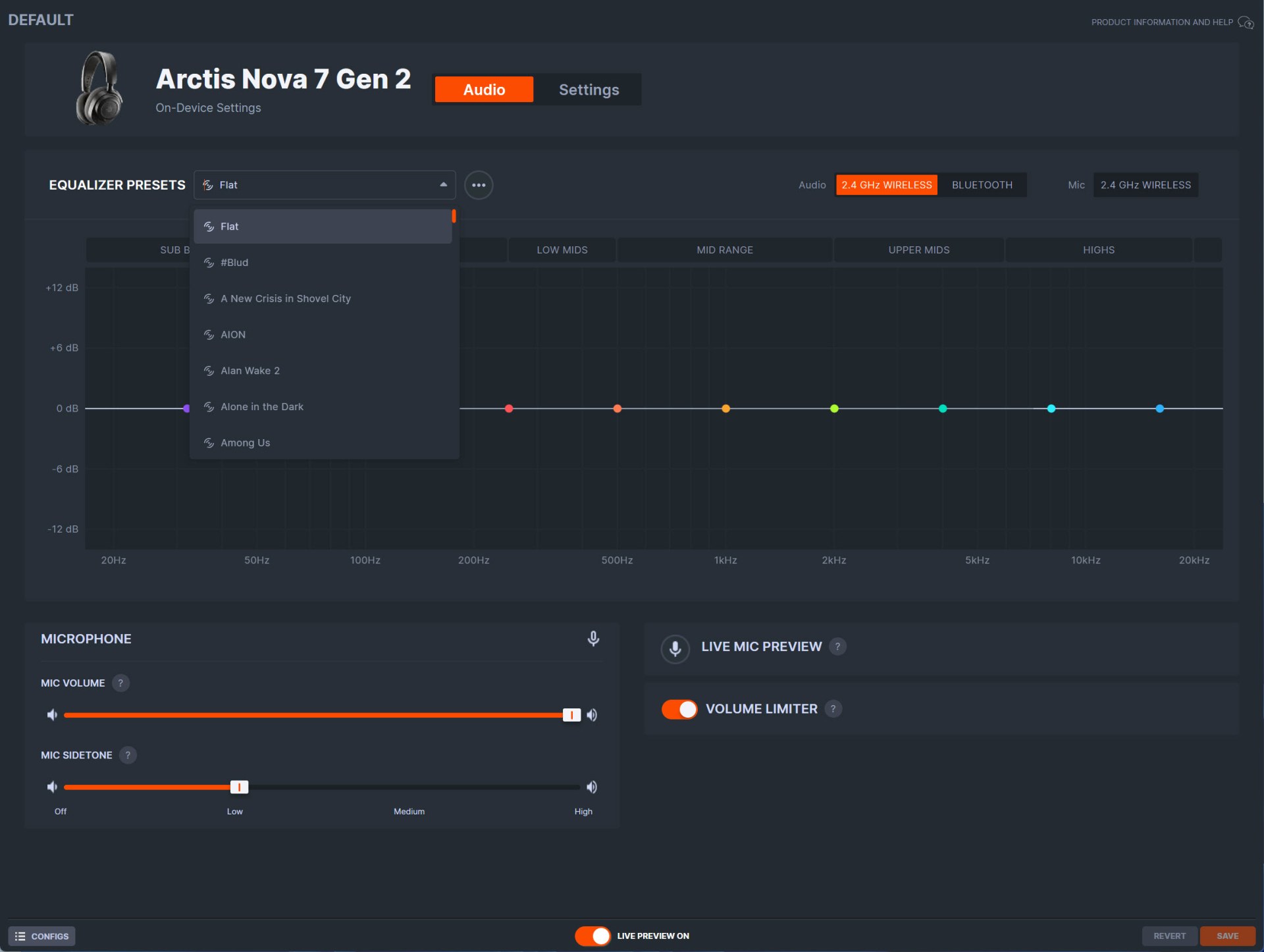
From the initial tab you can tweak the equalizer, load one of the 375 available presets, switch between 2.4GHz and Bluetooth connectivity, adjust the microphone volume and noise control and even enable/disable a volume limiter.
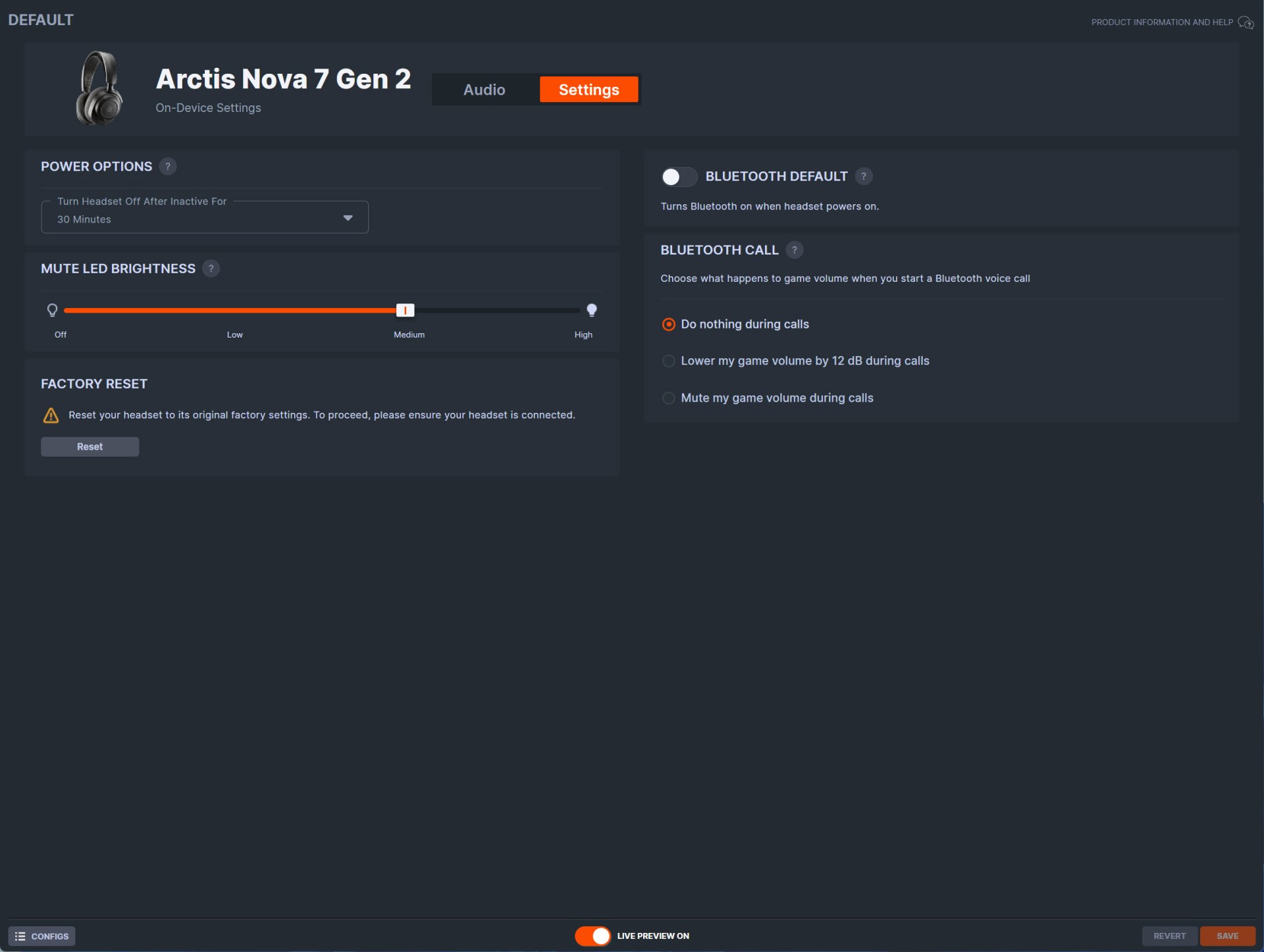
Moving to the settings tab from here you can adjust the inactivity turn off timer, set Bluetooth as the default connectivity at start, adjust the microphone mute LED brightness, set the preferred Bluetooth call function, and perform a factory reset.
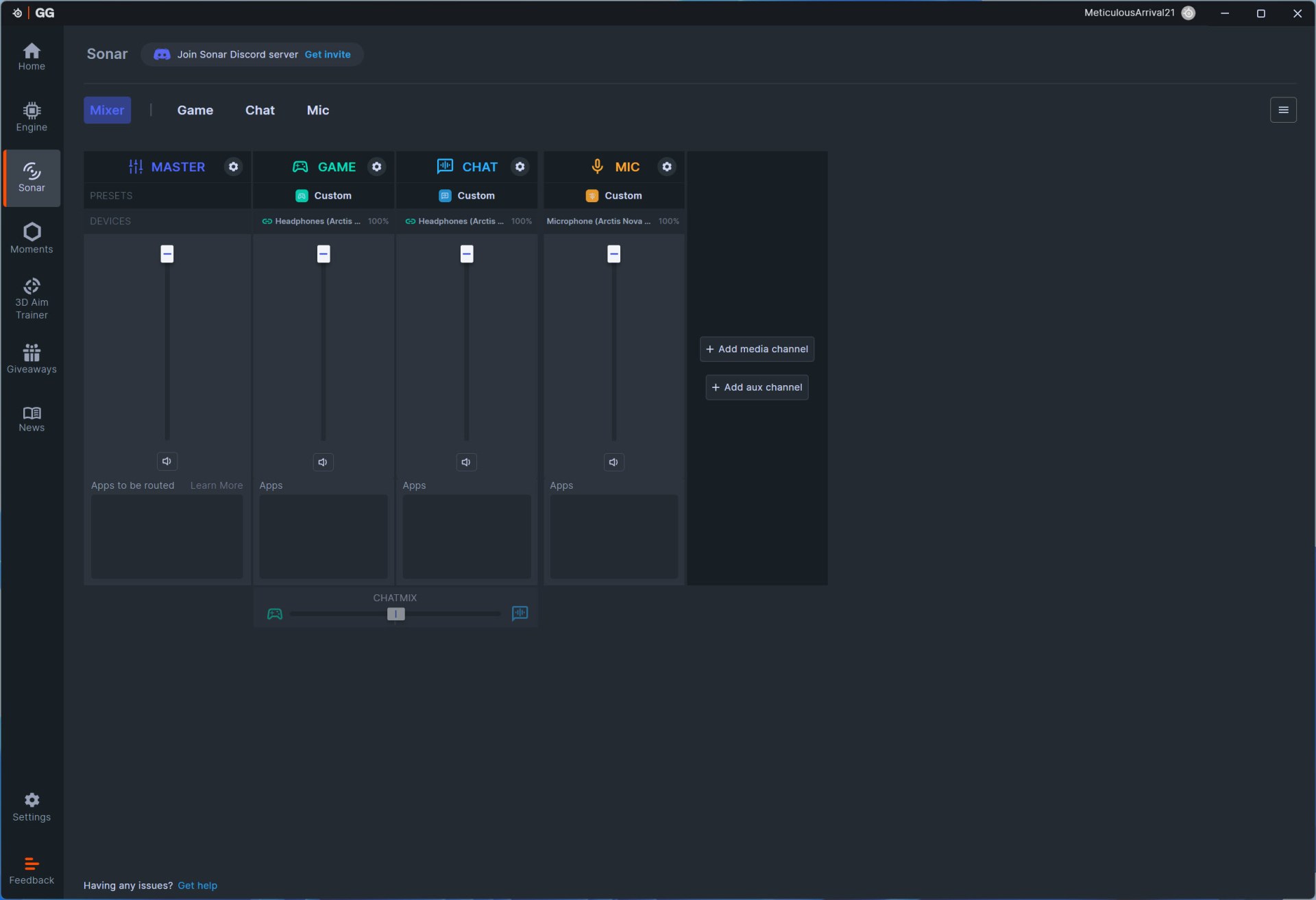
The sonar audio optimization is an important feature and as with past headsets by SteelSeries there are 4 main tabs inside the Sonar tab the first of which is mixer which controls the volume across all of them.
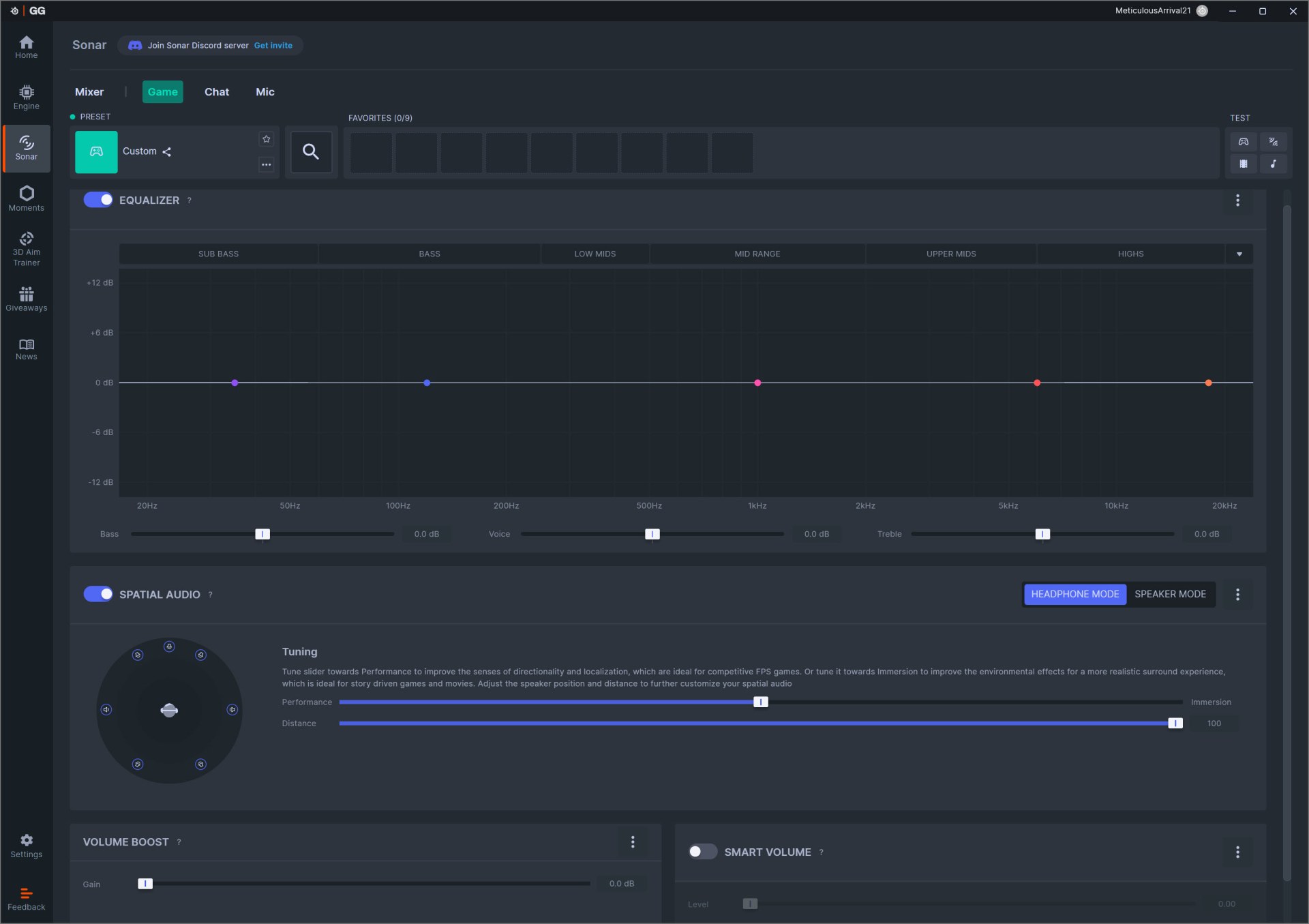
Inside the game tab you can adjust the equalizer (can make your own or choose one of the 375 available presets), enable/disable spatial audio and the volume boost and smart volume modes.
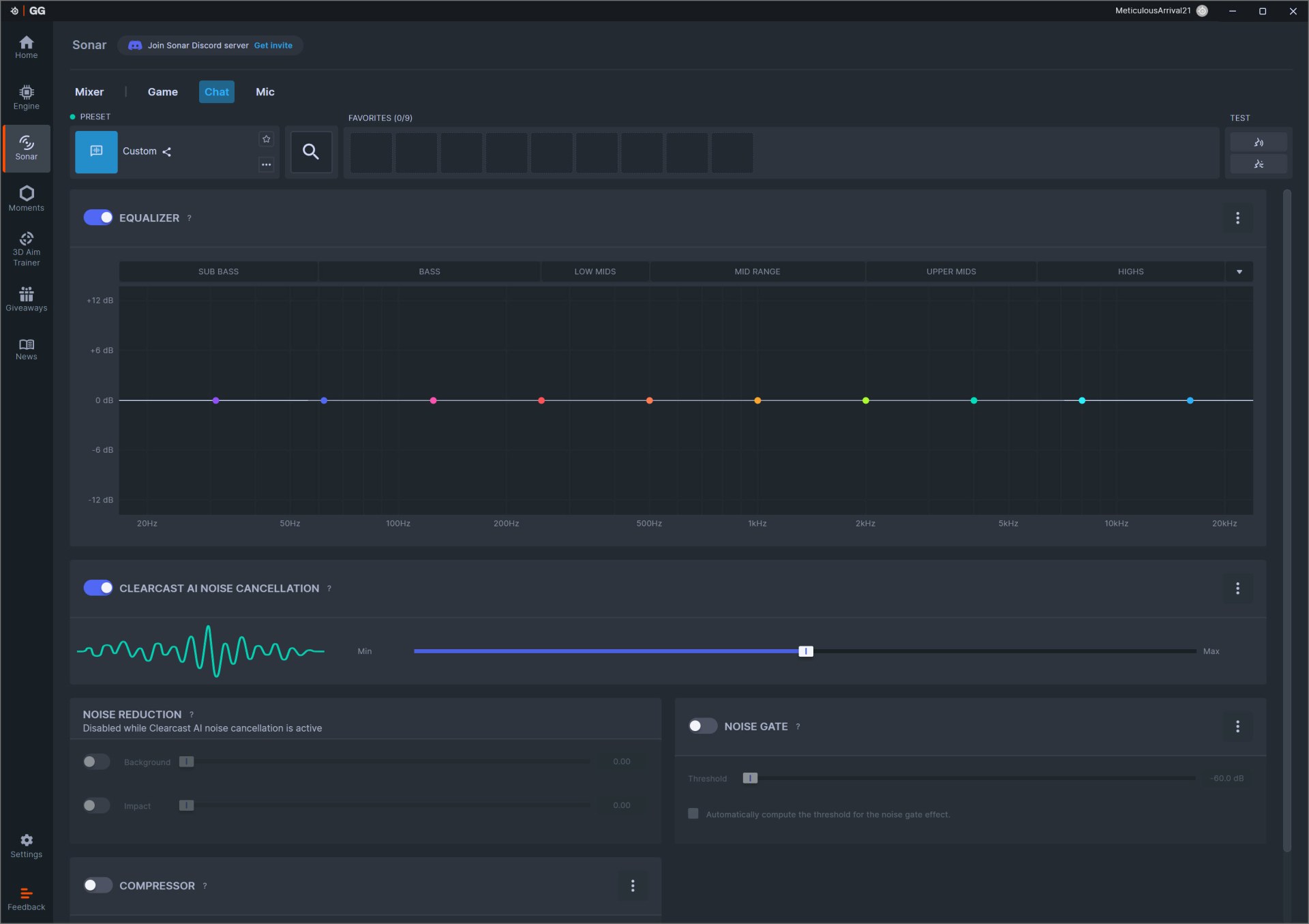
Under the chat tab we find everything related to chat including equalizer, ClearCast AI noise cancellation, noise reduction, compressor and noise gate.
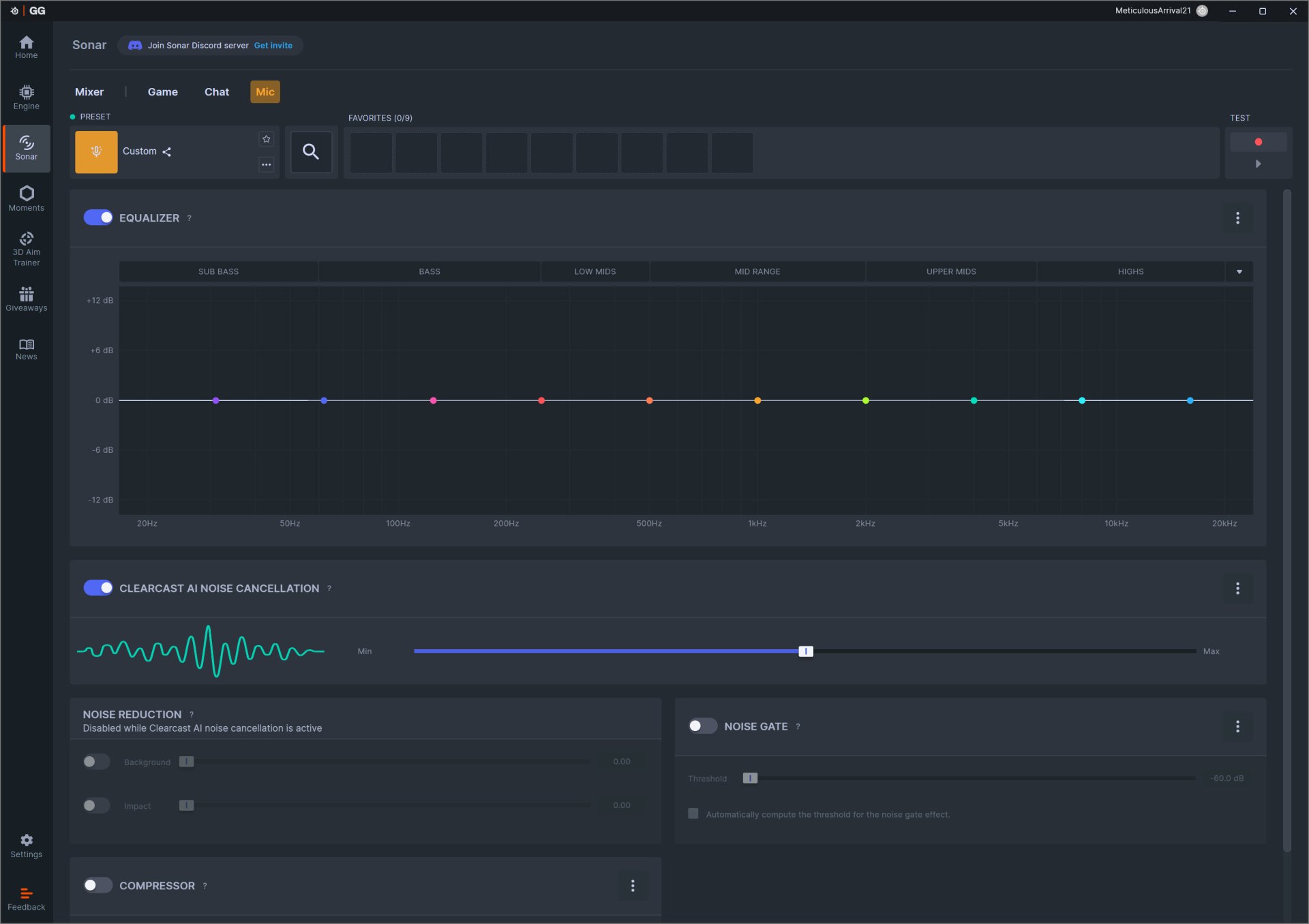
The mic tab is almost identical to the chat one so again from here you can access the equalizer function, ClearCast AI noise cancellation, noise reduction, compressor, and noise gate.





