



INTRODUCTION
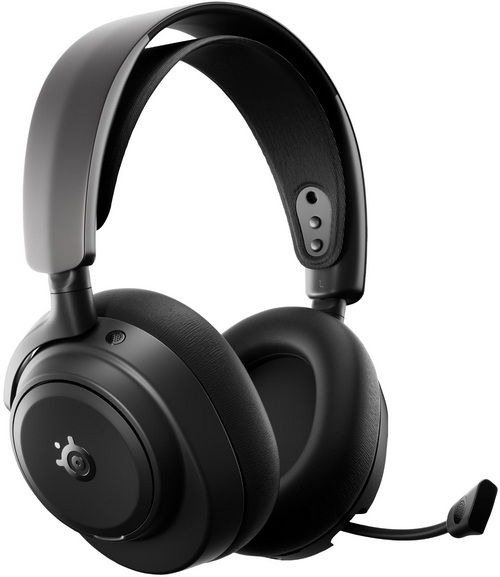
Across the landscape of gaming headsets, from the dependable clarity of wired models to the untethered freedom of wireless designs, the conversation always circles back to precision, comfort, and long‑session endurance. Wired options still appeal to purists who want zero latency and a connection that never wavers, while wireless headsets have evolved into low‑latency, multi‑device tools that keep your setup clean and your movement unrestricted. At the high end, the best models blend both worlds, audiophile‑grade drivers, premium build quality, and connectivity that adapts to whatever the game, or the day demands. It’s exactly in this refined tier that the Arctis Nova Pro Omni Hi-Res Wireless Gaming Headset by SteelSeries steps in, aiming to deliver a flagship experience for players who want everything without compromise.
SteelSeries is the original esports brand that fuses gaming & culture, leading the way in defining a gaming lifestyle, and we have the power to help gamers through our brand, our vision, and our products. The role that gaming plays in moving culture forward is essential, and our worldwide brand creates industry-defining gaming and lifestyle peripherals with a focus on premium quality, innovation, and functionality. SteelSeries is obsessed with helping make a difference by enhancing performance through first-to-market innovations and technologies that empower gamers and fans to push boundaries. Founded in 2001, SteelSeries was the pioneering supporter of esports and competitive gaming tournaments and continues to connect gamers and foster a sense of community and purpose. The SteelSeries family of professional and gaming enthusiasts, entertainers, and athletes is the driving force behind the company and helps influence the design, craftsmanship, and engineering in every piece of gear we create, as well as the brand’s software ecosystem (SteelSeries GG, Moments video clip service, and the Sonar Audio Software Suite). The SteelSeries family of brands includes KontrolFreek, the industry leader in high-performance controller accessories, and Nahimic, the leader in 3D sound solutions for gaming. In 2022, SteelSeries joined the GN family, a global leader in innovative and intelligent audio and video communications solutions sold in approximately 100 countries around the globe.
SteelSeries packs the Arctis Nova Pro Omni with a stack of high‑end tech. Its Nova Acoustic System combines 40mm neodymium custom high‑fidelity drivers with a 96kHz/24‑bit capable signal path (10Hz-40kHz frequency response), pushing clarity, spatial accuracy, and low‑noise reproduction far beyond typical gaming headsets. The OmniPlay multi‑system architecture expands that foundation across PC, PlayStation, Xbox, Switch, and mobile, using a unified control ecosystem (3.5mm, USB-C, 2.4GHz and Bluetooth v5.3) so you can move between devices without re‑pairing or losing settings. Communication is handled by the ClearCast Gen 2 microphone, a retractable omni-directional boom model (32kHz/16bit, 50Hz-16kHz frequency response) with AI‑powered noise filtering that isolates your voice while suppressing keystrokes, fans, and room noise. For environmental control, the headset integrates hybrid Active Noise Cancellation with outward and inward facing microphones, plus a Transparency Mode that lets you monitor surroundings without removing the headset. Power is effectively continuous thanks to the Infinite Power System, which uses two hot‑swappable batteries and a base station charger so you can run indefinitely. SteelSeries GG software suite ties everything together, Sonar provides parametric EQ, spatial audio tuning, mic shaping, and cross‑device profiles, while the mobile app gives you on‑the‑fly control of EQ, ANC, and device switching. Add in the premium build steel headband, adjustable ComfortMAX fit system, soft‑touch ear cushions, and a design meant for marathon sessions and the Nova Pro Omni reads less like a gaming headset and more like a fully integrated audio command center.
SPECIFICATIONS AND FEATURES

PACKAGING AND CONTENTS

Typically, at the front of the box, we find a large product picture, company logo and the main product features.

The product features and specifications along with the contents of the bundle are printed on the left side.

4 pictures are used to showcase the main product features at the rear of the box.

The headset is wrapped inside a cloth storage pouch and placed in a formed piece of plastic.

Aside the Arctic Nova Pro Omni inside the box you'll also find the gamehub, extra 670mAh lithium-ion battery, microphone pop filter, two 1.5-meter-long USB-C to USB-A cables and the product information guide.
THE ARCTIS NOVA PRO OMNI

The Arctis Nova Pro Omni weigh 339g and are made of aluminum, plastic, foam and leatherette.

This is a medium sized gaming headset.

SteelSeries has placed their logo on the exterior of both earcups.

These plastic discs are magnetically attached to the exterior of the earcups and can be removed (in the case of the left earcup it covers the USB-C charging port).

Each earcup has ANC microphones on top as seen above.

The retractable boom microphone is flexible and has a activity LED at the front.


On the exterior of the left earcup we find the 3.5mm port, volume control roller, microphone mute button, on/off button and an activity LED.

The magnetically attached plastic disc on the exterior of the right earcup protects the lithium-ion battery compartment.

The power button is also located at the rear of the right earcup.

Thanks to the design of the joints the Arctis Nova Pro Omni earcups can swivel up to 90 degrees.

The earpads are medium sized so I expect that they will not be able to accommodate all ear sizes.

Once again SteelSeries uses the suspension (in part) design they were the ones to introduce many years ago.

 Even though the suspension design helps achieve high comfort levels the Arctis Nova Pro Omni also extend up to 35mm on either side.

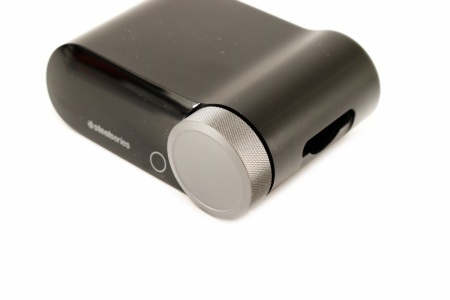 The gamehub device is similar to what SteelSeries has used in the past so again at the front we find an OLED screen and a control knob.

A charging bay for the lithium-ion batteries is located on the right side (use one with the headset while charging the other).

The 3.5mm and three USB-C ports are located at the rear of the gamehub.

Info on the gamehub is printed on a sticker located on its base.
THE GAMEHUB


Initial tab showcases the 48kHz/24bit audio output, ChatMix wheel (shows how game and chat audio are balanced - can adjust via the wheel) and the current battery charge.


You can also switch between inputs, and access audio options like the equalizer (lets the end user choose or tweak a sound profile), gain (output strength), noise control (adjusts how much background noise gets filtered), microphone, connectivity, line out and audio output.


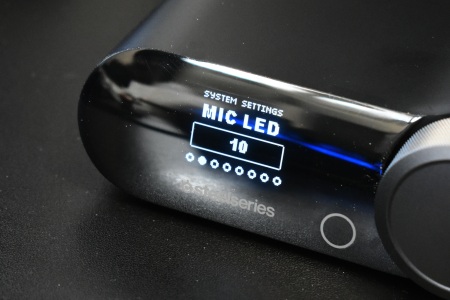


From inside the system settings area, you can adjust the display (brightness/behavior), mic LED intensity, Sounds (controls UI beeps), auto off (defines when the unit powers down) and power saving (toggles energy‑saving behavior).


Finally, we have the about (shows firmware and device info), tutorial and reset tabs.
GG SOFTWARE
There are three ways to "control" the Arctis Nova Pro Omni, either via the Gamehub, GG PC software or the smartphone app for when used with consoles.
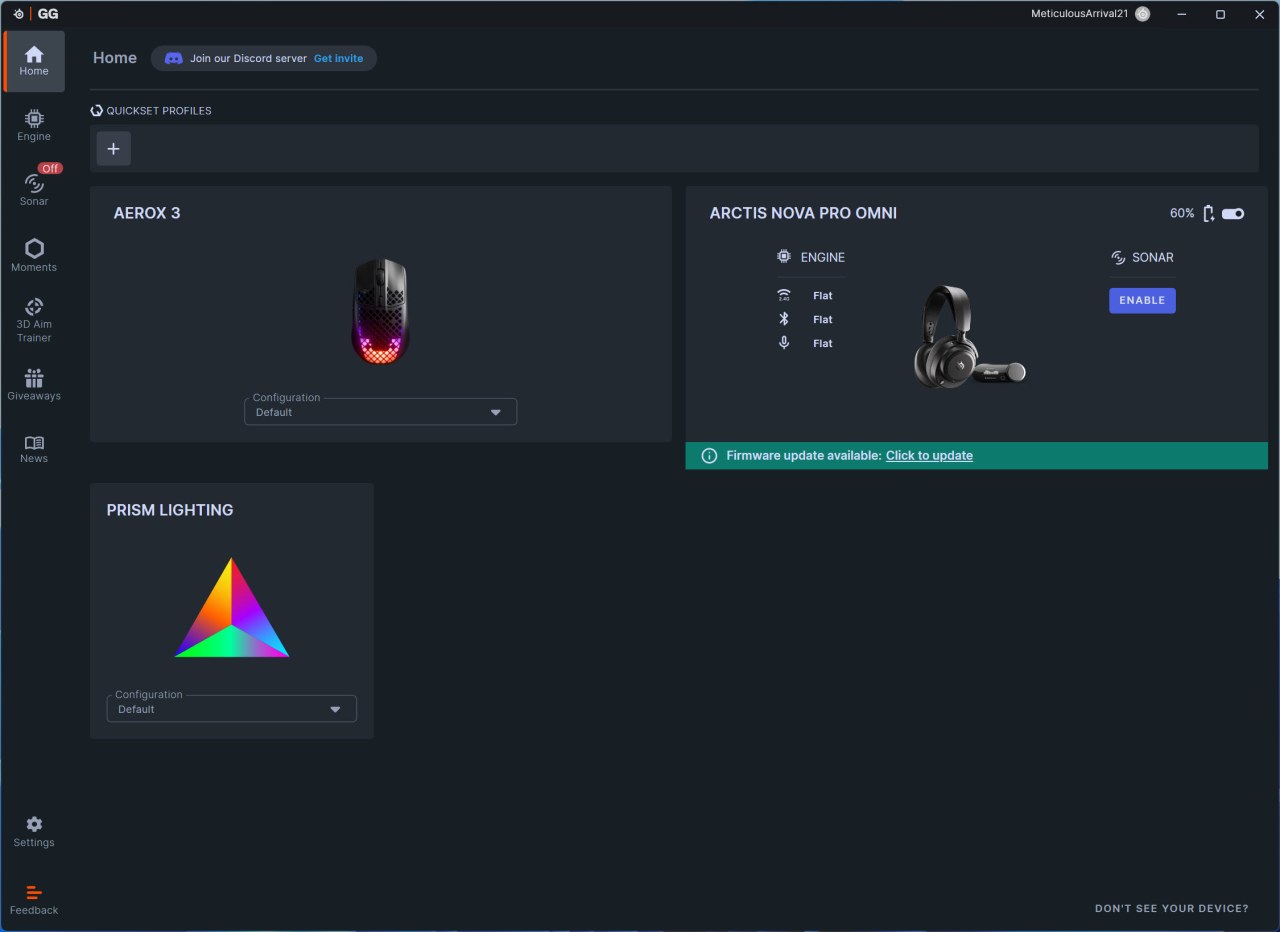
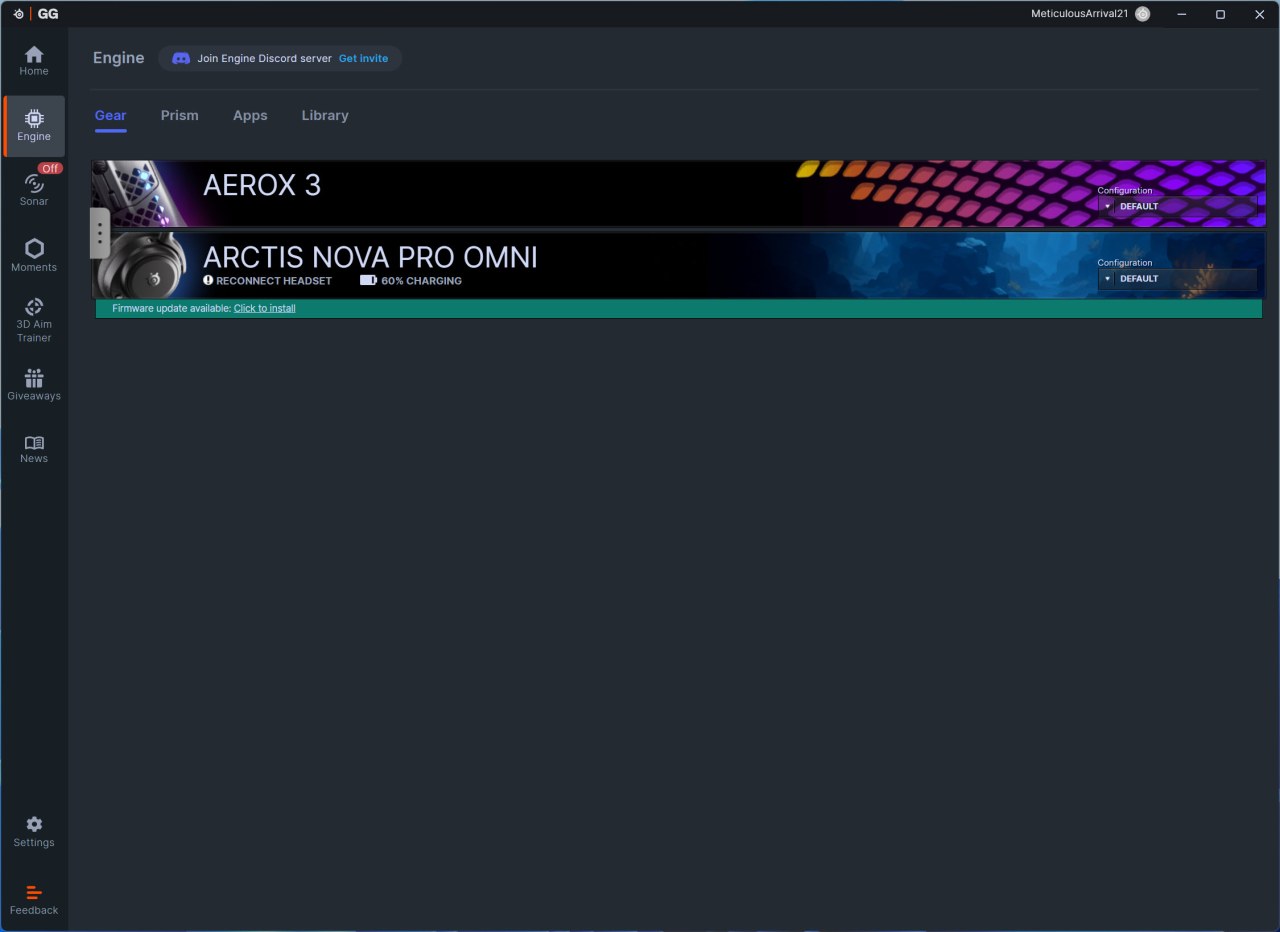
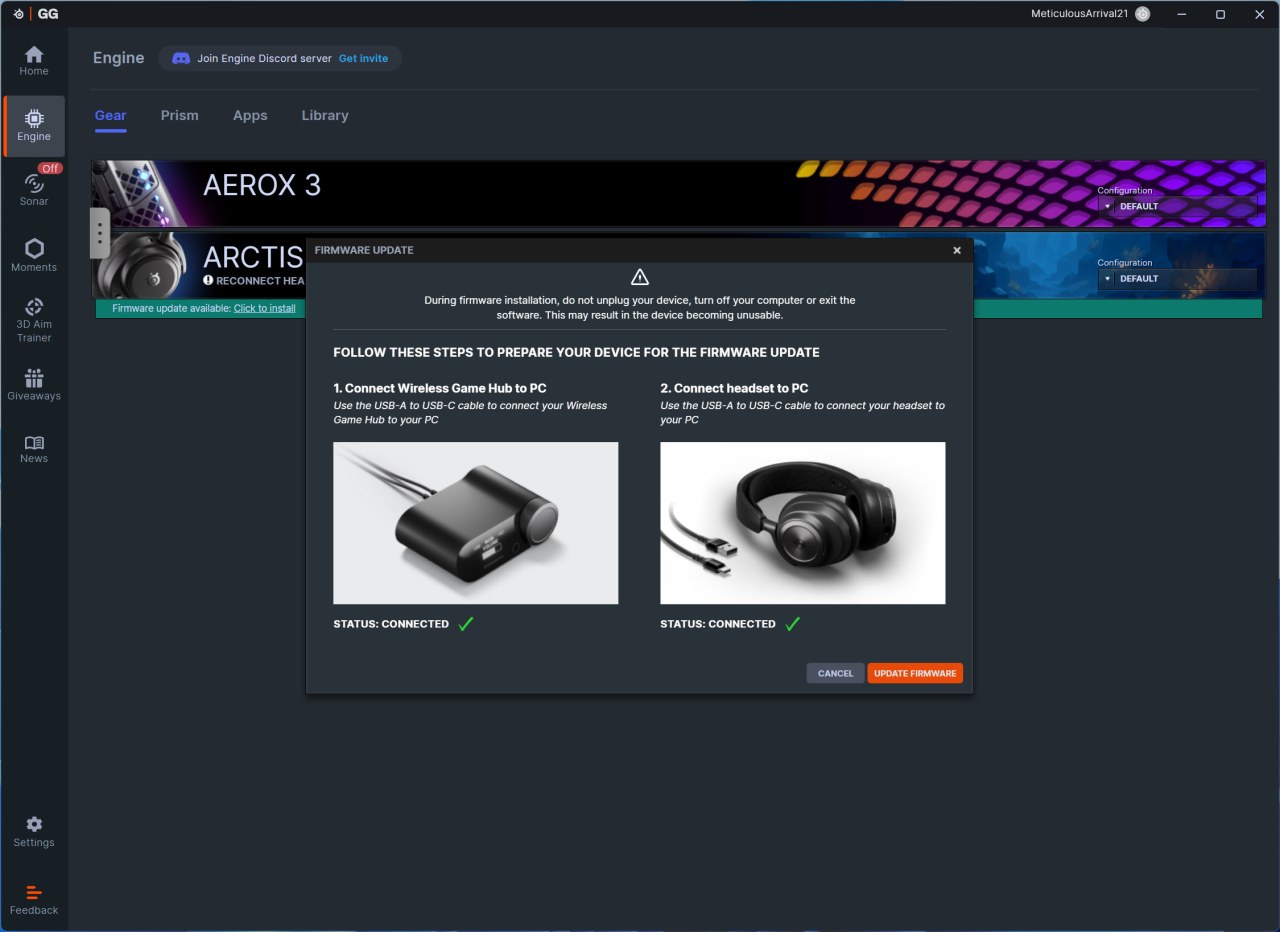
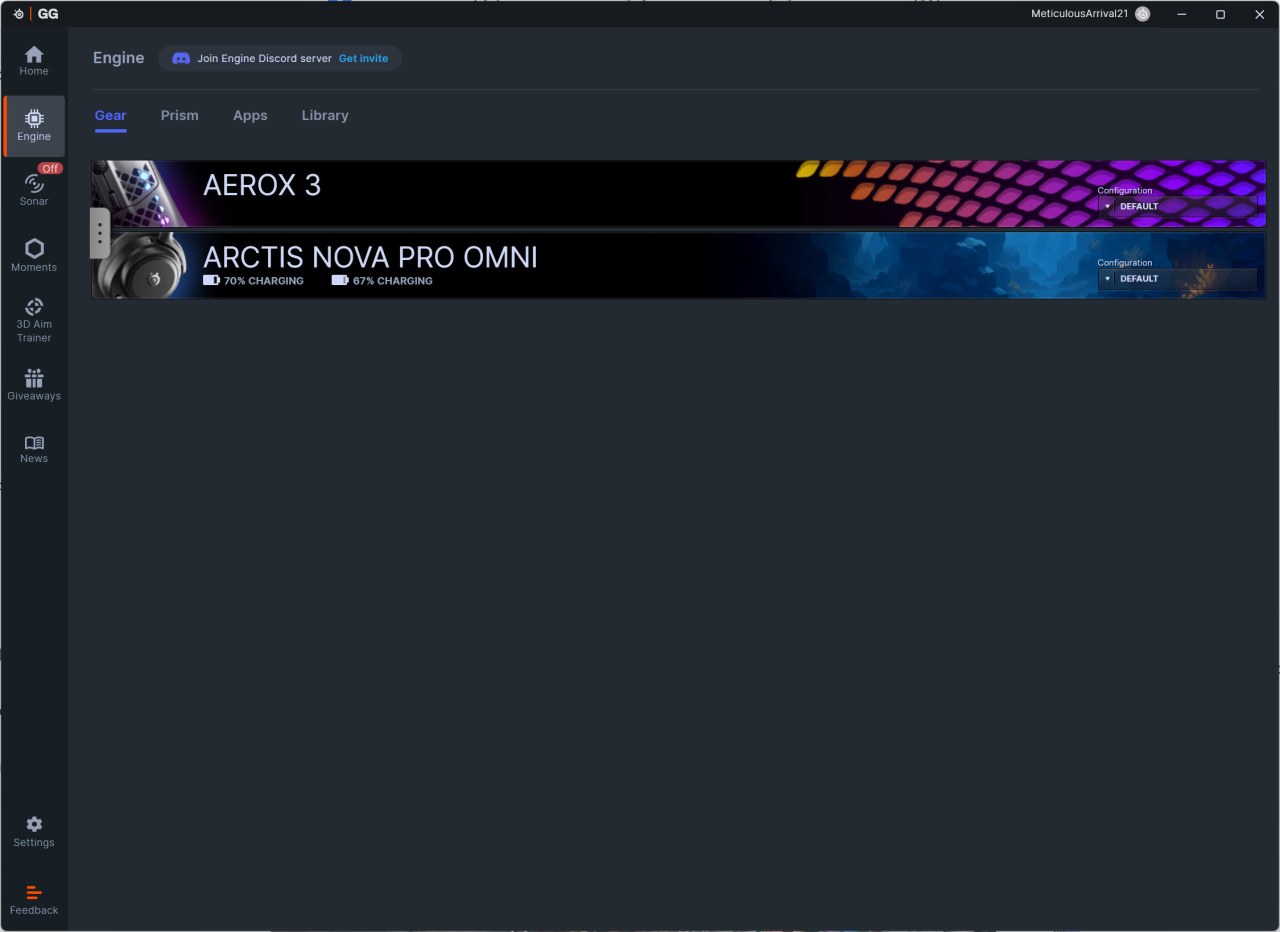
Once again, this software detects connected devices by SteelSeries and informs you of available firmware updates (there were for both the Arctis Nova Pro Omni and the GameHub).
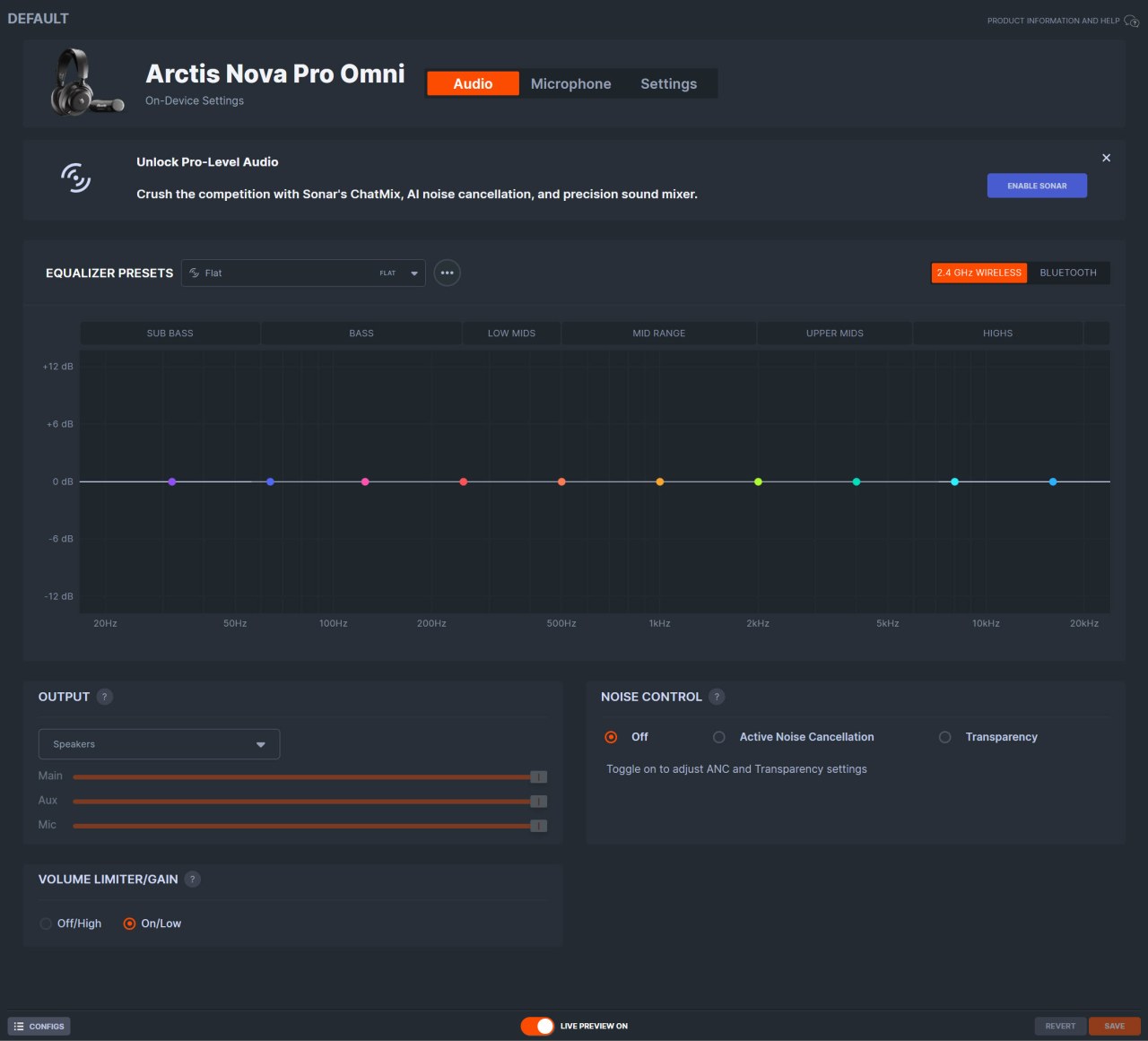
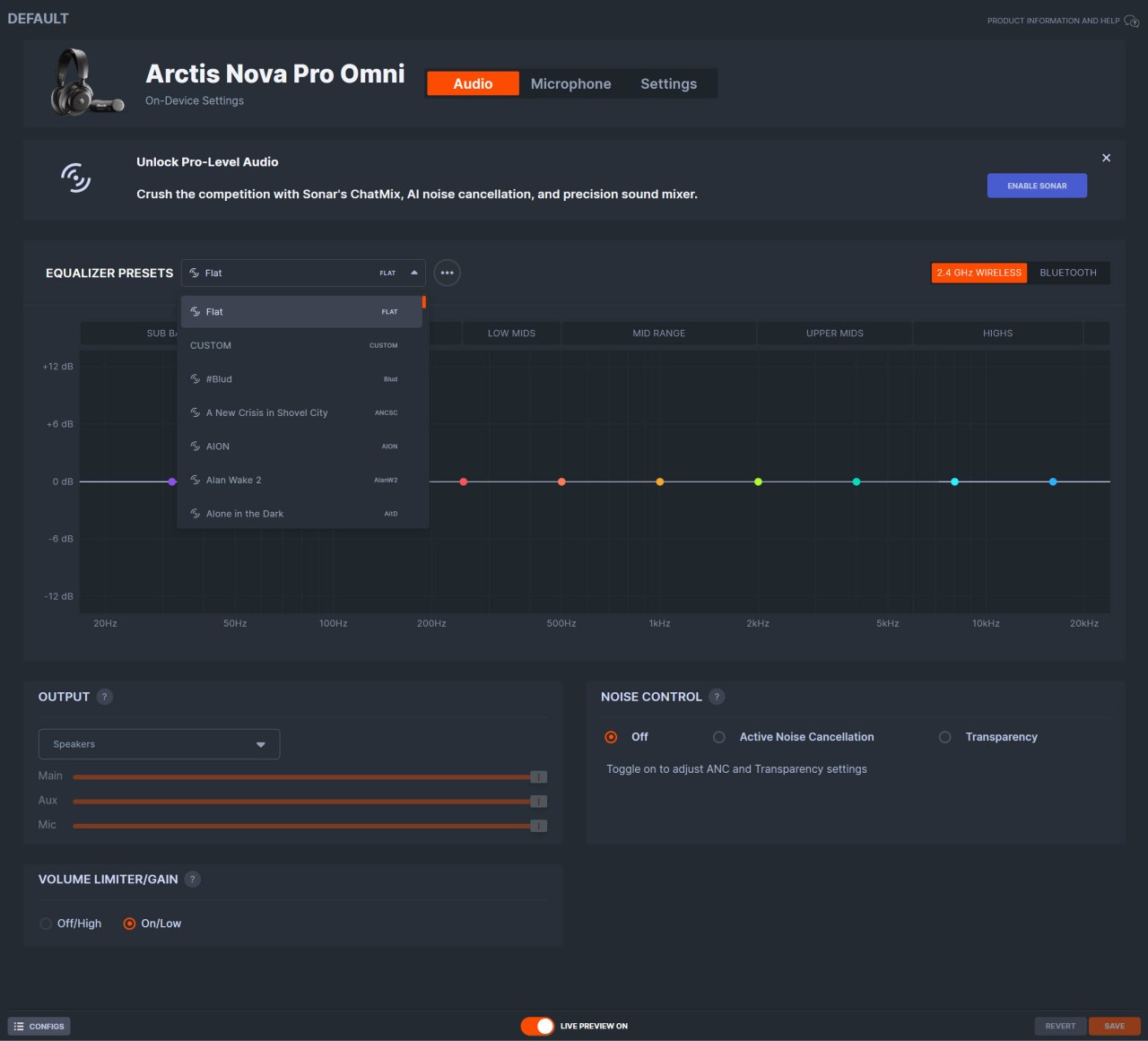
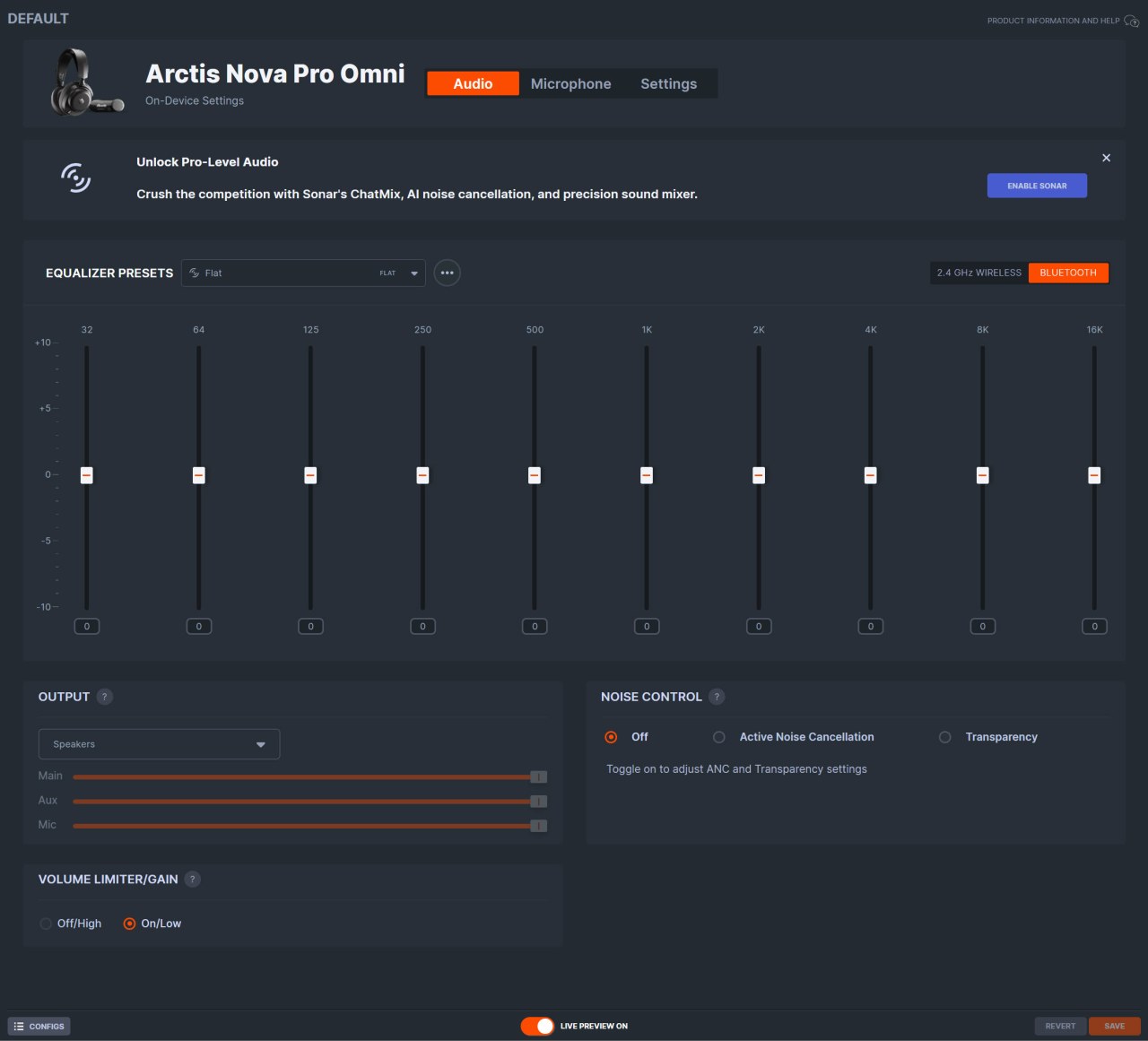
From the initial tab you can tweak the equalizer, load one of the many available presets, switch between 2.4GHz and Bluetooth, adjust the microphone volume and noise control and even enable/disable a volume limiter.
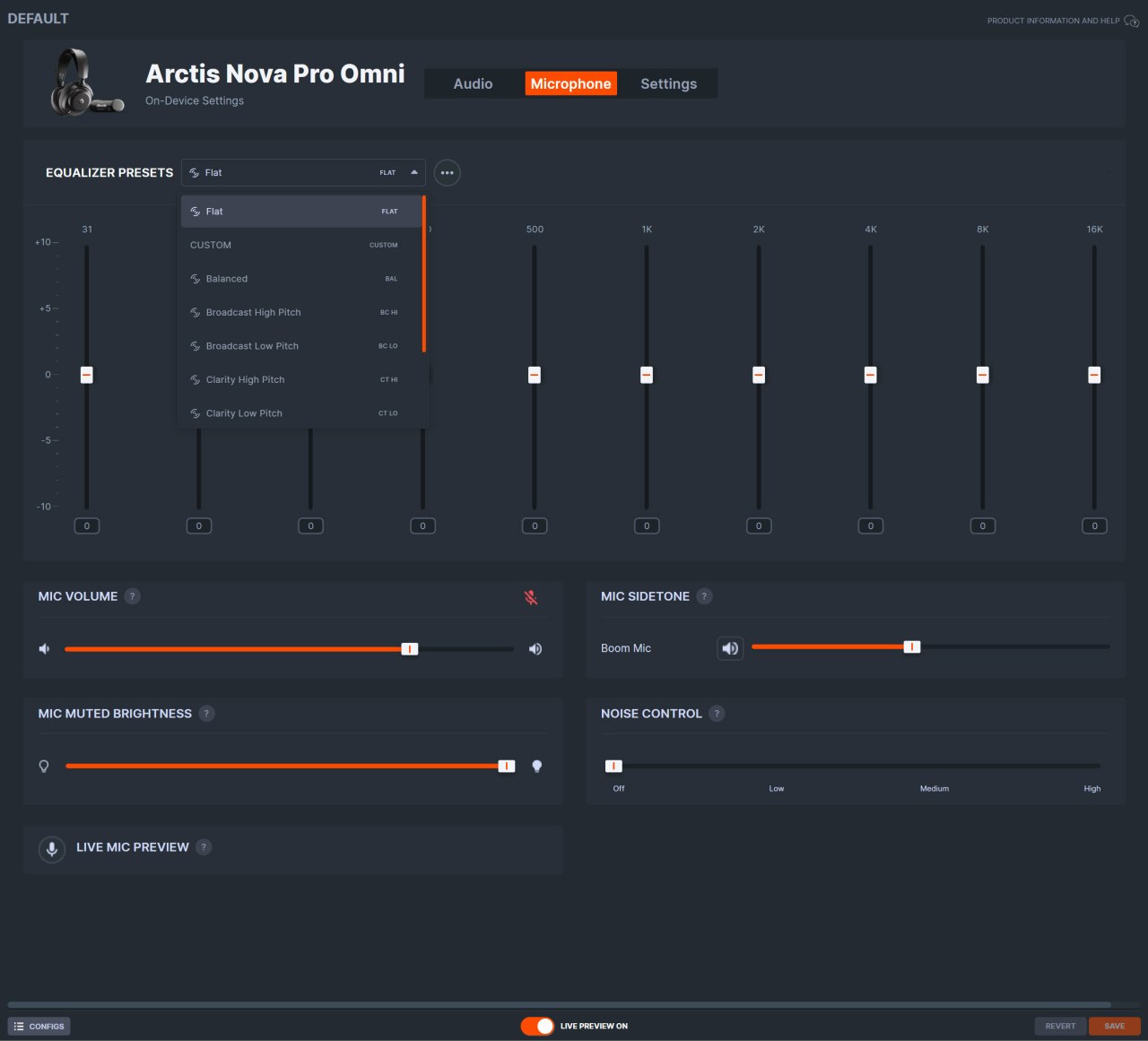
Of course from the microphone tab you can also adjust its equalizer, volume, sidetone, noise control and mute LED brightness.
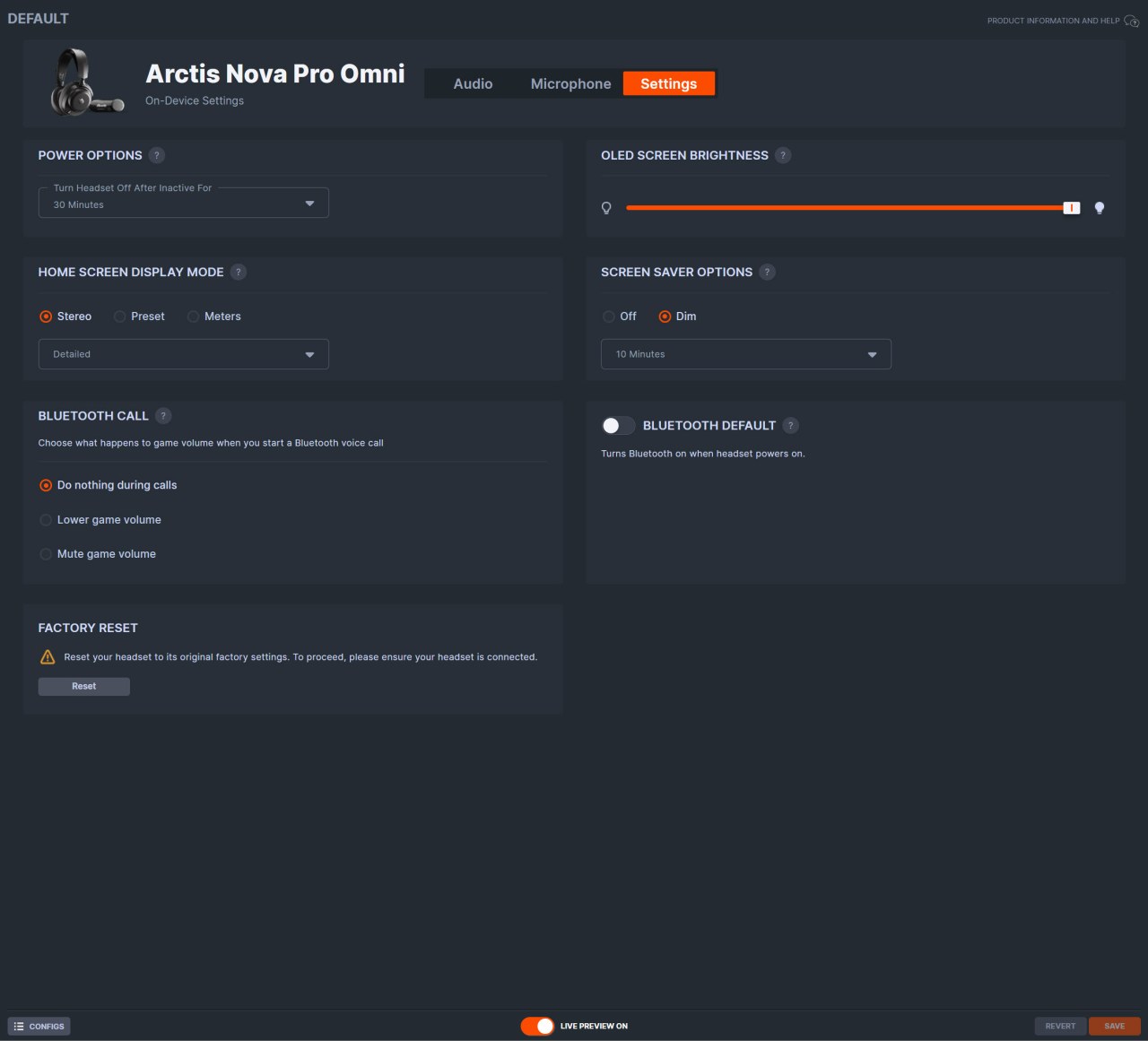
You can also adjust the inactivity turn off timer, set the OLED screen brightness, adjust the OLED screen display mode, enable the screensaver feature, set the prefered Bluetooth call function, and perform a factory reset.
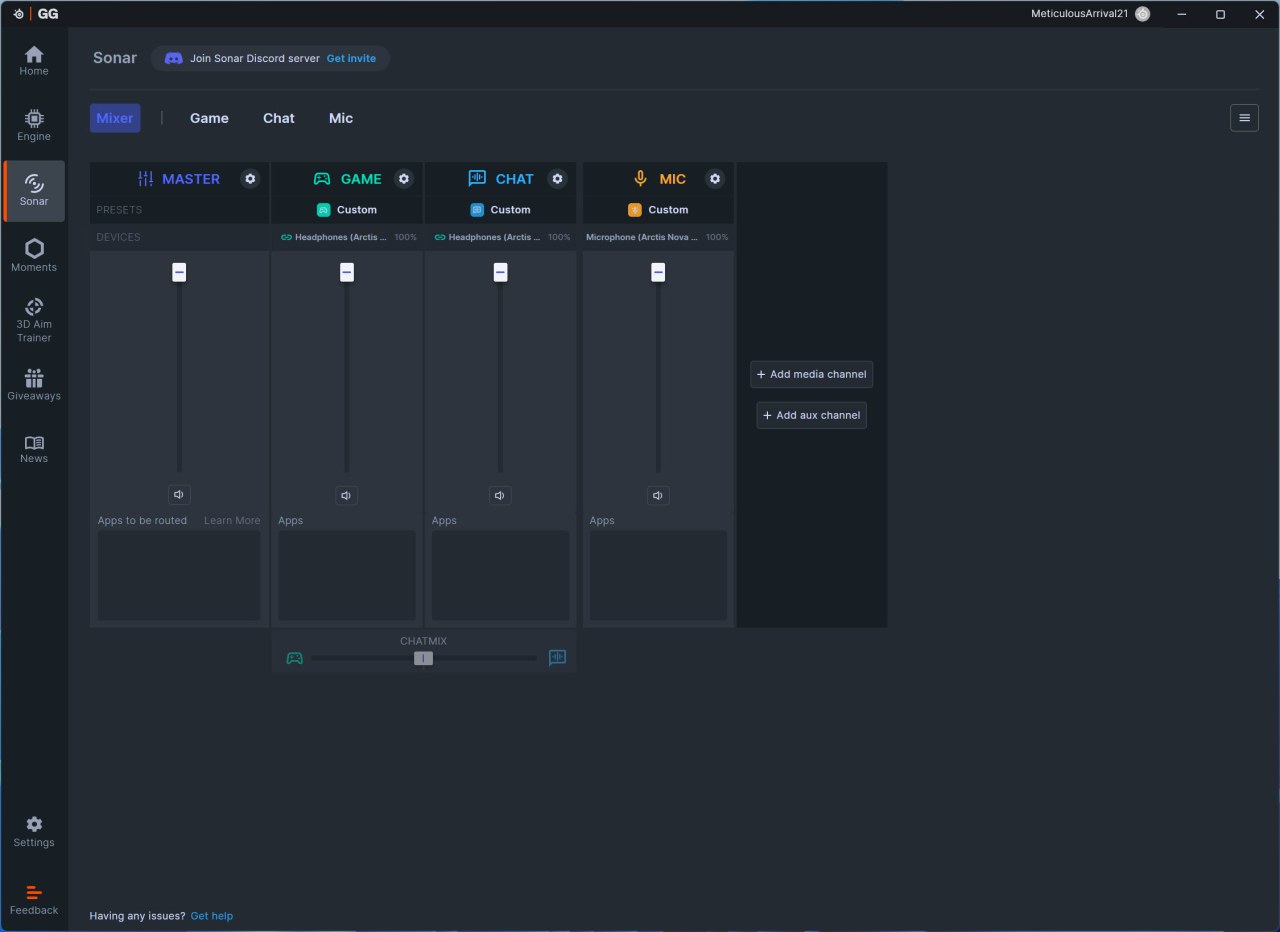
The sonar audio optimization is an important feature and as with pas headsets by SteelSeries there are 4 main tabs inside the Sonar tab the first of which is mixer which controls the volume across all of them.
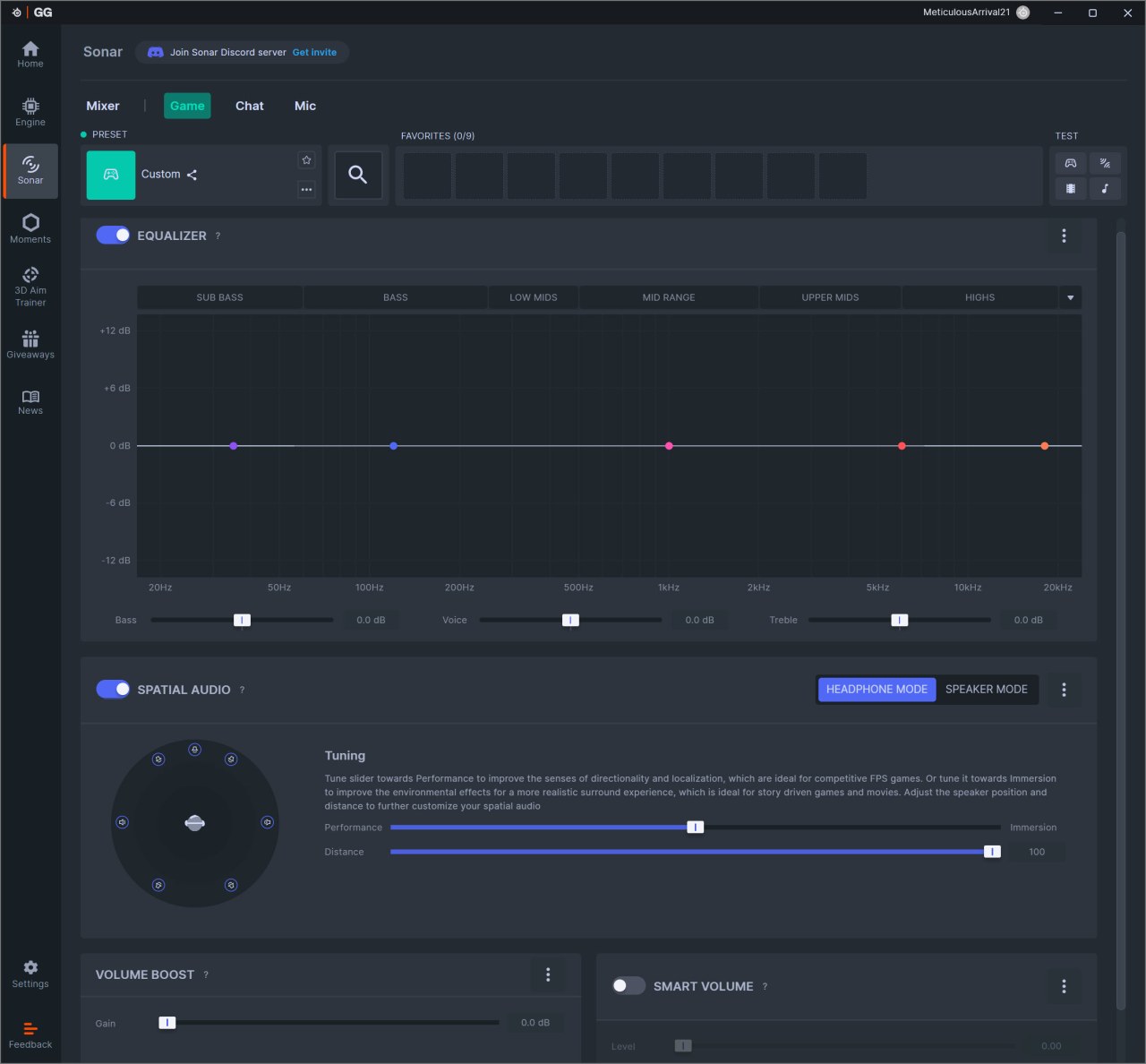
Then we have game which allows you to set the equalizer (can make your own or choose one of the almost 300 presets), enable/disable spatial audio and the volume boost and smart volume modes.
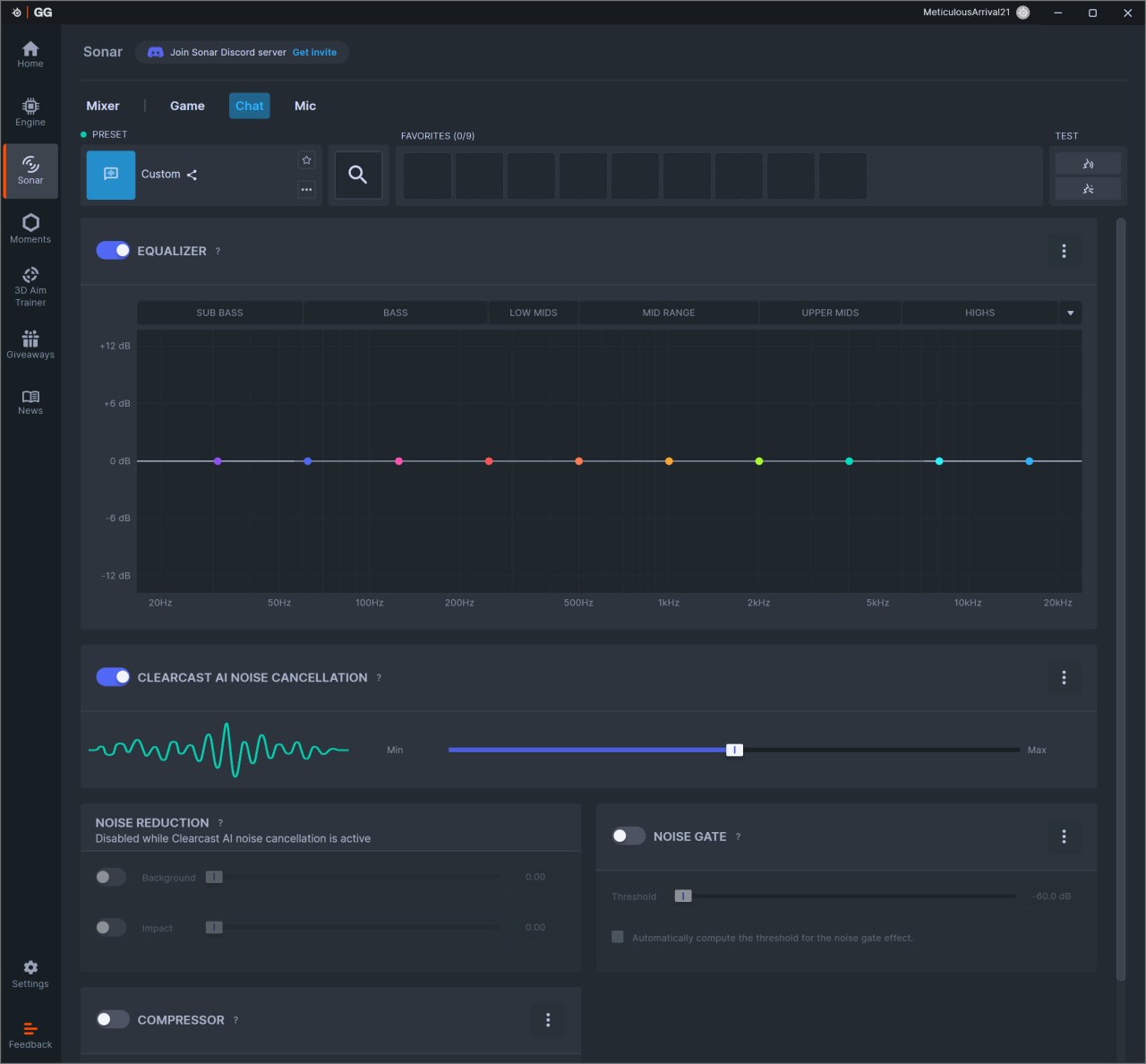
Under the chat tab we find everything related to chat including equalizer, clearcast AI noise cancellation, noise reduction, compressor and noise gate.
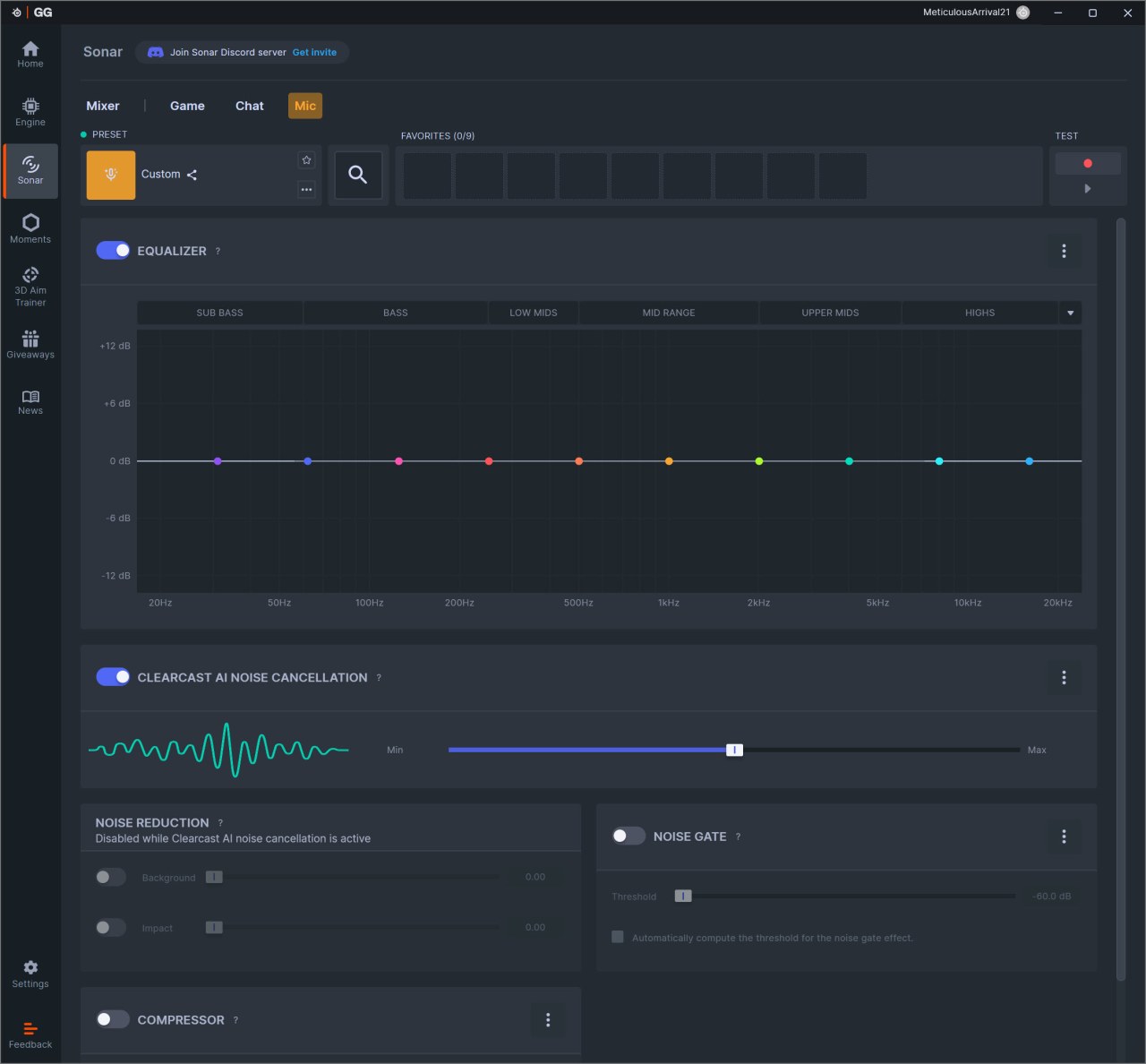
The mic tab is almost identical to the chat one so again from here you can access the equalizer function, clearcast AI noise cancellation, noise reduction, compressor, and noise gate.
CONCLUSION
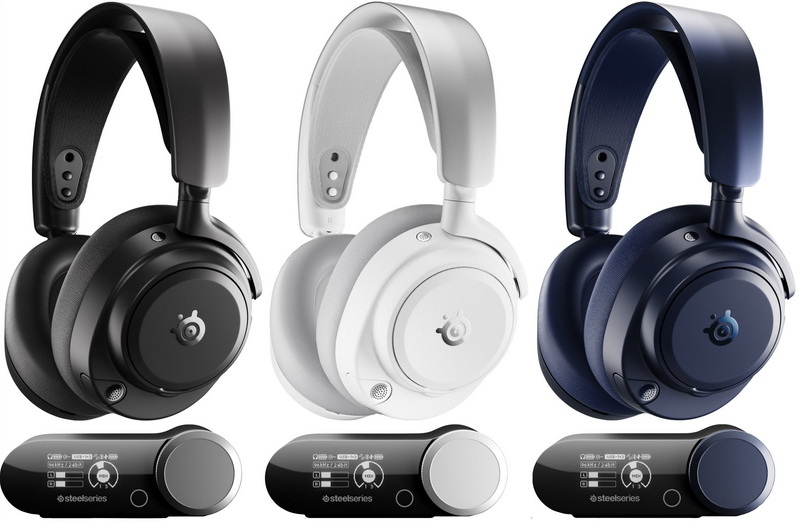
Stepping back from the feature list and looking at the Nova Pro Omni as a complete package, what stands out to me is how confidently it delivers on the fundamentals that matter in a flagship headset. The Hi‑Res audio chain gives it a level of clarity and spatial precision that feels immediately more refined than typical gaming‑tuned sound, and the build quality reinforces that impression with its steel frame, clean adjustments, and long‑session comfort. The multi‑device compatibility is another major strength in my experience; it behaves less like a single headset and more like a central audio hub that adapts to whatever you’re using at the moment. And the dual‑battery Infinite Power system remains one of the smartest design choices here—being able to swap batteries without ever powering down makes the headset feel genuinely uninterrupted in day‑to‑day use (battery life can last anywhere between 15 and 22 hours, depending on usage). The trade‑offs on the other hand are real, but they don’t overshadow the overall experience. The volume behavior, especially at the upper end, doesn’t always scale the way I’d like, and the premium price puts it firmly in enthusiast territory. But even with those limitations, the broader picture doesn’t change, the SteelSeries Nova Pro Omni succeeds because its strongest qualities like audio fidelity, construction, platform flexibility, and battery design are executed with a level of consistency that justifies its ambitions.
SteelSeries released the Arctis Nova Pro Omni just over a month ago and currently it retails for USD399.99 inside the USA (Amazon.com) and for 416.80Euros inside the EU (Amazon.de). This means that just like their previous Arctis Nova Pro models this is a wireless gaming headset with a specific target audience. Price aside however the Arctis Nova Pro Omni delivers as advertised and even though I do think it could be better (perhaps that’s exactly what the Elite model is – will try to get it in the lab next) it’s still more than enough for the Golden Award.

PROS
- Good Build Quality
- HiRes Audio Quality (96kHz/24bit)
- OLED GameHub (Up To 4 Audio Sources)
- 2 Lithium Ion Rechargeable Batteries (Up To 30 Hours Each)
- Very Comfortable
- Positioning Audio Via Sonar 7.1
- Universal Compatibility
- SteelSeries GG Software
- Available In 3 Colors (Black, White & Midnight Blue)
CONS
- Price (For Some)
- Volume Levels
- Sonar Software Feature (PC Only)