



INTRODUCTION
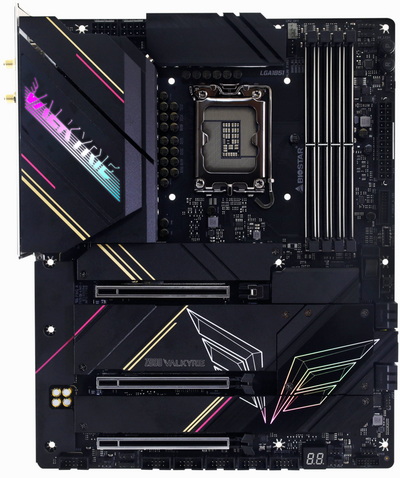
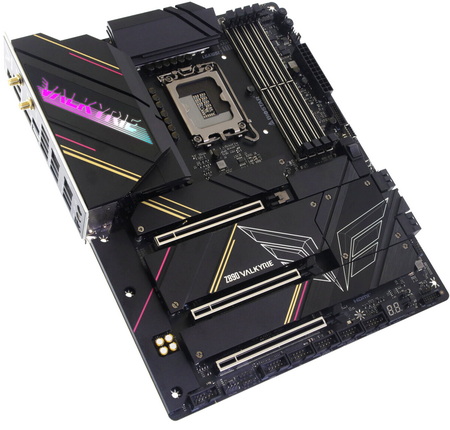
A powerful PC isn’t just a collection of high‑end parts, it’s an entire system built on a motherboard capable of unleashing every watt, every lane, and every ounce of performance your components can deliver. As its name suggests, the motherboard is the command center, the power distributor, the traffic controller, and the silent enabler of stability under pressure. When you’re running demanding games, heavy rendering workloads, or aggressive overclocks, the motherboard’s engineering becomes the difference between smooth performance and frustrating instability. That’s exactly the philosophy behind a design built around strength, identity, and enthusiast‑grade ambition, the Z890 Valkyrie from BIOSTAR.
In 1980, amidst the rapid growth of the IT industry, BIOSTAR GROUP's founder, with extensive experience in electronic parts trade and foresight into future demands for motherboards and graphics cards, established BIOSTAR MICROTECH INTERNATIONAL CORP. in 1986. During its initial years, BIOSTAR primarily focused on manufacturing motherboards designed for the XT form factor. To sustain consistent business expansion, BIOSTAR strategically allocated a significant portion of its resources and workforce to continuously innovate and develop new products. This proactive approach allowed the company to remain competitive in the swiftly evolving computer industry.
The Z890 Valkyrie motherboard by BIOSTAR is built around a 20 (110A) VCORE + 1 VCCGT + 1 VCCSA (22) power‑phase design, giving the CPU a stable and well‑regulated foundation for heavy workloads, overclocking, and next‑gen Intel architectures. From there, the platform expands into a full suite of high‑end features, the Intel Z890 single‑chip architecture paired with the LGA1851 socket supports Intel Core Ultra 9, 7, and 5 processors, while four DDR5 DIMM slots provide dual‑channel memory support up to 256 GB with overclocking profiles (9066+ OC MT/s). Storage is extensive, with six M.2 slots (one PCIe 5.0 and five PCIe 4.0) alongside four SATA III ports, and expansion is handled by three PCIe 5.0 x16 slots for GPUs and add‑in cards. Connectivity is equally stacked, a USB4 Type‑C port and nine USB 3.2 Gen2 ports populate the rear I/O, complemented by dual LAN (5 GbE + 2.5 GbE), headers for a Wi-Fi 7 module (sold extra), and display outputs via DisplayPort 2.1 and HDMI 2.1. Rounding out the platform is a Realtek ALC1220 7.1‑channel audio solution, giving the board a complete, flagship‑grade specification set.
SPECIFICATIONS AND FEATURES

PACKAGING AND CONTENTS
BIOSTAR uses a black box to ship the Z890 Valkyrie that just has their logo, Valkyrie logo and supported CPUs at the front.
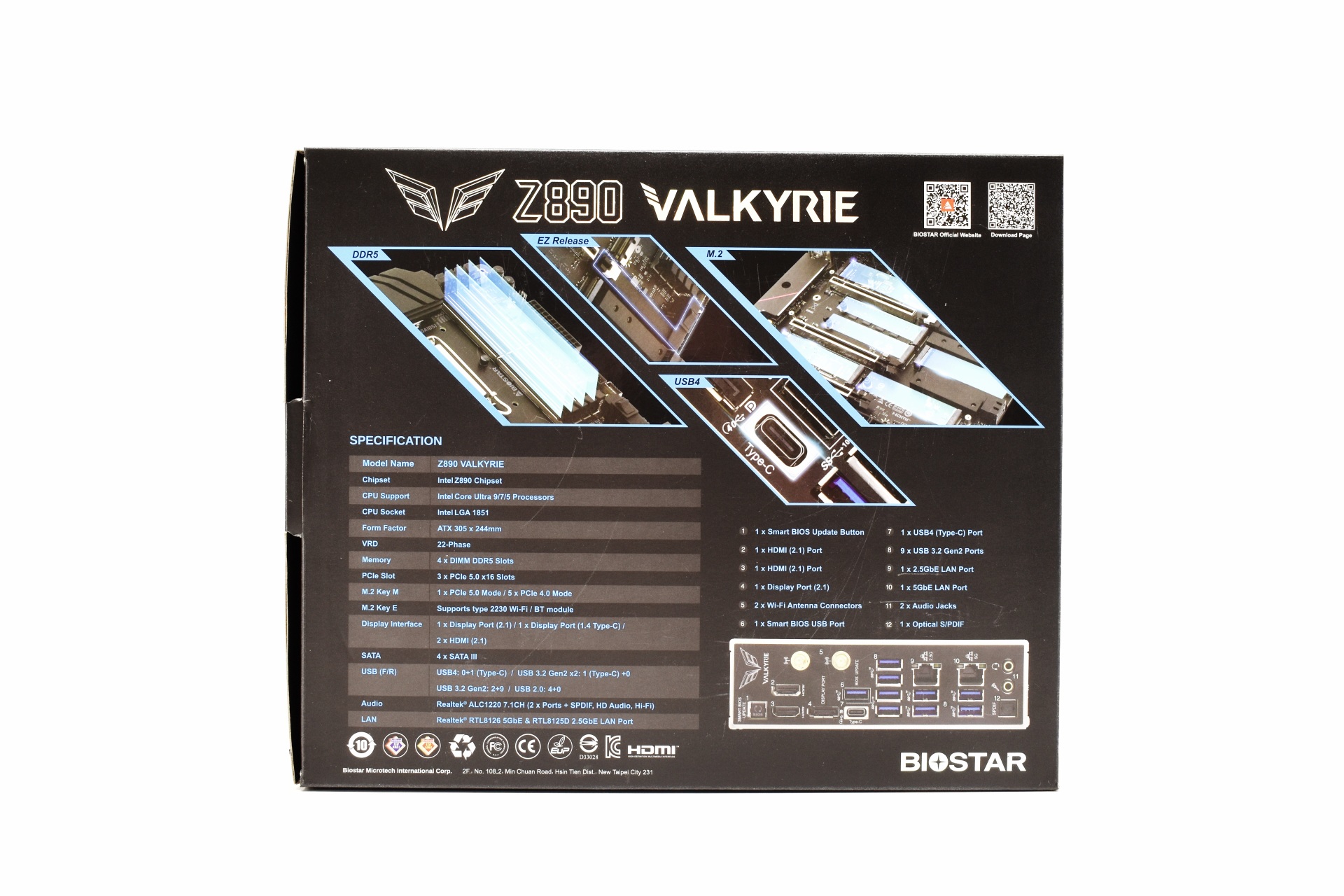
4 product pictures, the product specifications and features are placed at the rear.
Typically, the board is placed inside a static-free bag.
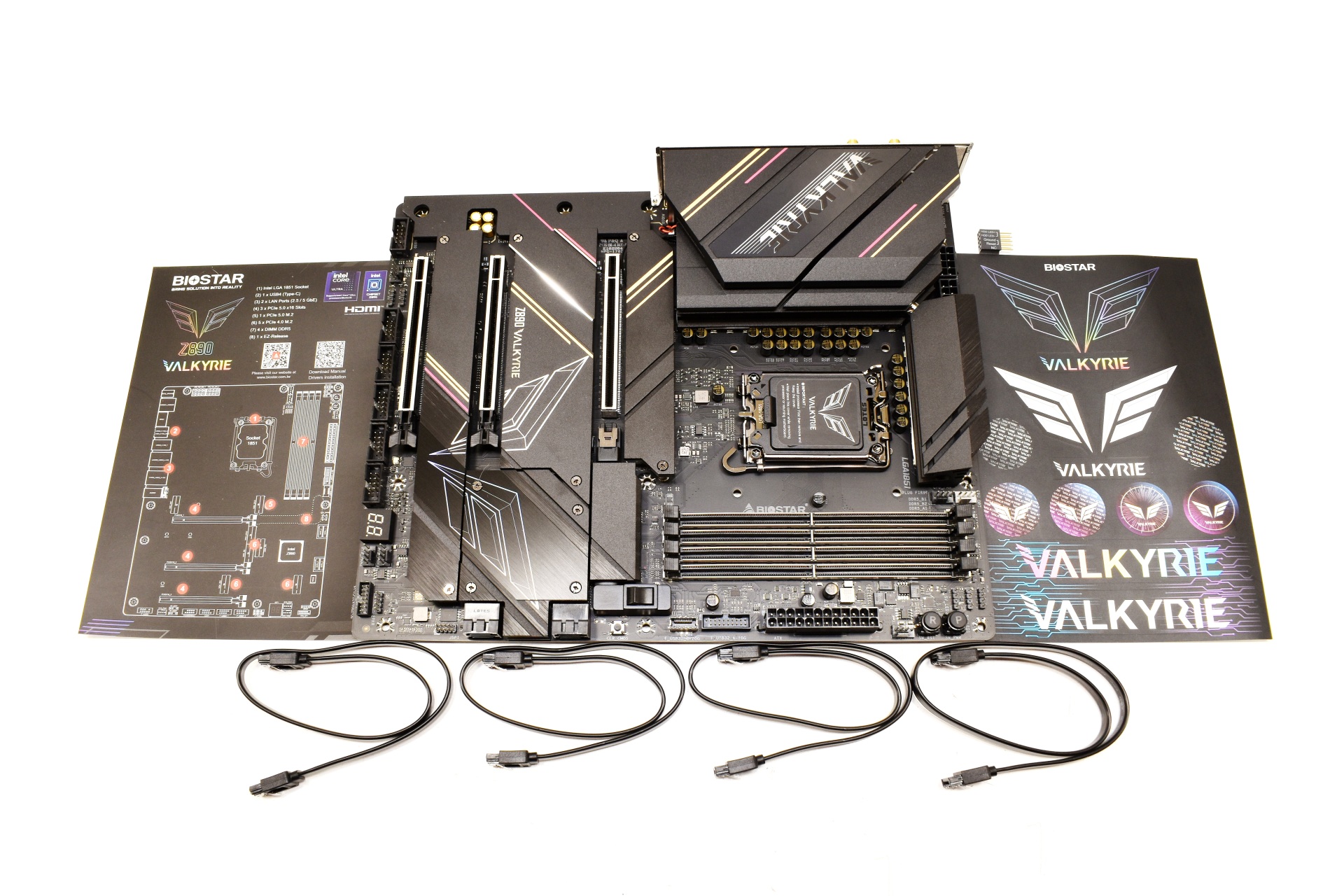
Along with the Z890 Valkyrie inside the box you’ll also find 4 SATA cables, stickers, motherboard header adapter and a paper with the layout of the motherboard.
THE Z890 VALKYRIE
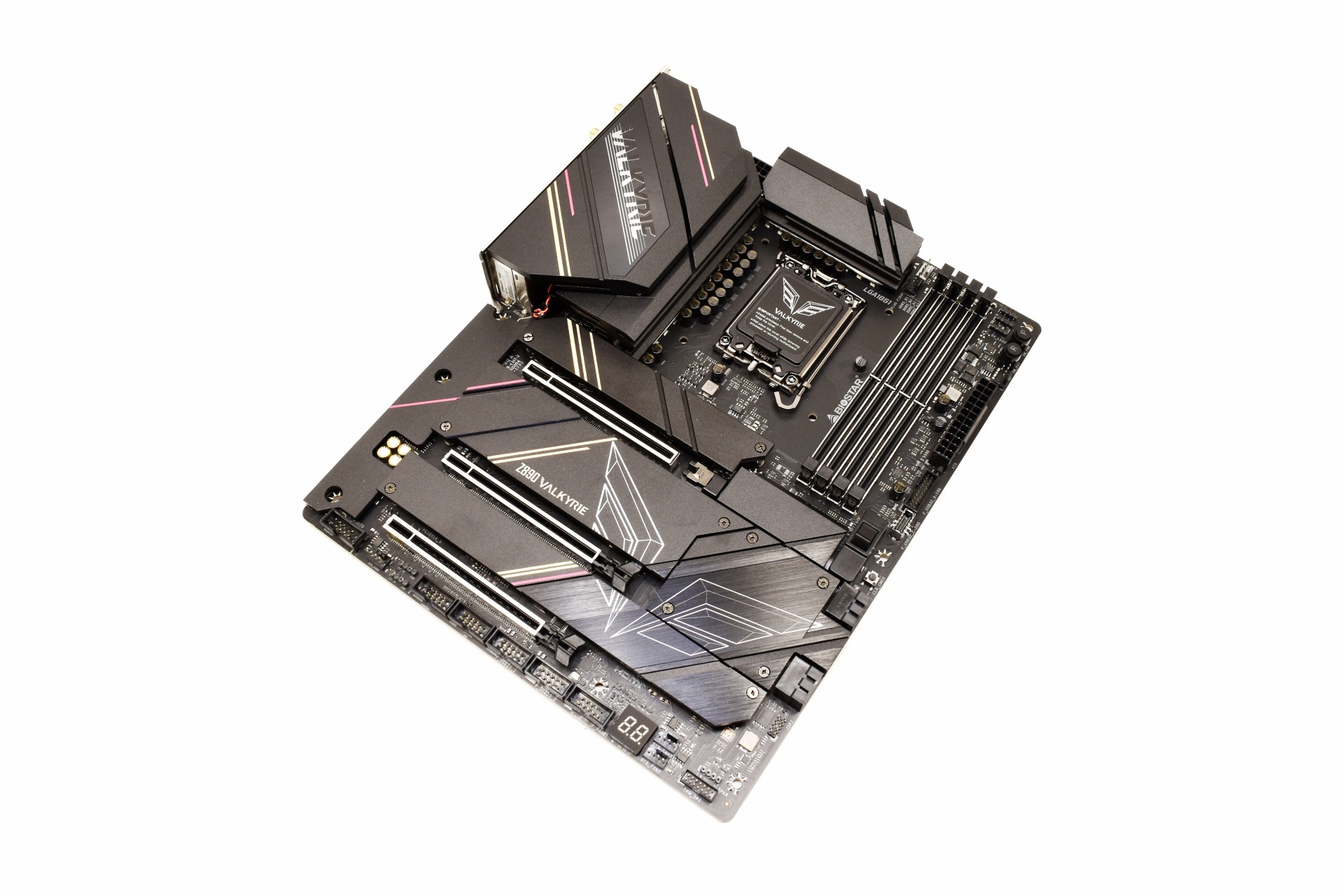
The color theme BIOSTAR has used looks nice and gives a robust feeling to the Z890 Valkyrie.
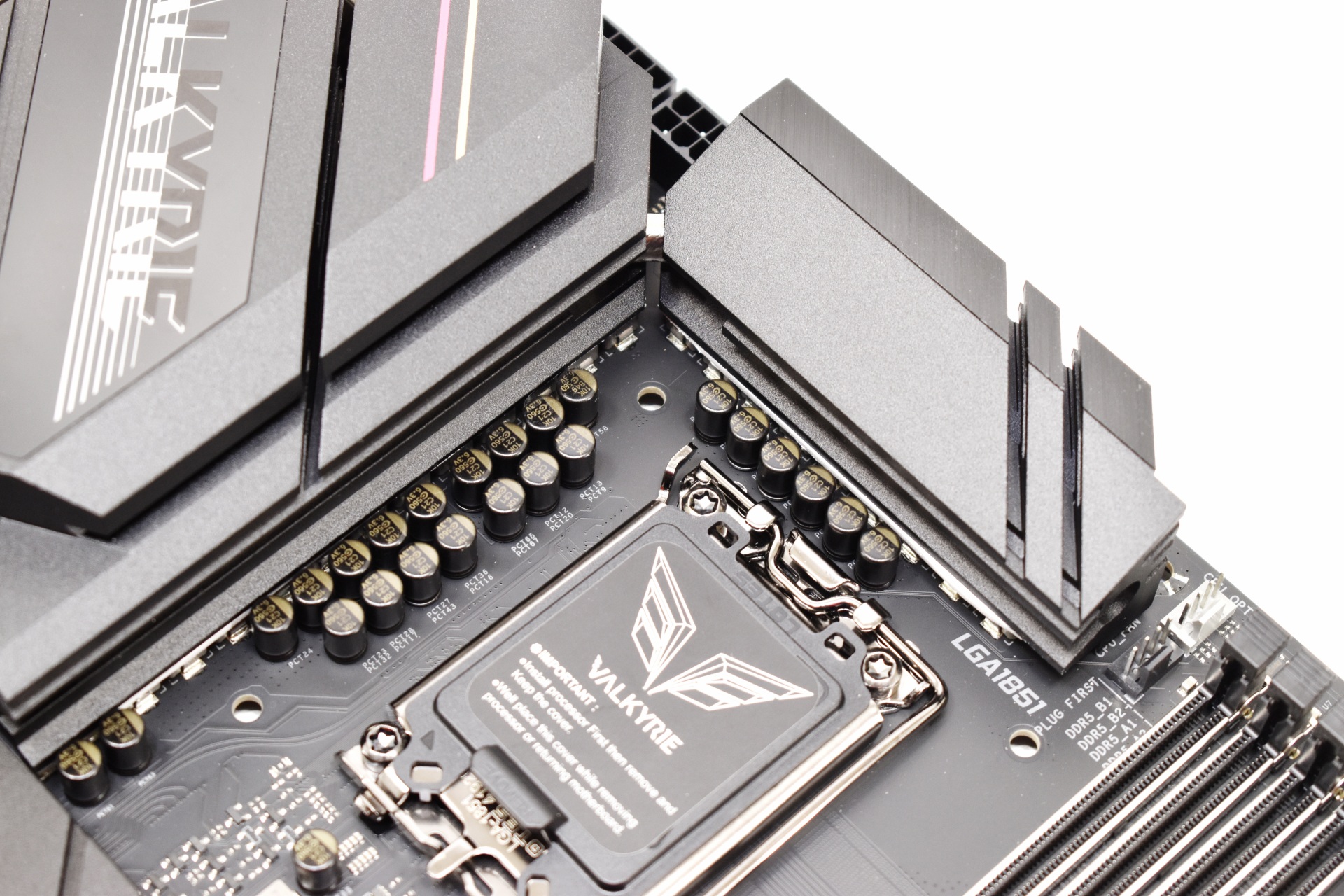
Using a 22-phase power design should provide extra stability for the CPU.
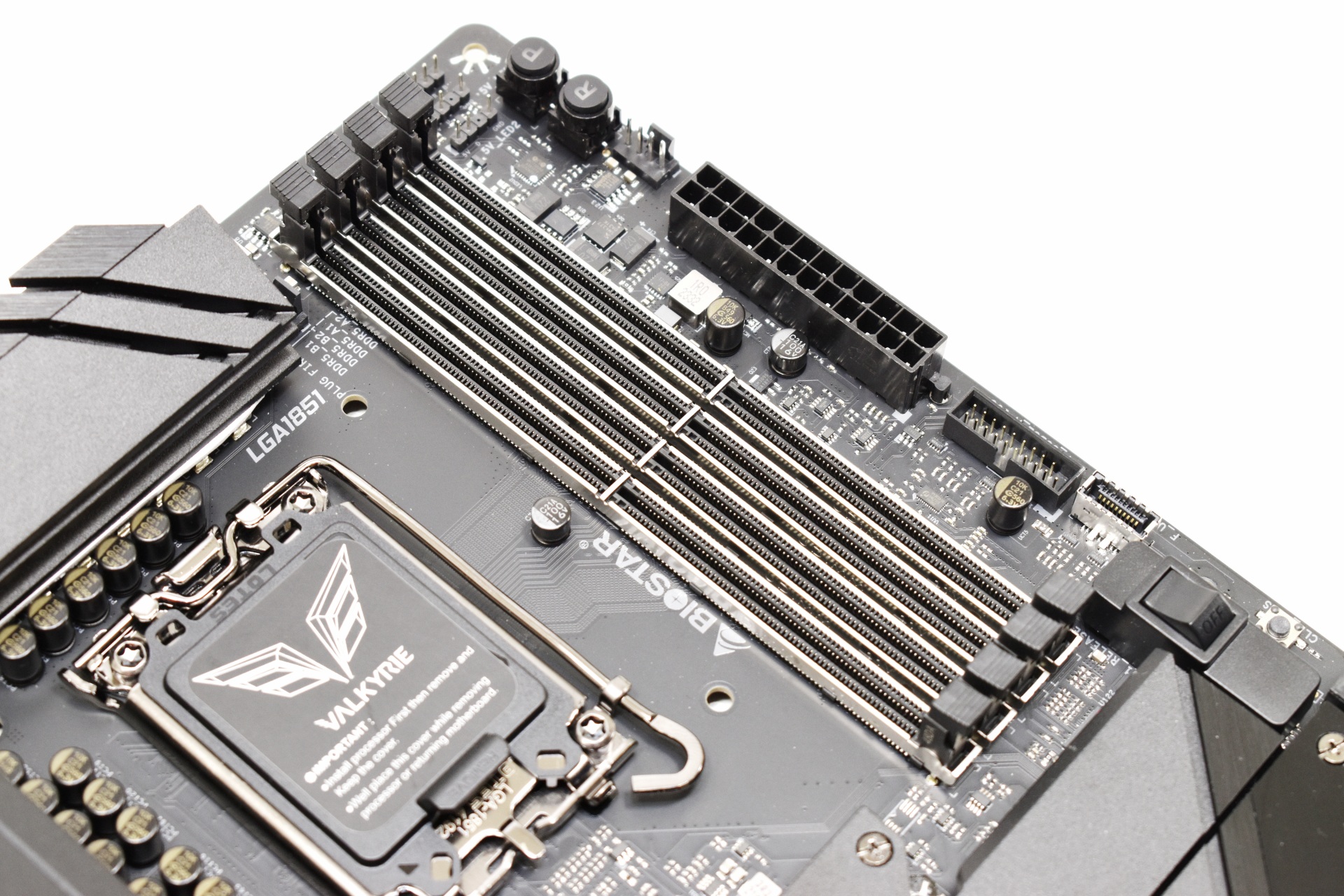
The 4 reinforced DIMM slots can accommodate up to 256GB RAM at speeds of up to and even surpassing 9066MT/s.
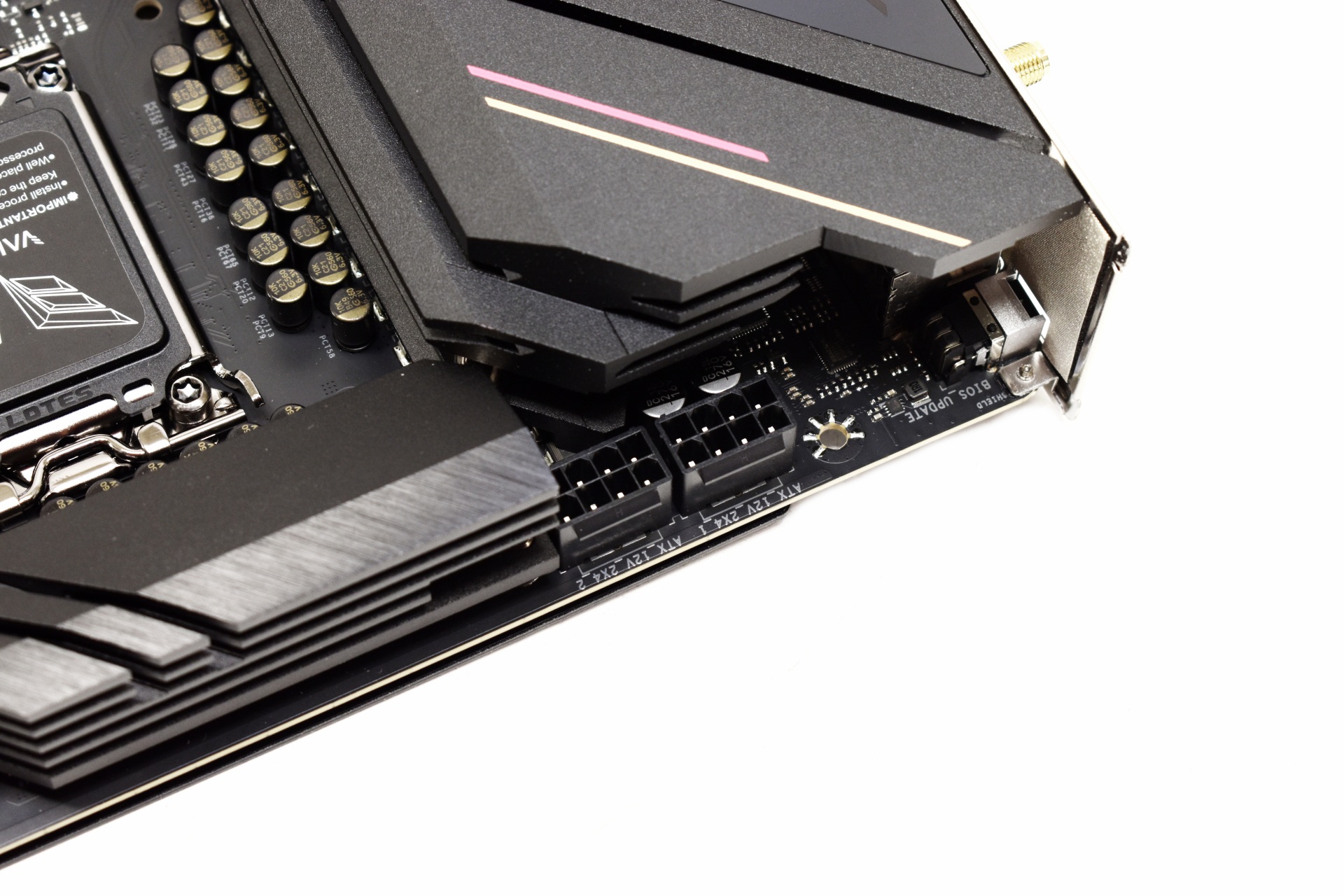
Two 2x4 CPU power connectors are located on the top left of the motherboard.
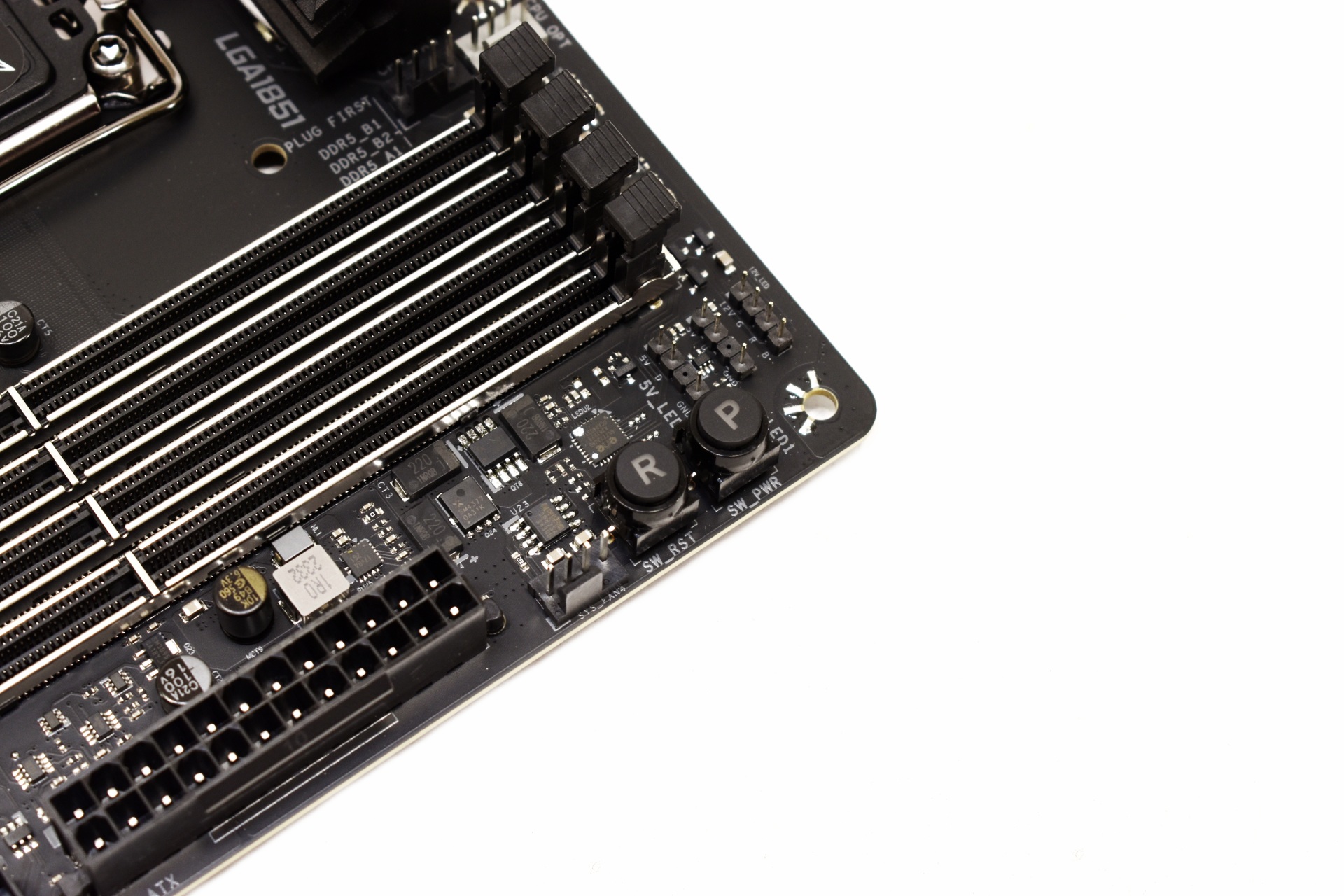
Power and reset buttons are located next to the DIMM slots.
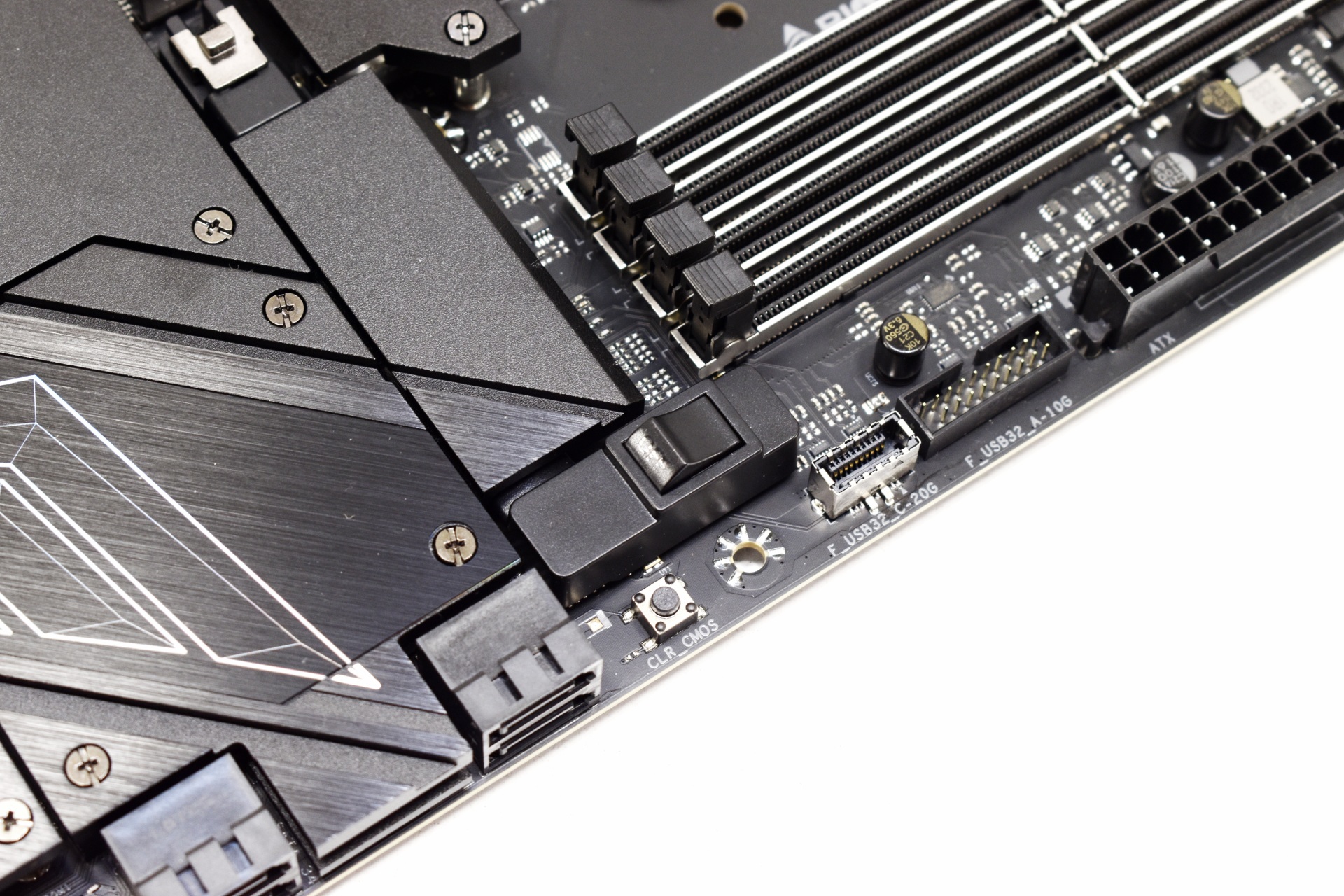
The primary PCIe 5.0 x16 slot has a very convenient quick release switch.
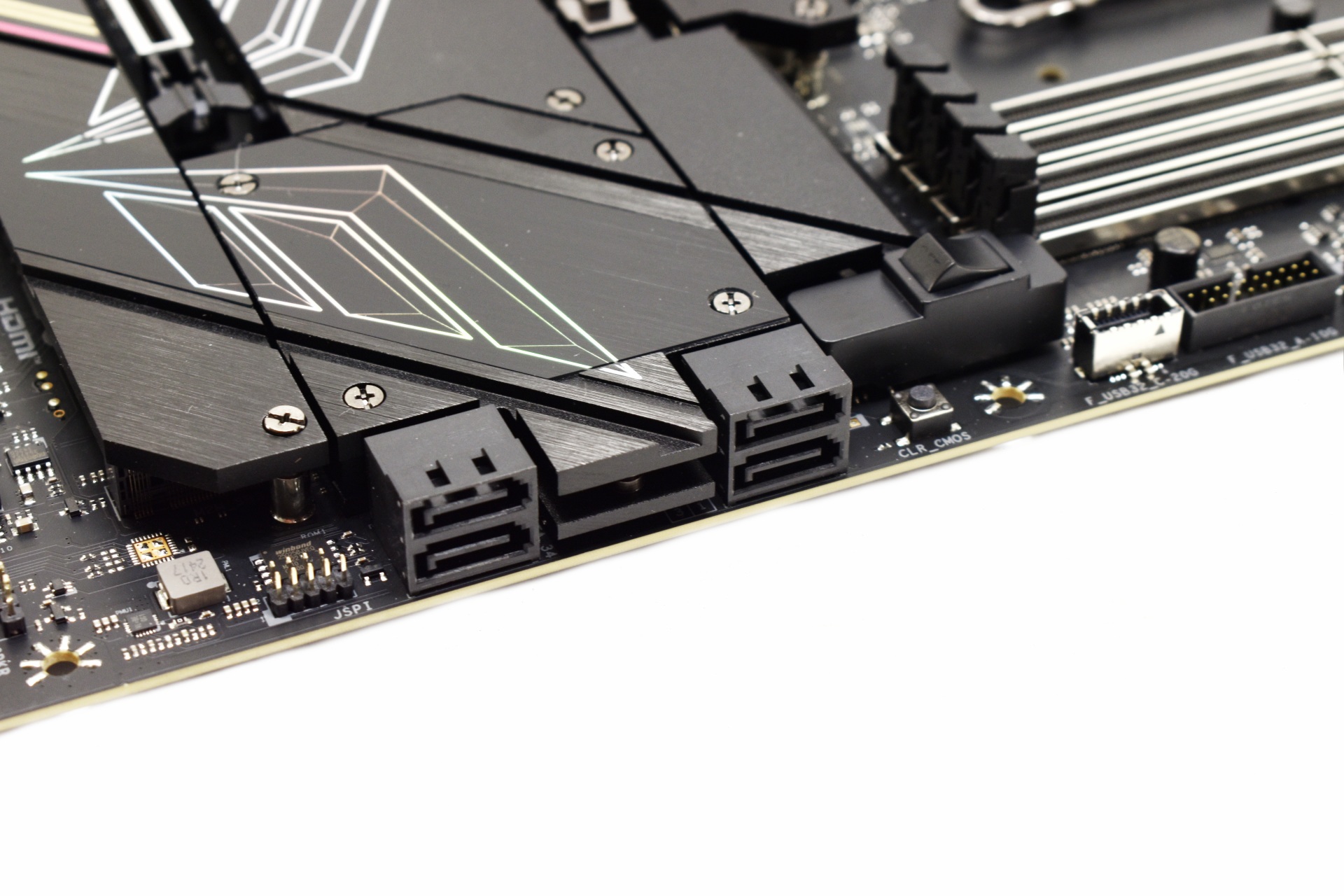
A clear CMOS button is located next to the 4 SATA ports.
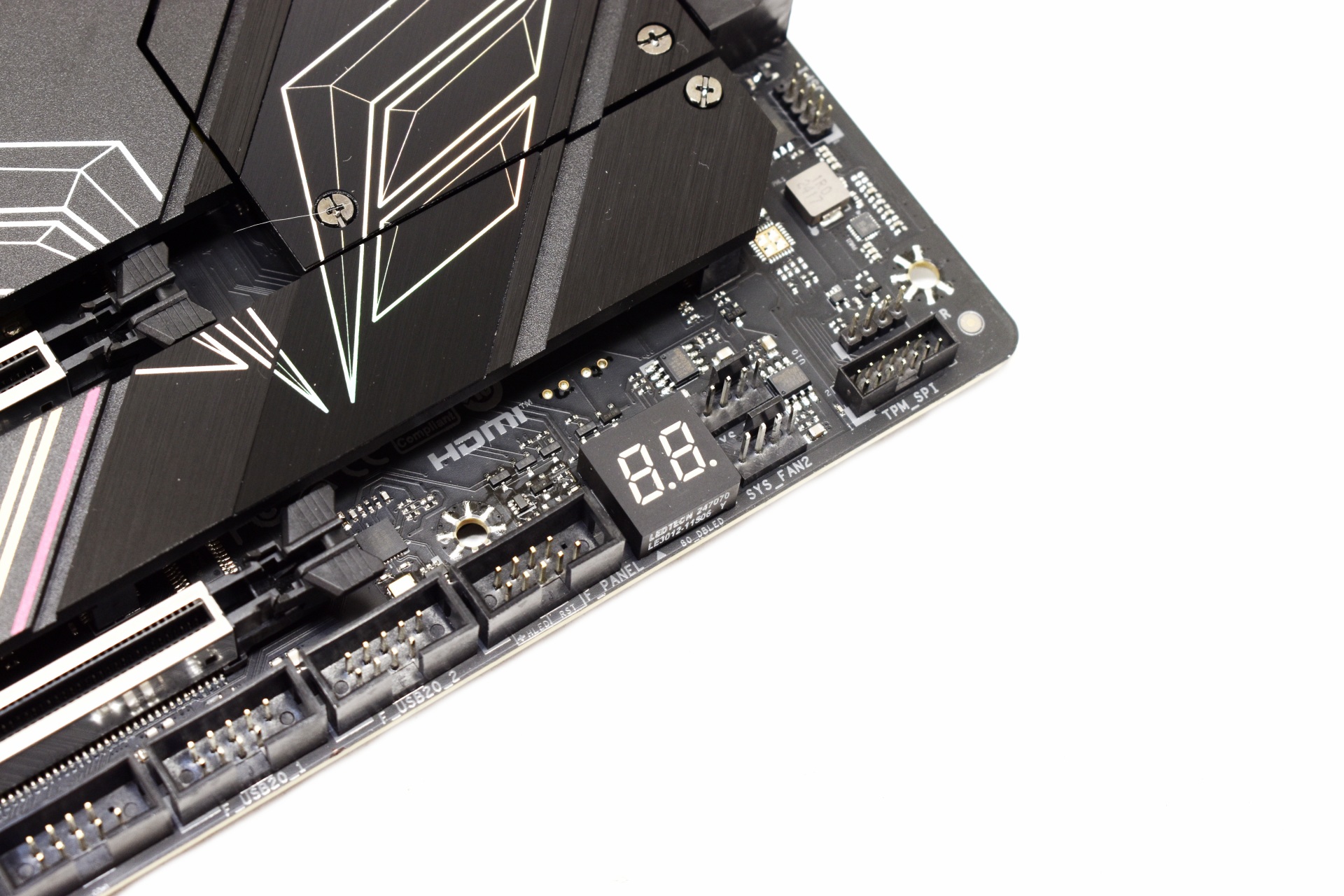
A debug LED is located on the lower right of the motherboard.
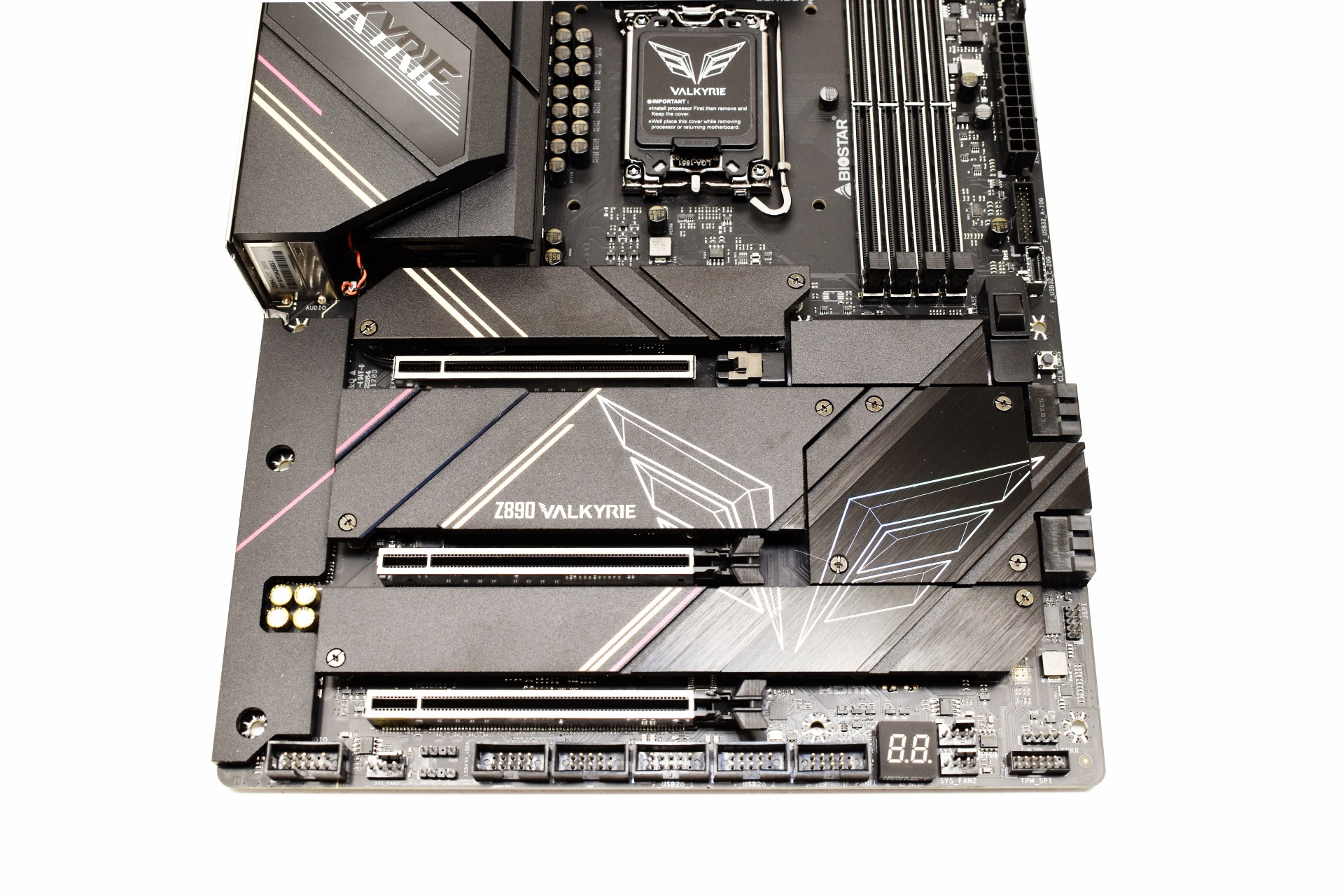
BIOSTAR has equipped the Z890 Valkyrie with 3 full sized PCIe 5.0 x16 slots which are also reinforced.
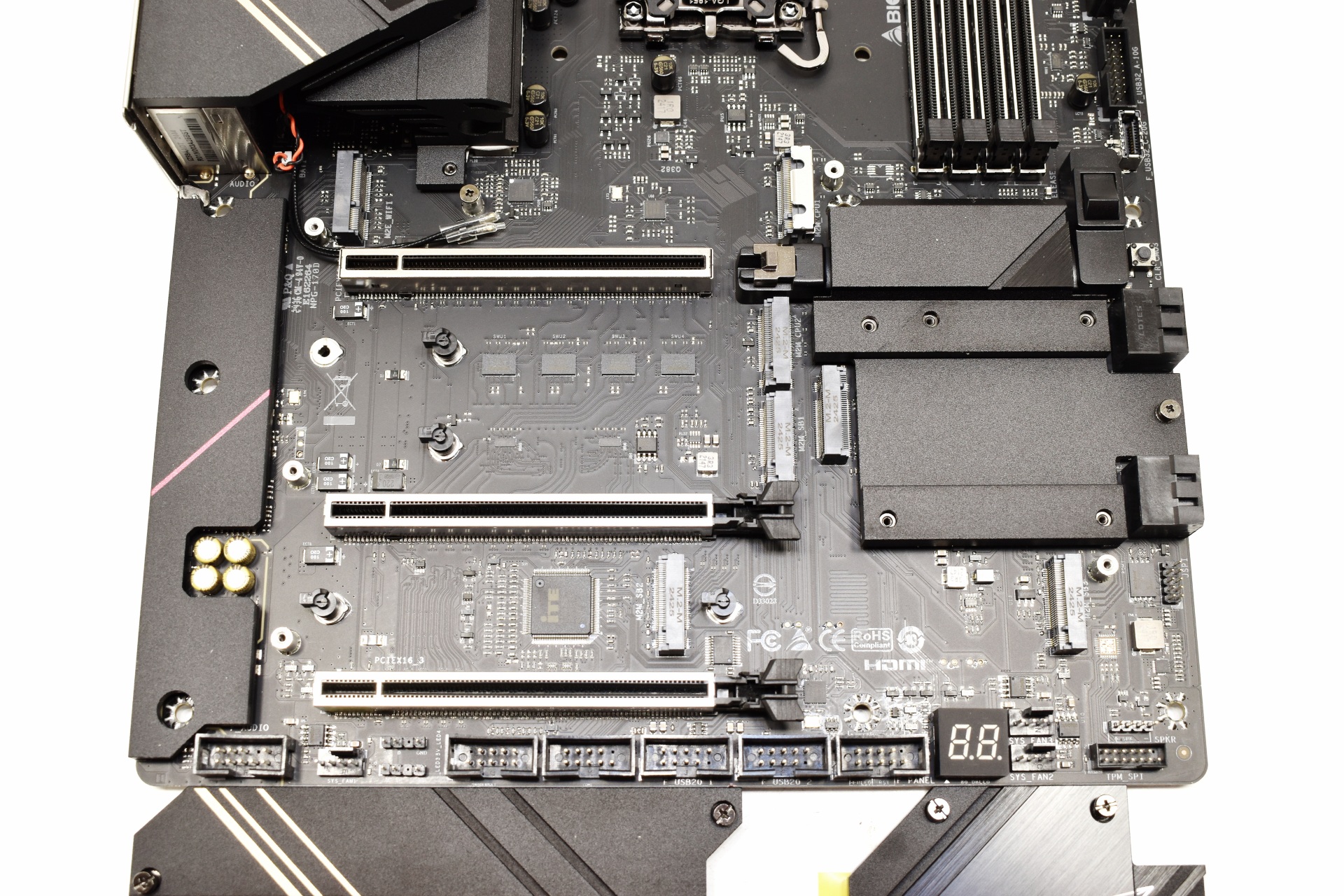
There are 4 removable heat spreaders on this motherboard under which we find 7 M.2 slots (1 is reserved for the Wi-Fi 7 module).
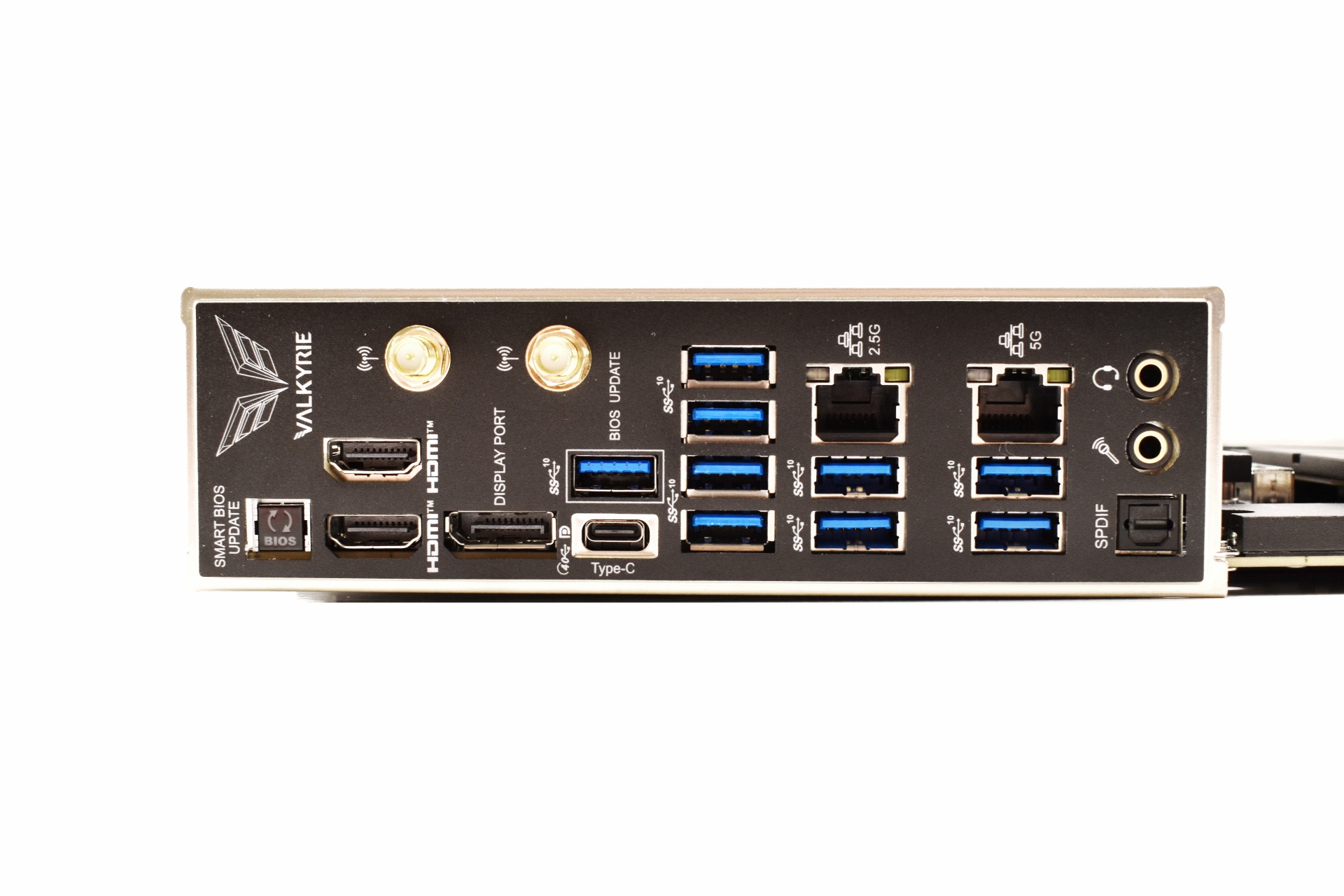
Moving to the rear I/O here we find a smart BIOS update button, two Antenna ports, two HDMI ports, DisplayPort, USB-C Gen 2x2 port, 9 USB 3.2 Gen2 ports, 2.5G and 5G RJ45 LAN ports and the audio ports (SPDIF, headphones and microphone).
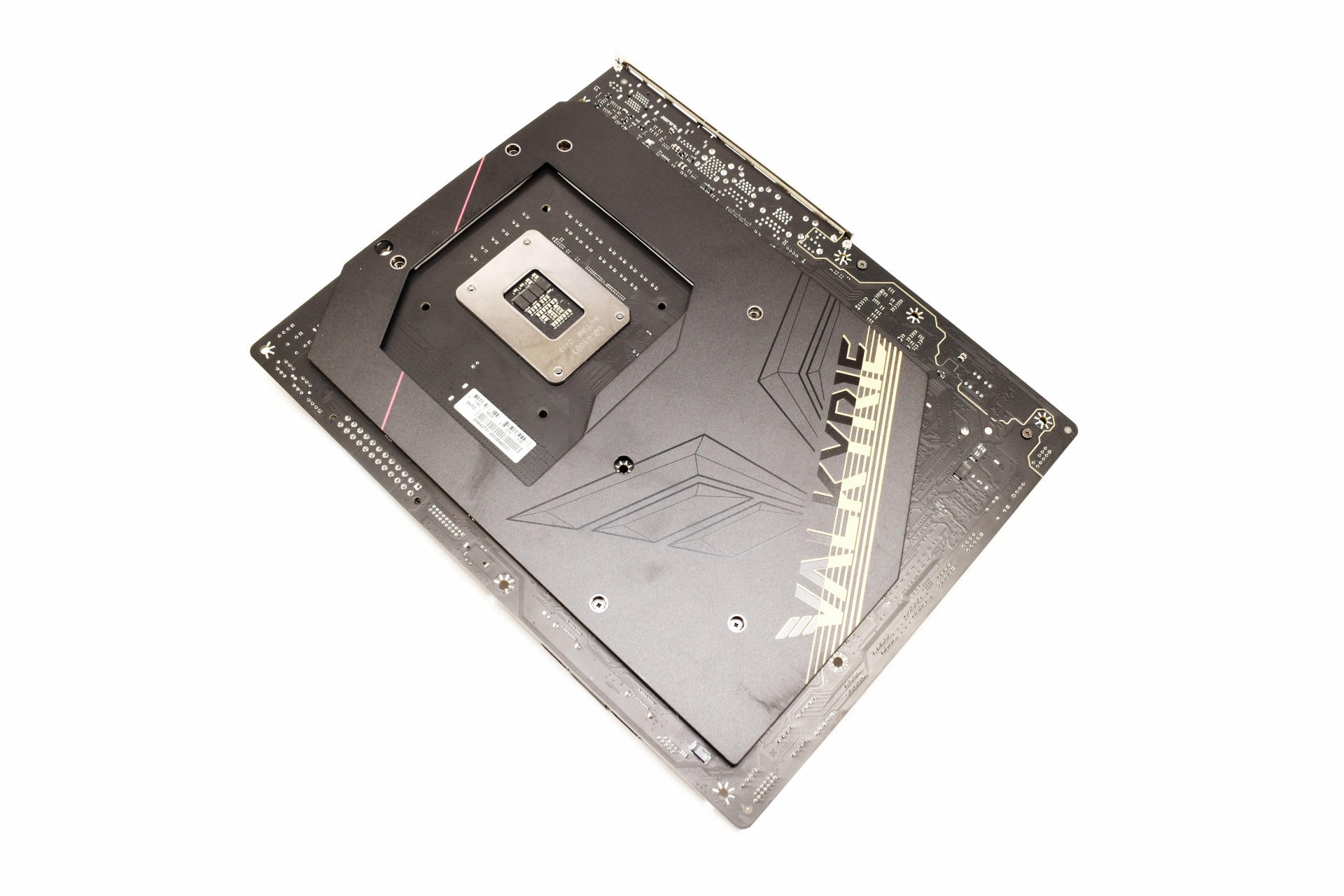
Most of the rear is covered with a metal plate for increased rigidity.
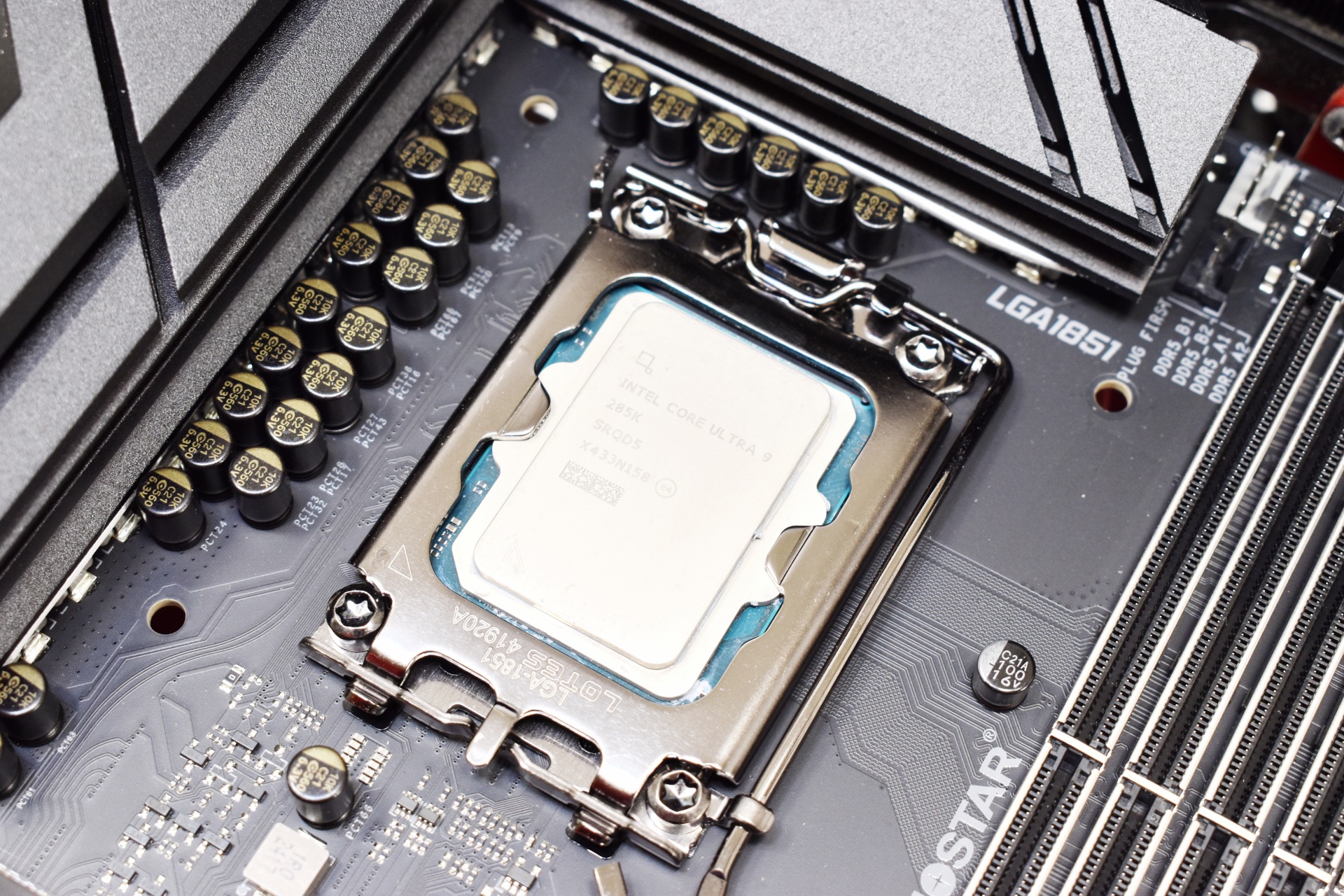
Once again for this review I used the Core Ultra 9 285K CPU.
BIOS Z89AC515
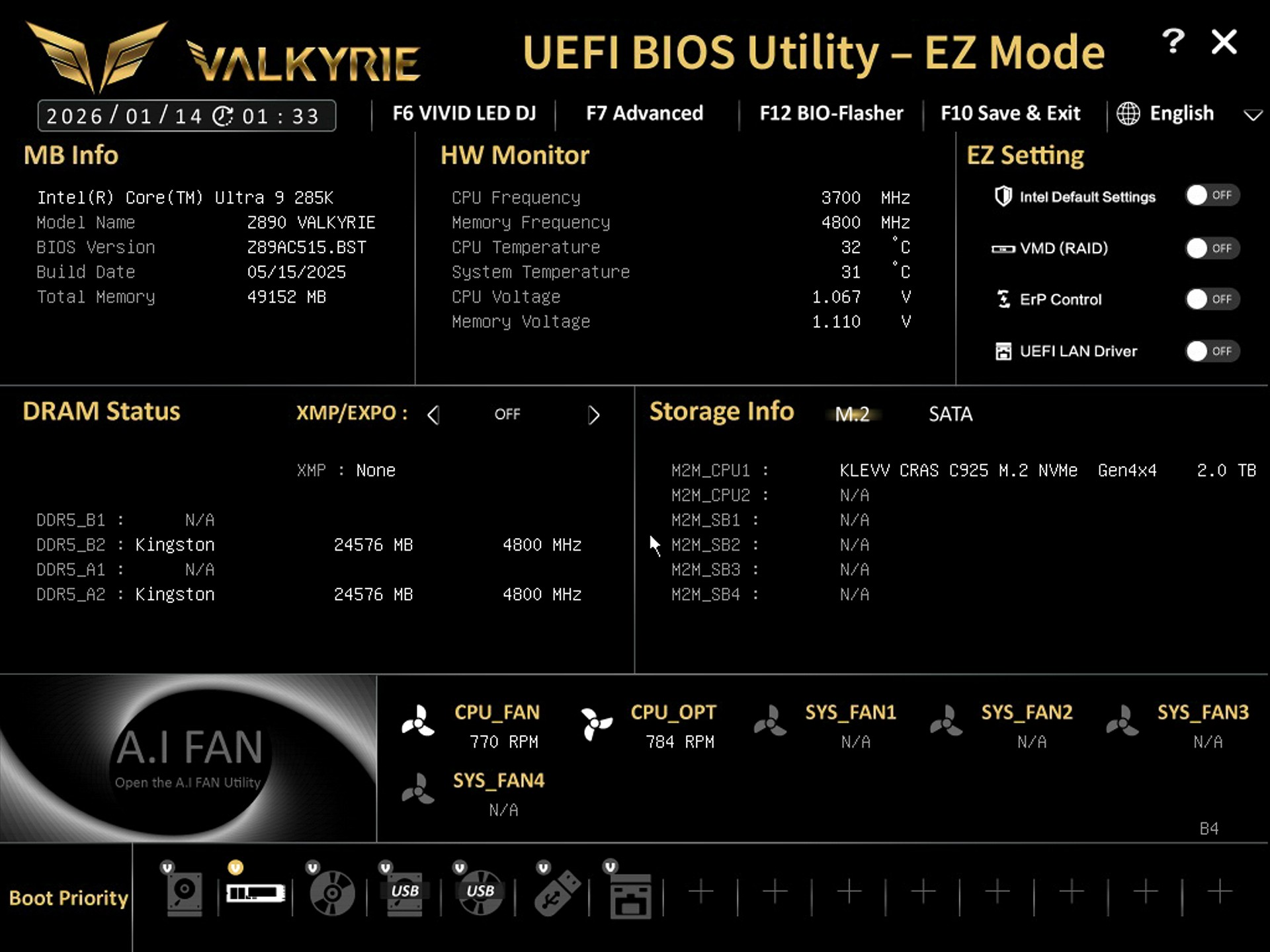
The EZ Mode screen includes basic toggles for XMP, fan profiles, boot priority, and quick monitoring.
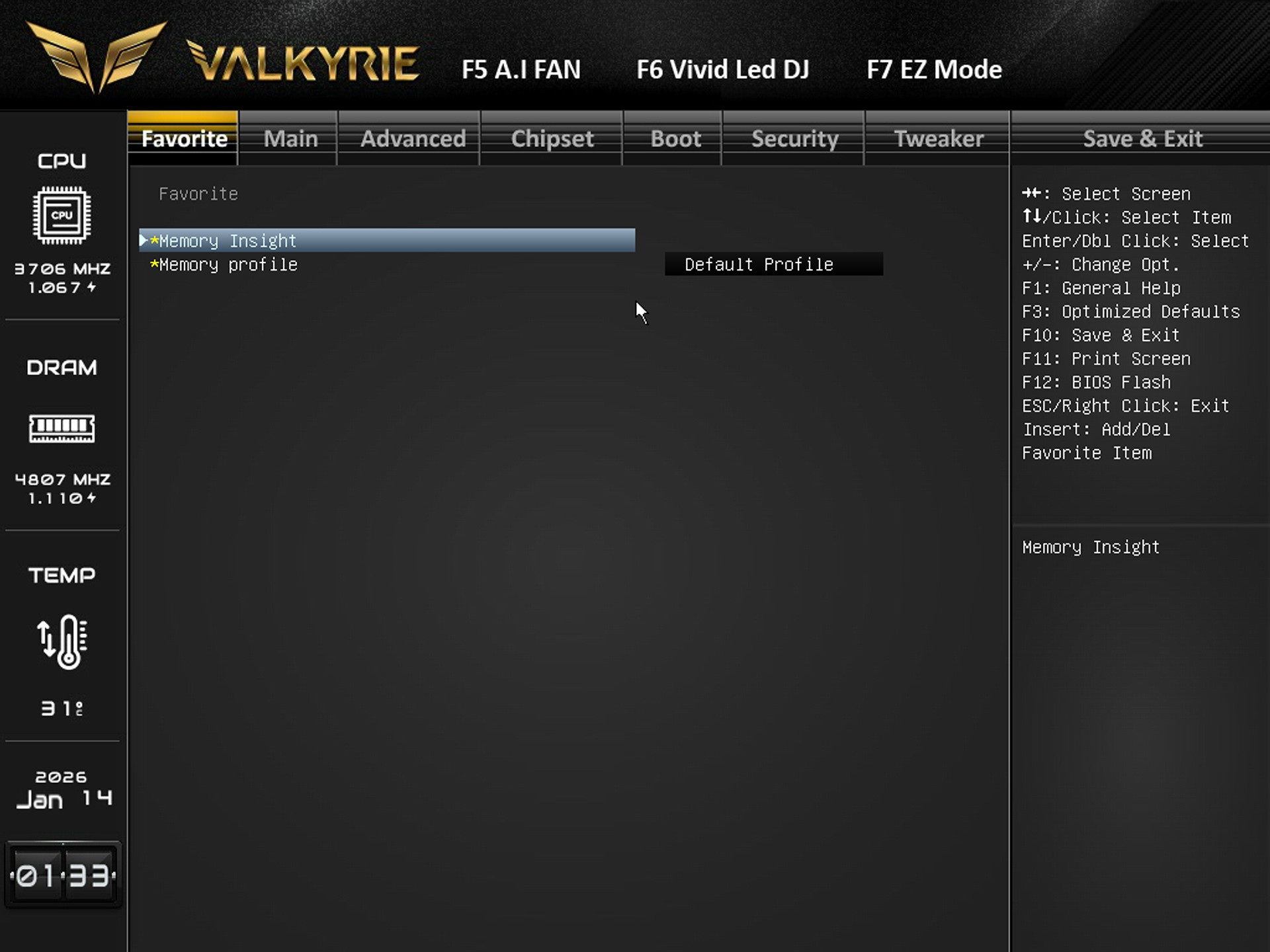
Inside the favorite tab you have quick access to memory tools like Memory Insight and Memory Profile selection.
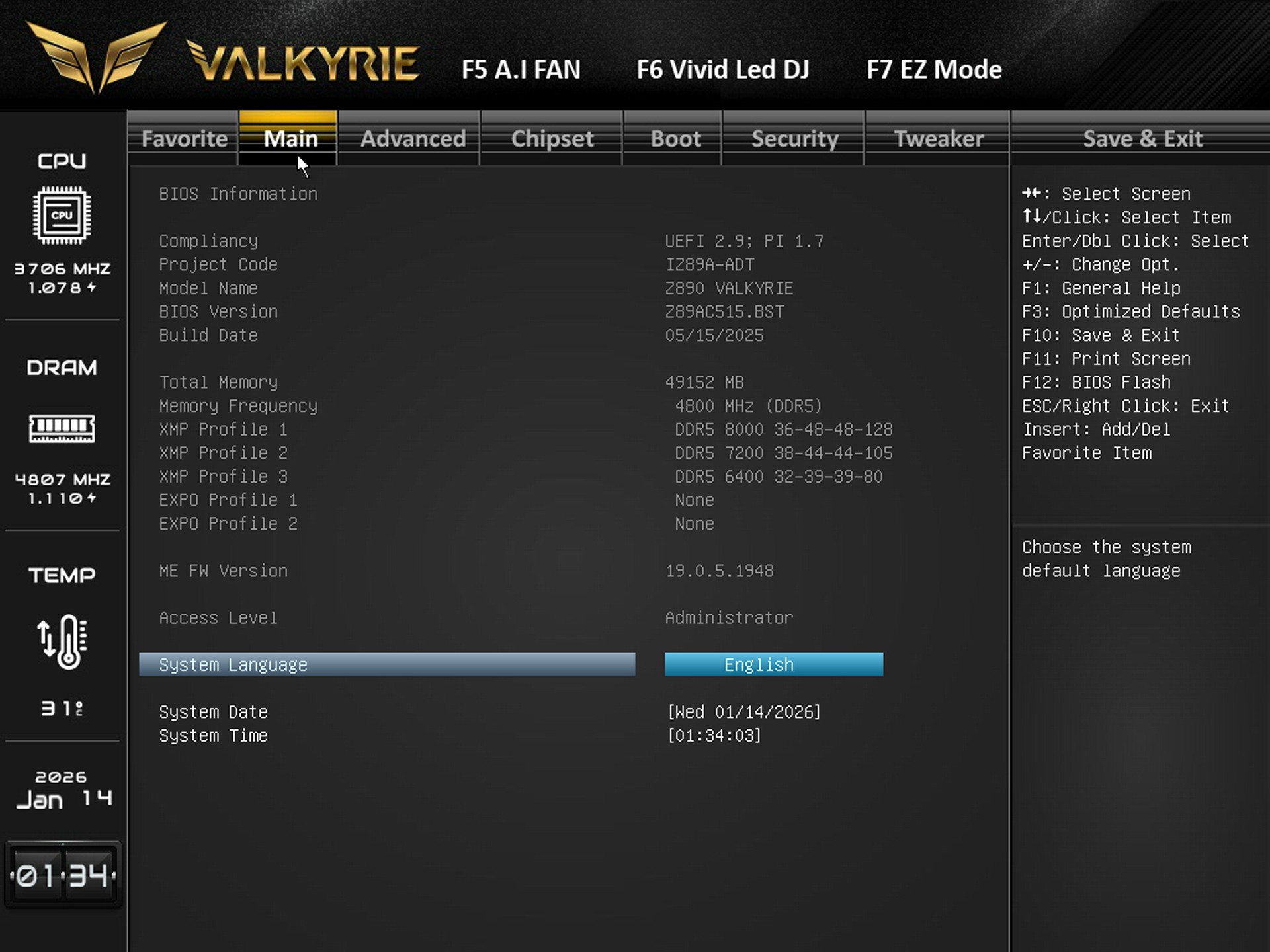
From the main tab you can adjust system language, date, time, and view BIOS/XMP profile availability.
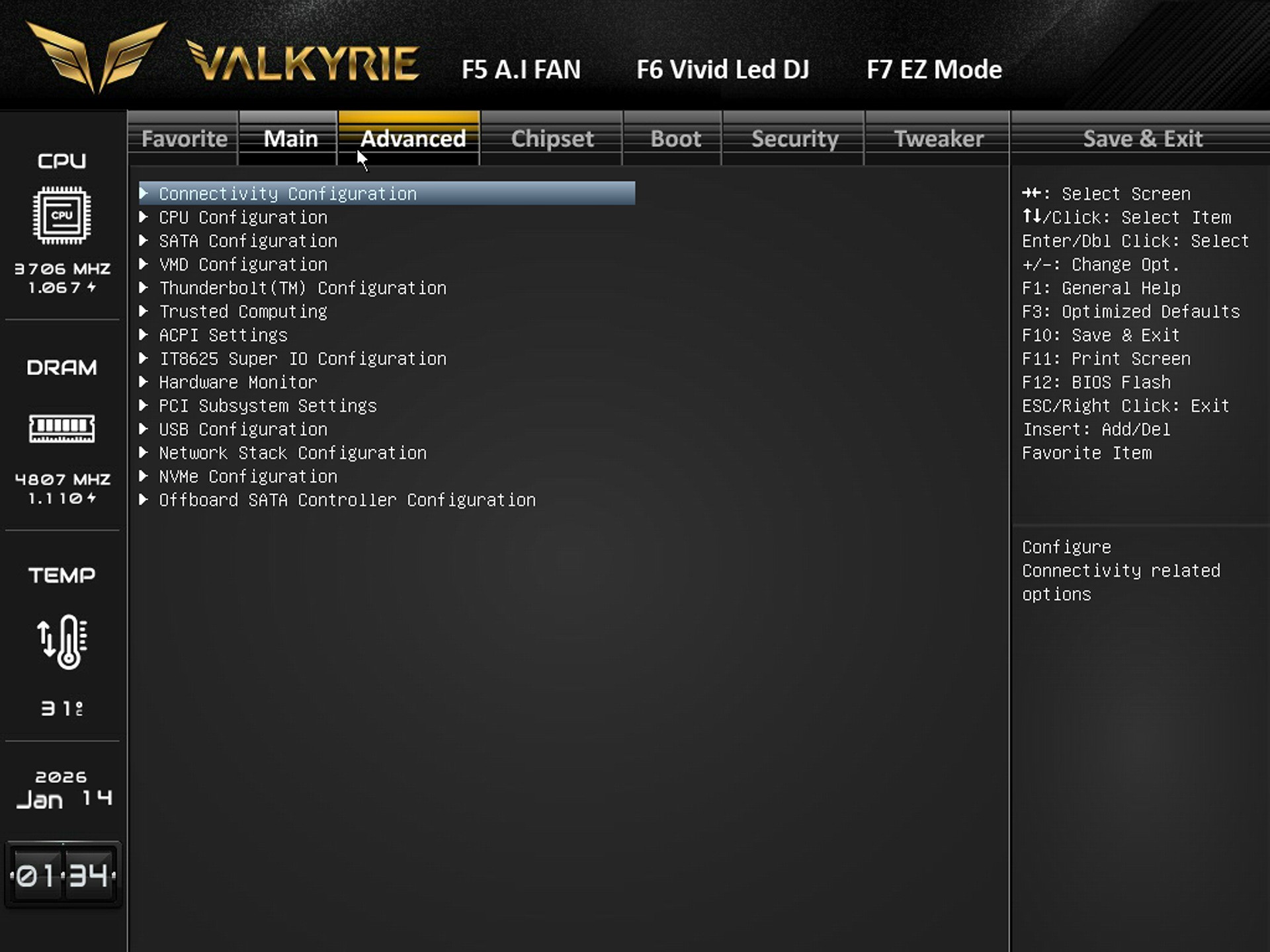
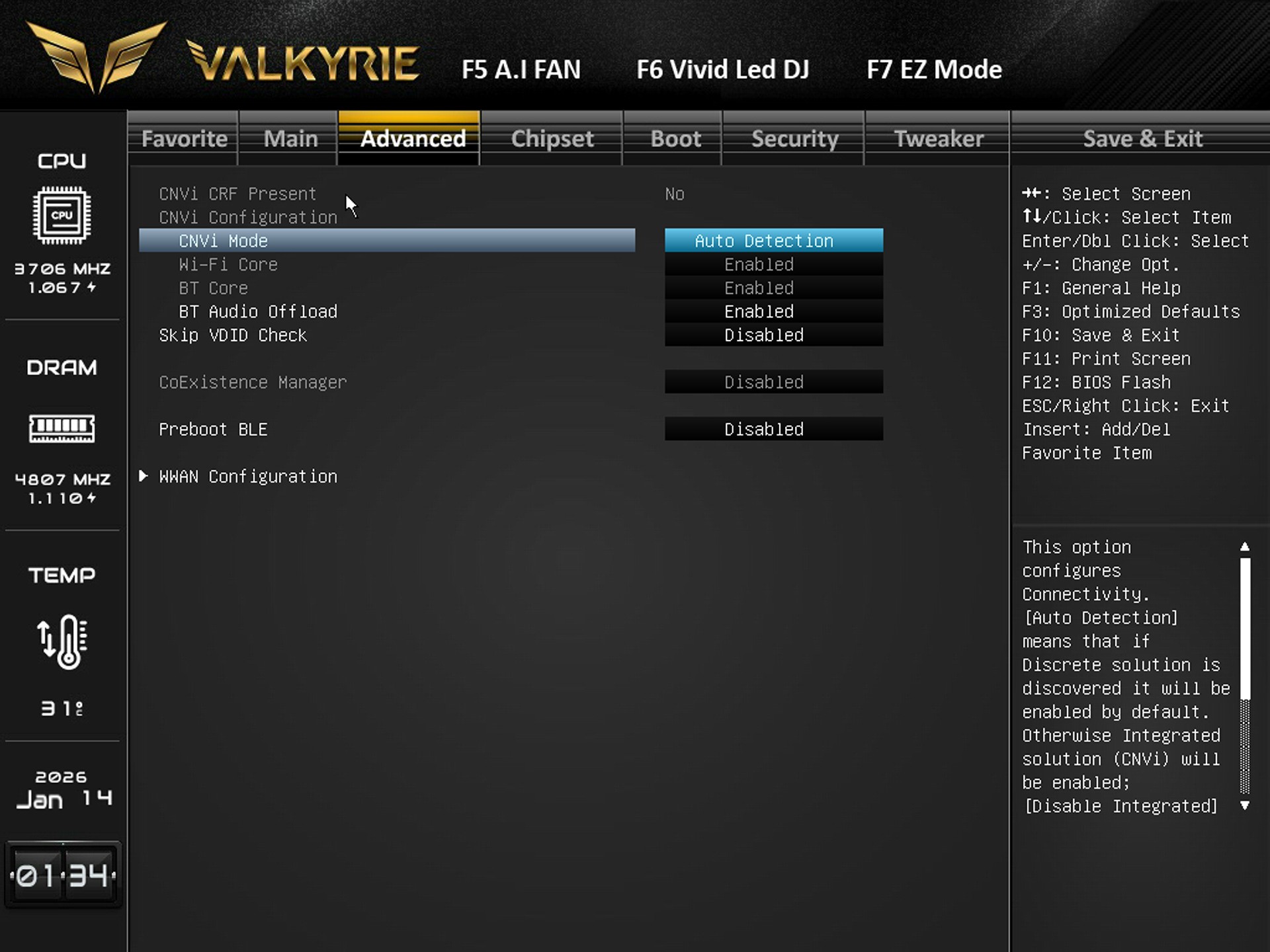
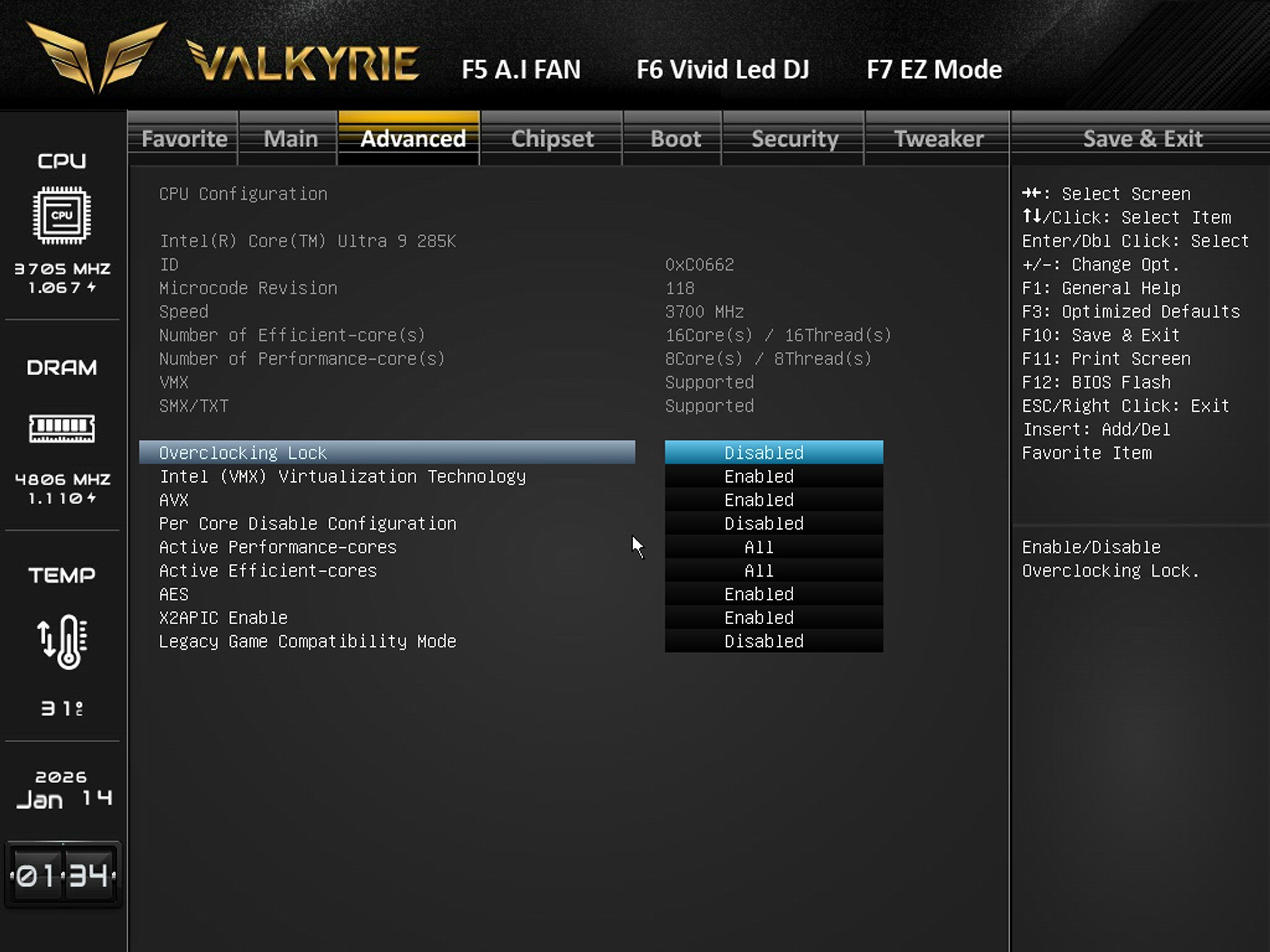
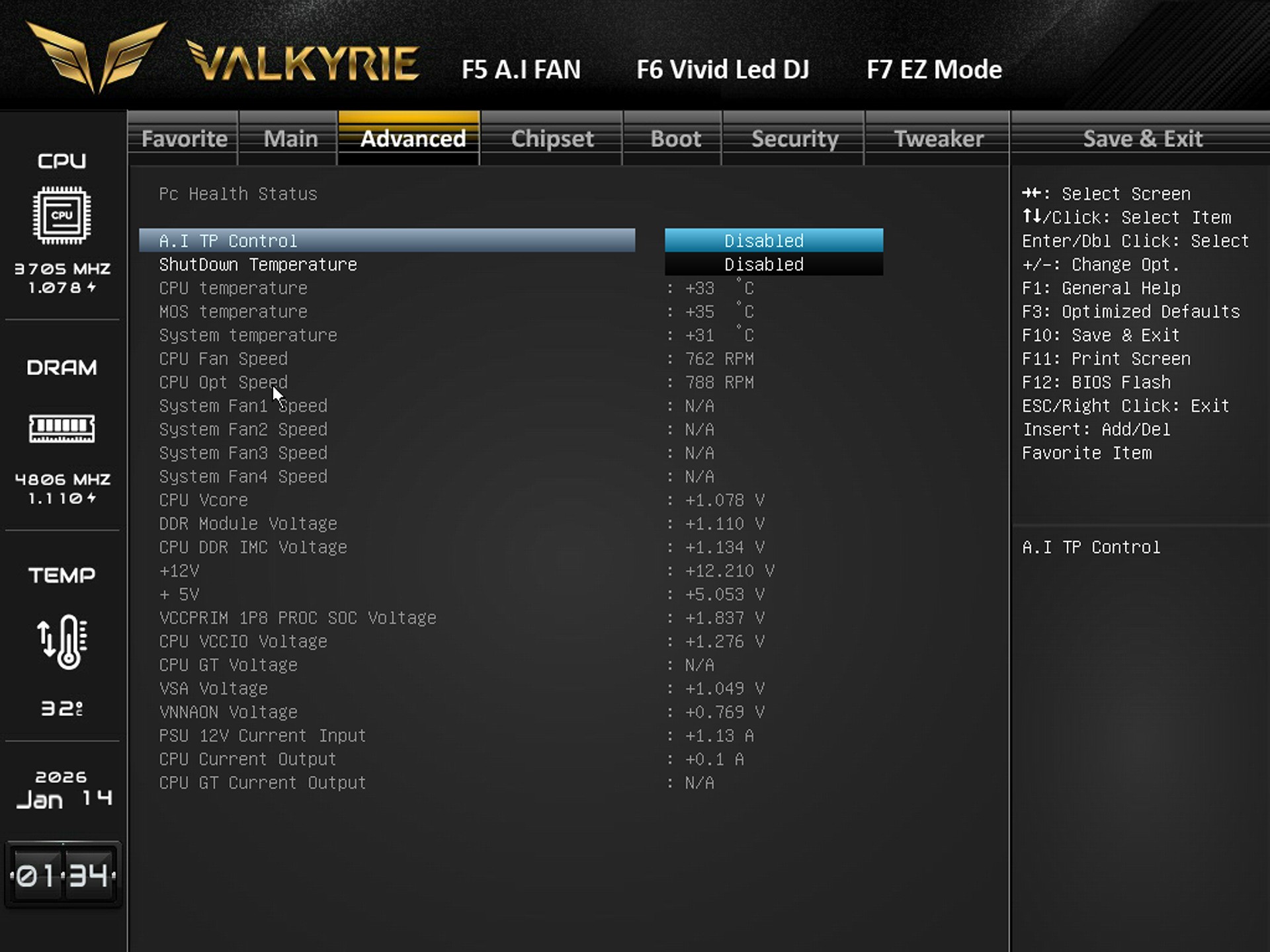
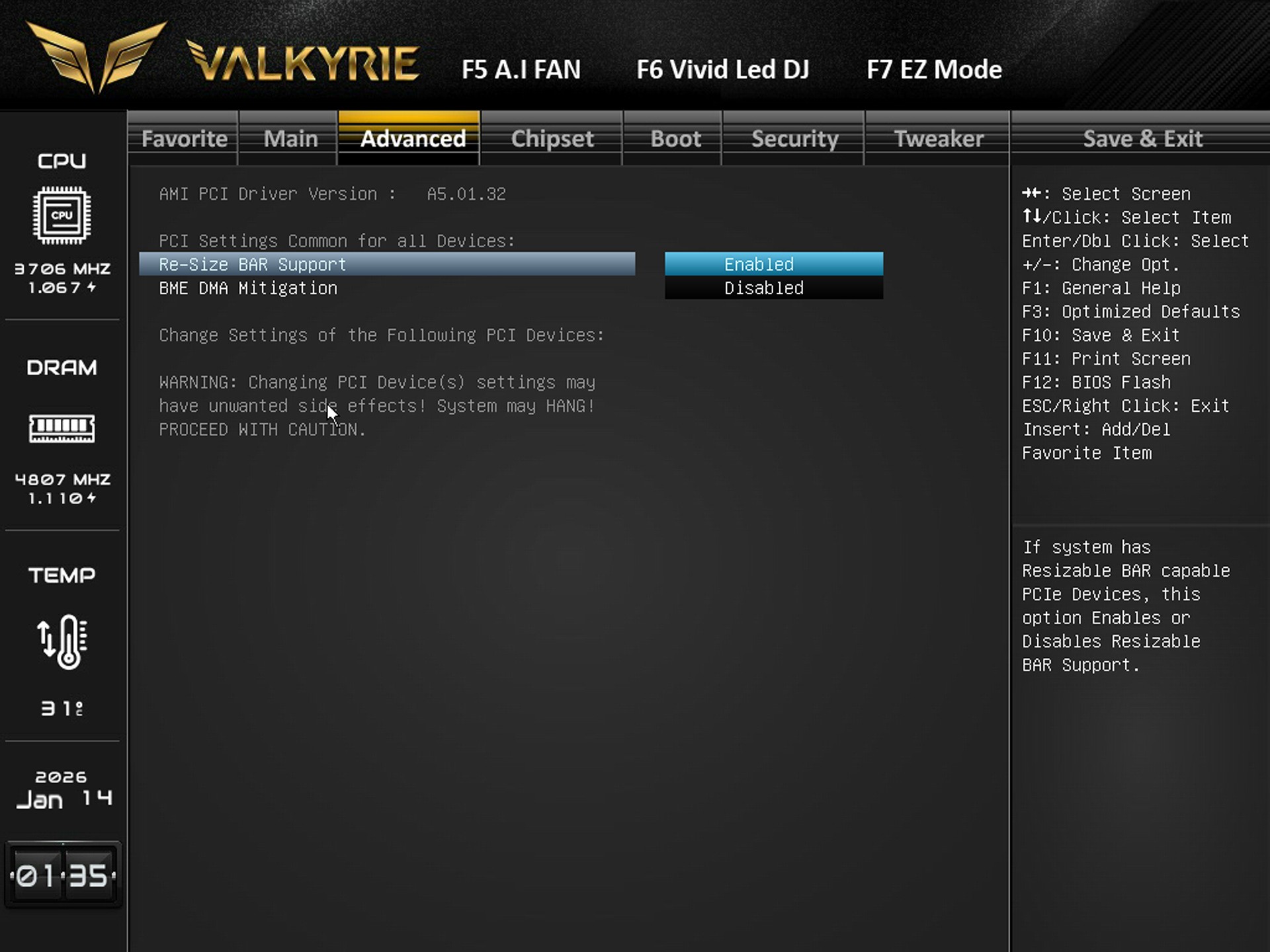
The advanced tab includes everything regarding the CPU, SATA, NVMe, USB, PCIe, ACPI, Thunderbolt, Super I/O, and hardware monitoring.
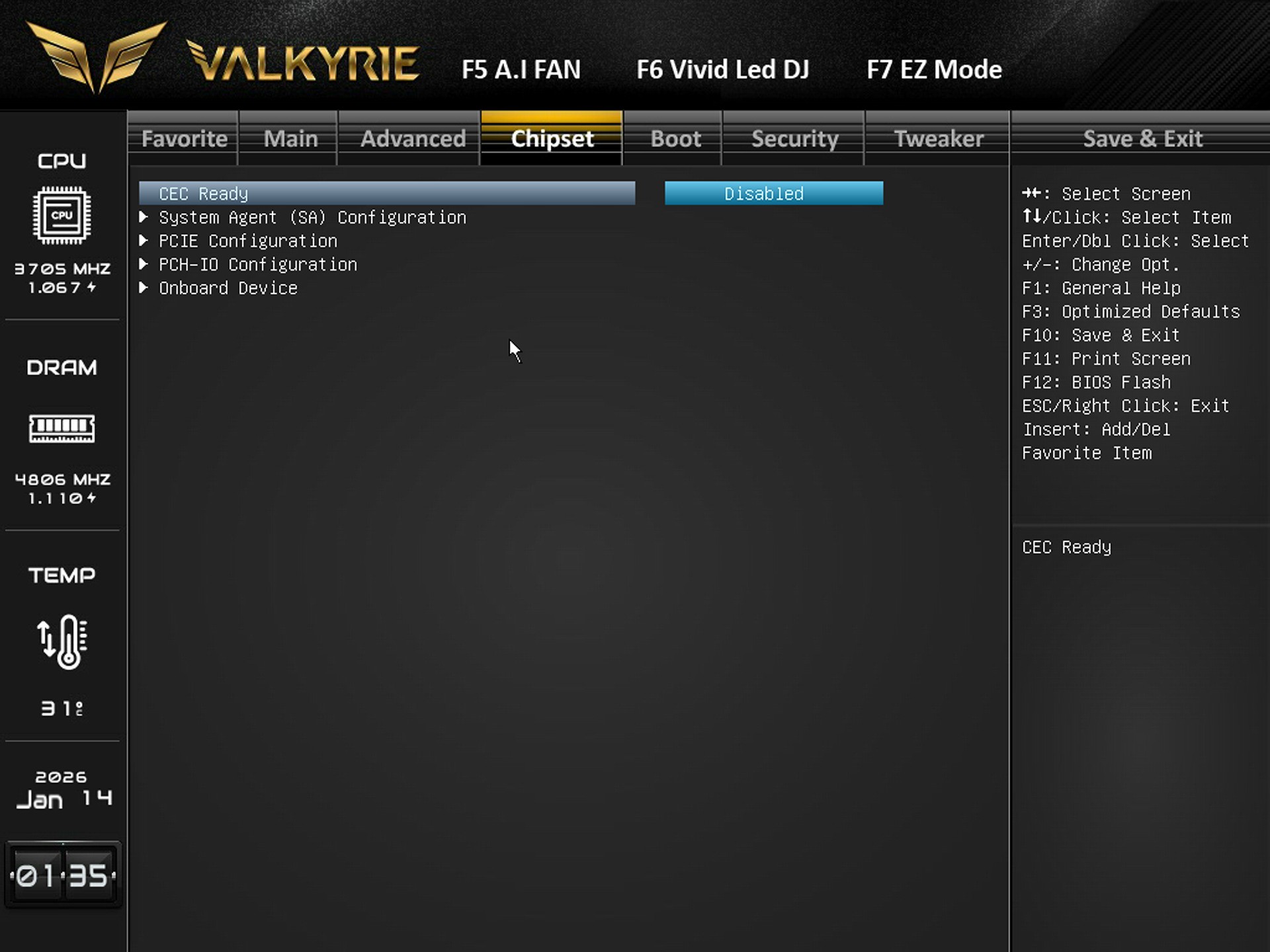
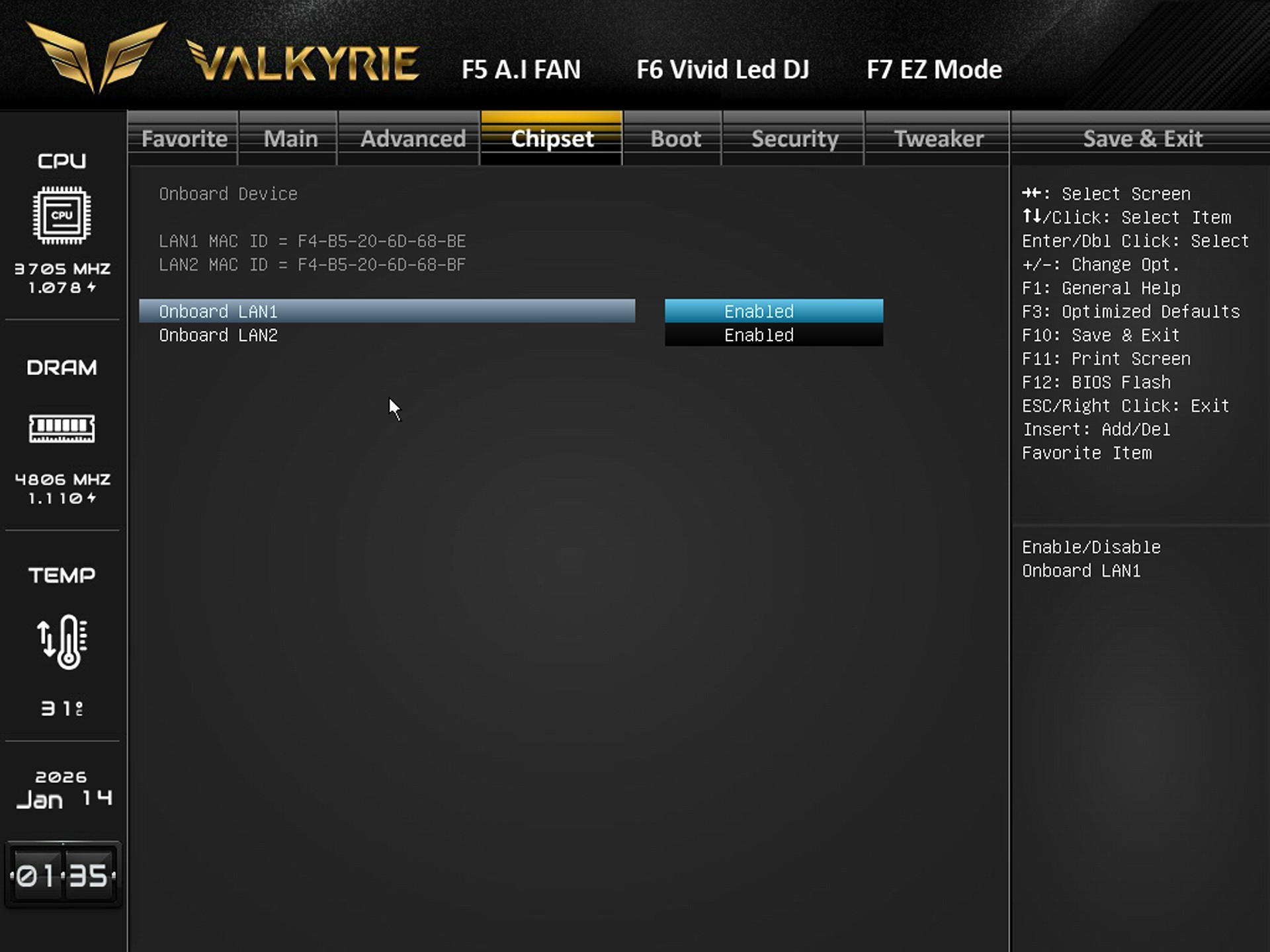
Available settings for system agent, PCIe lanes, PCH I/O behavior, and onboard device settings are all in the chipset tab.
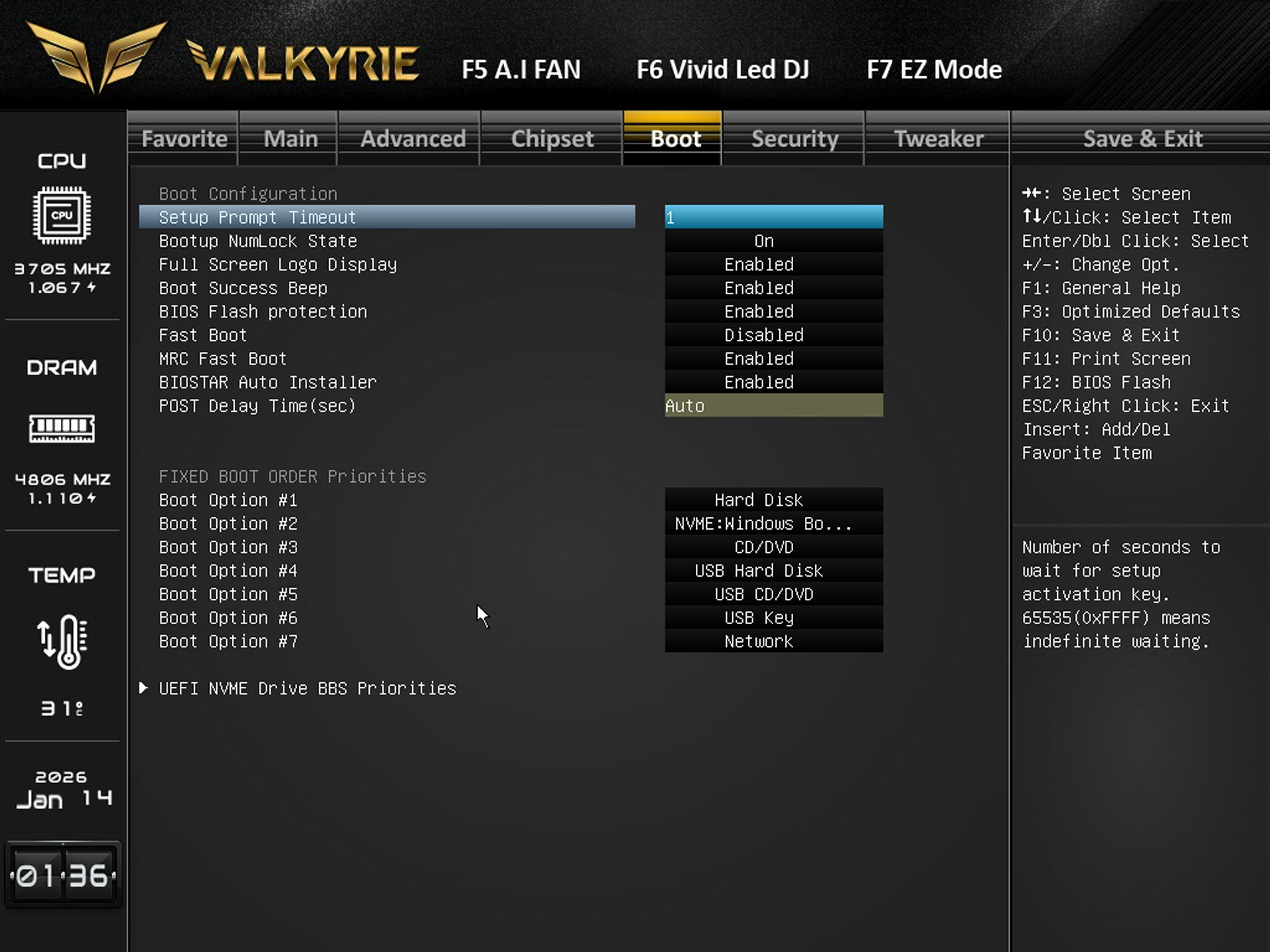
Boot tab includes the boot logo, fast boot, POST delay, NumLock, BIOS flash protection, and boot order priorities.
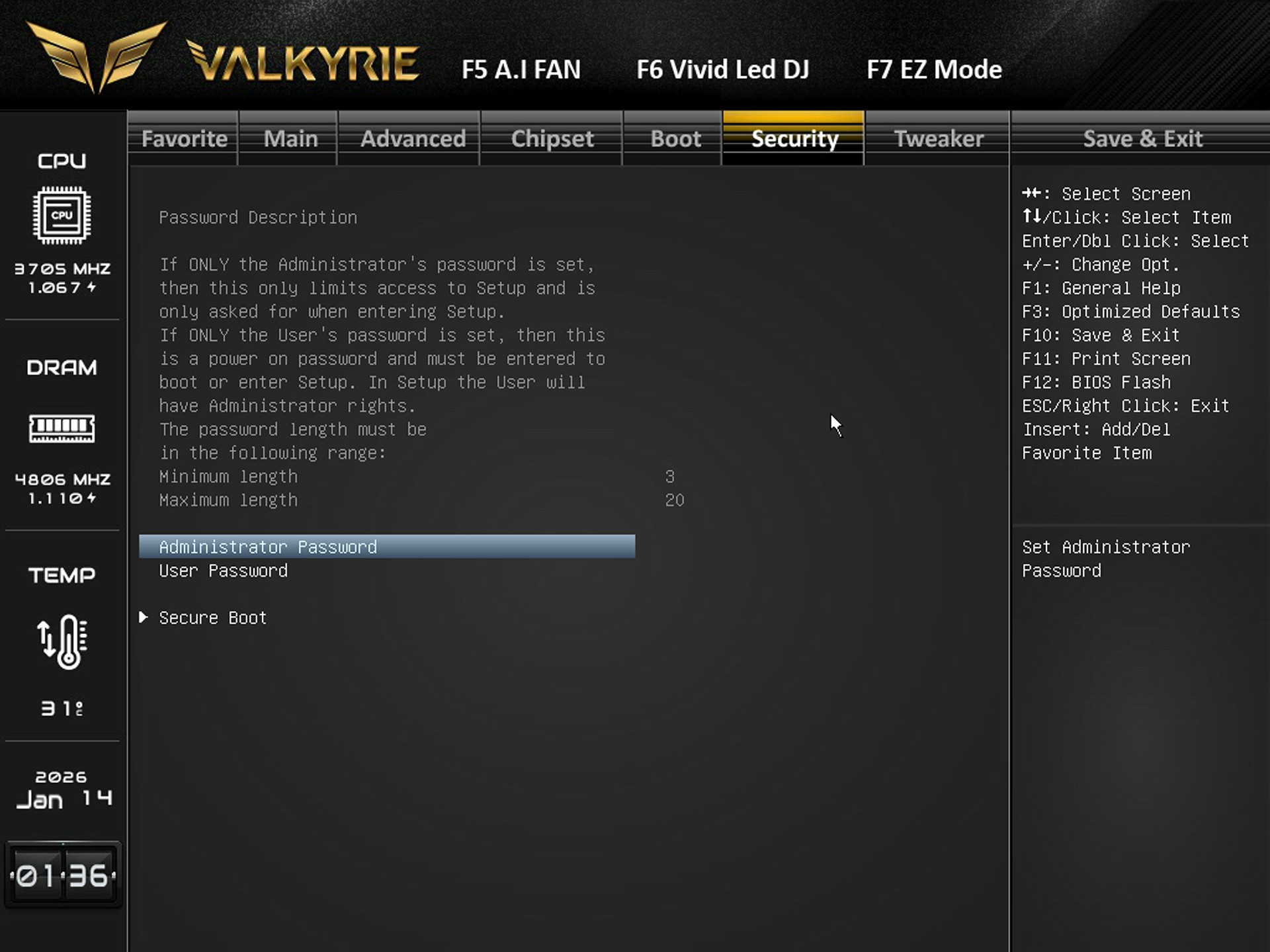
You can set administrator/user passwords and configure Secure Boot from the security tab.
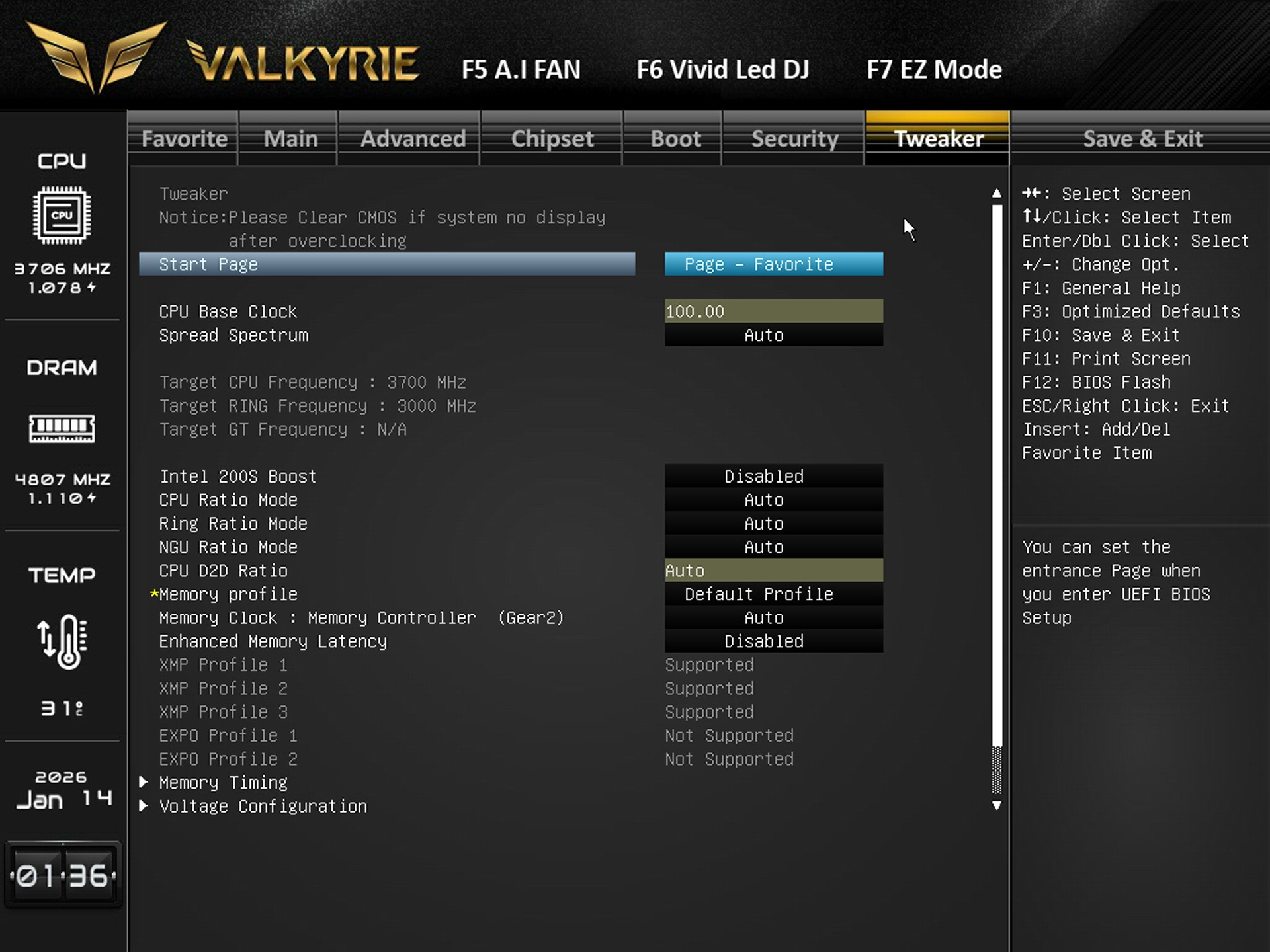
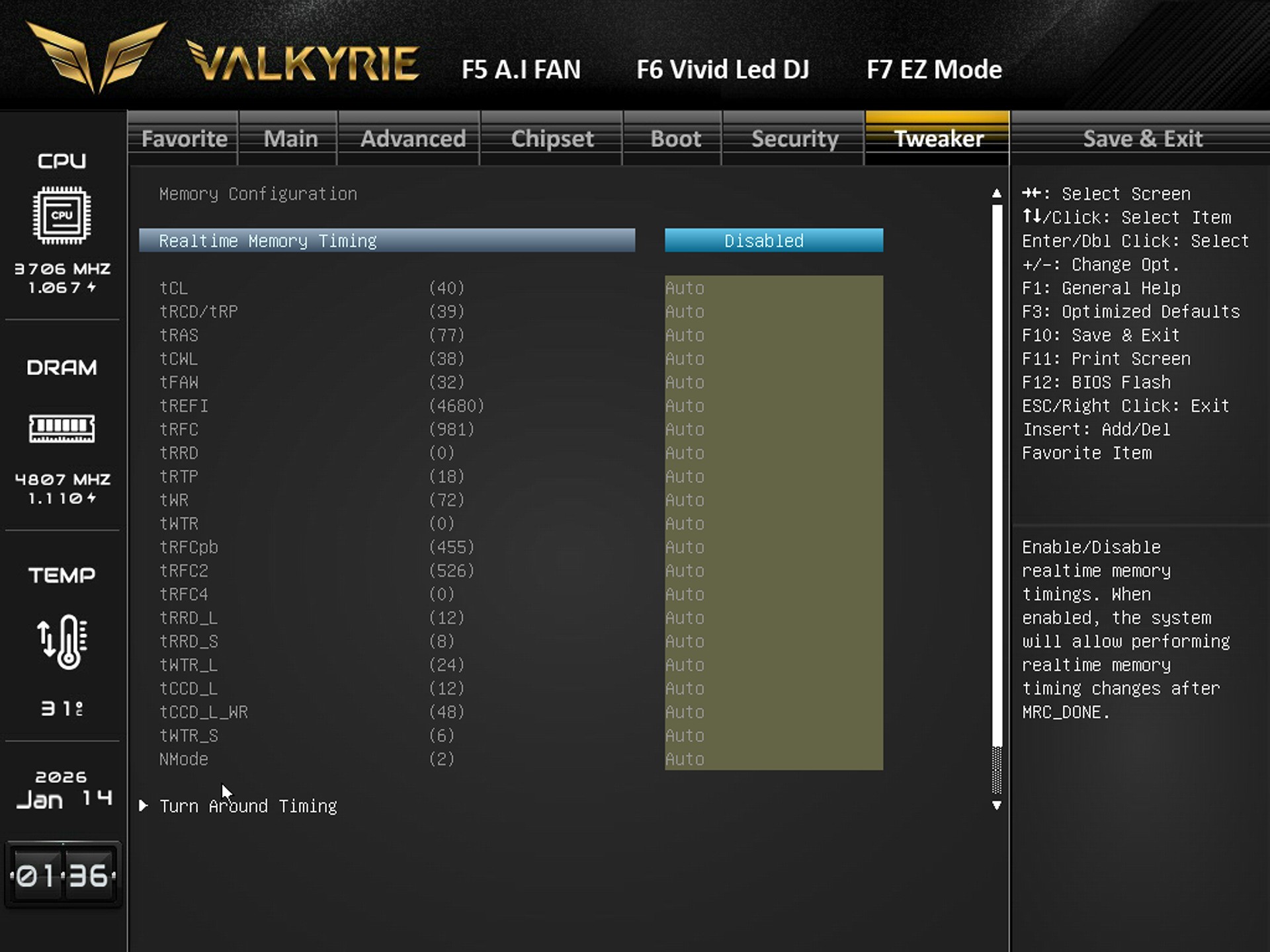
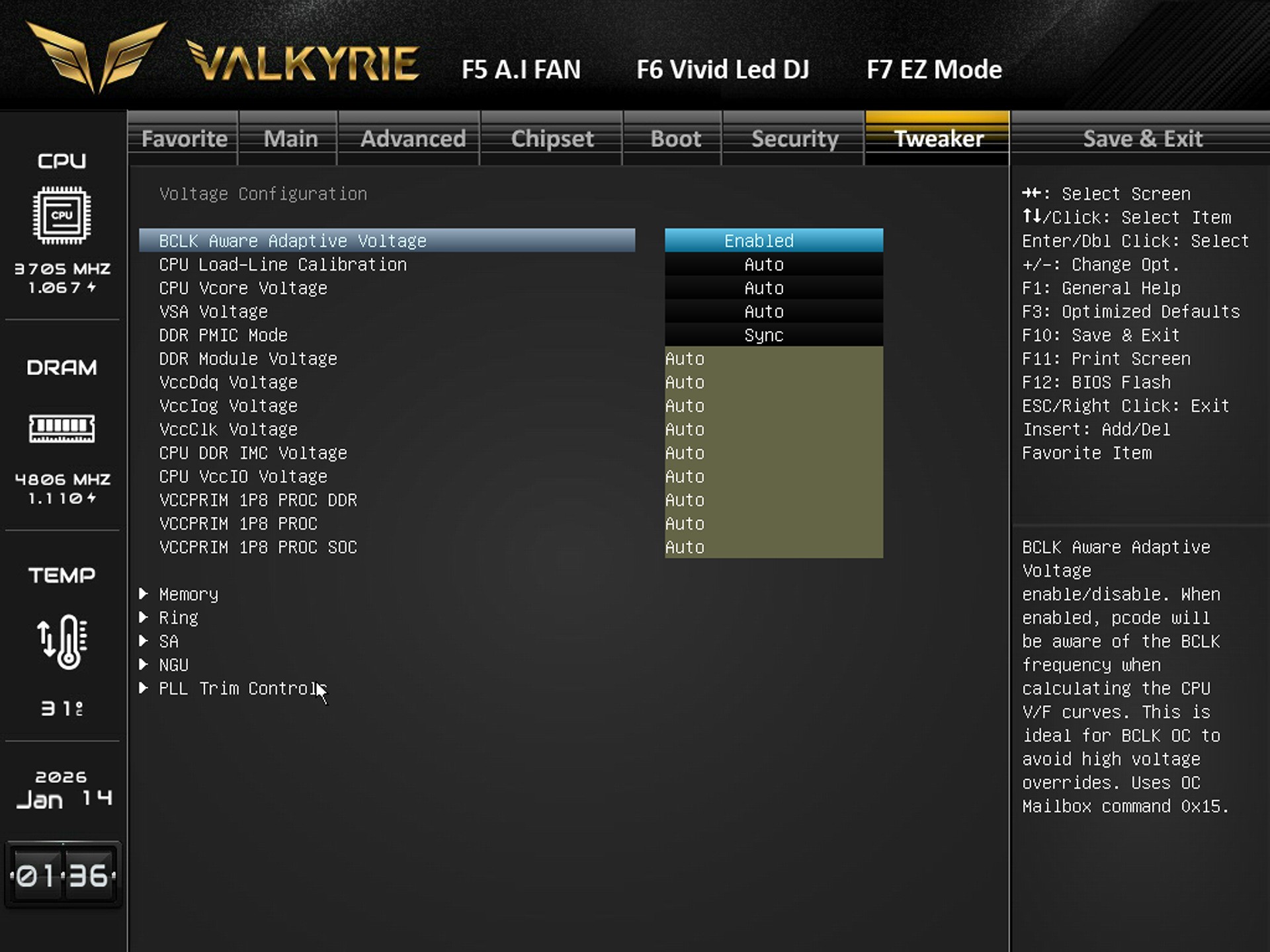
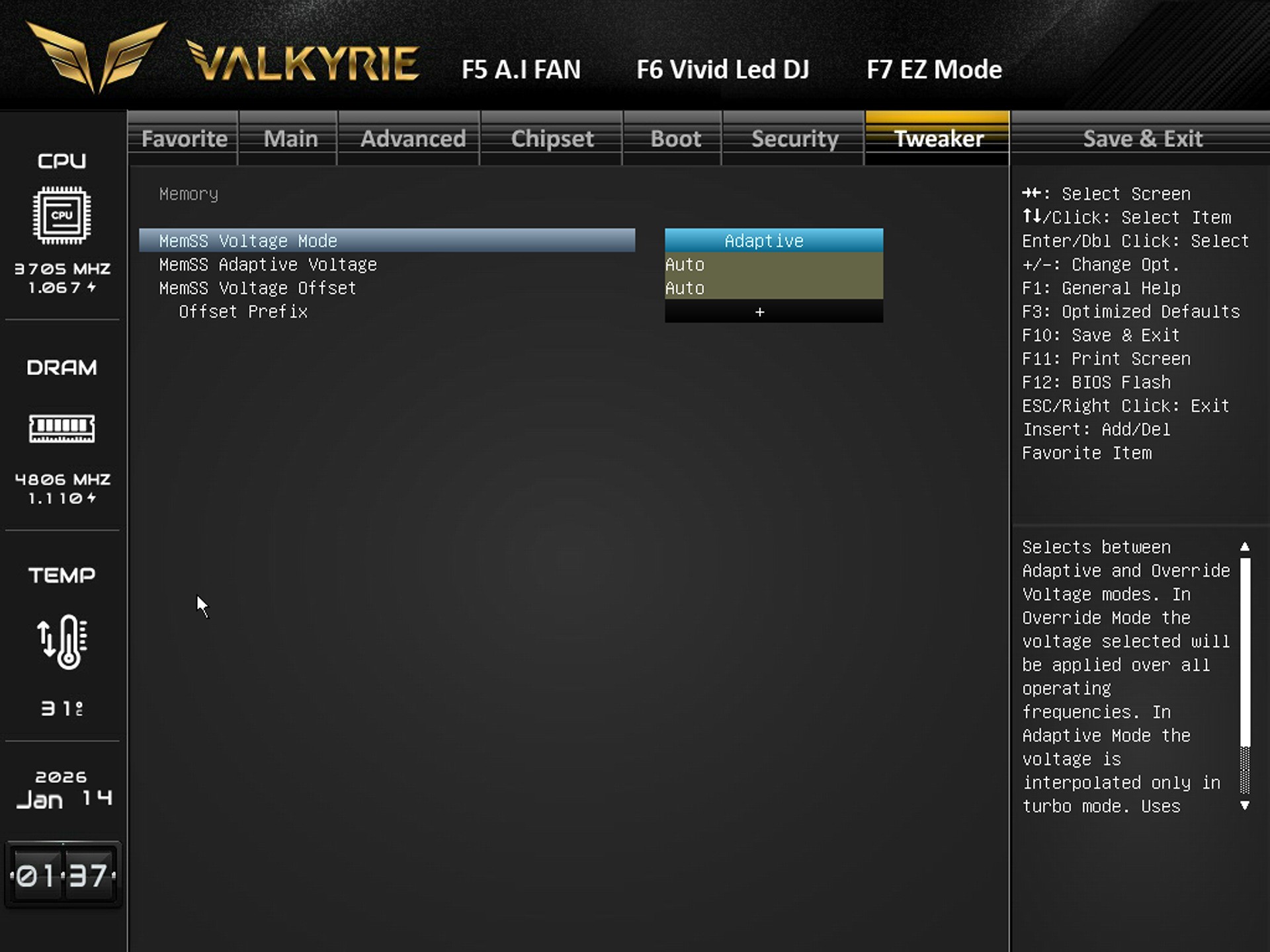
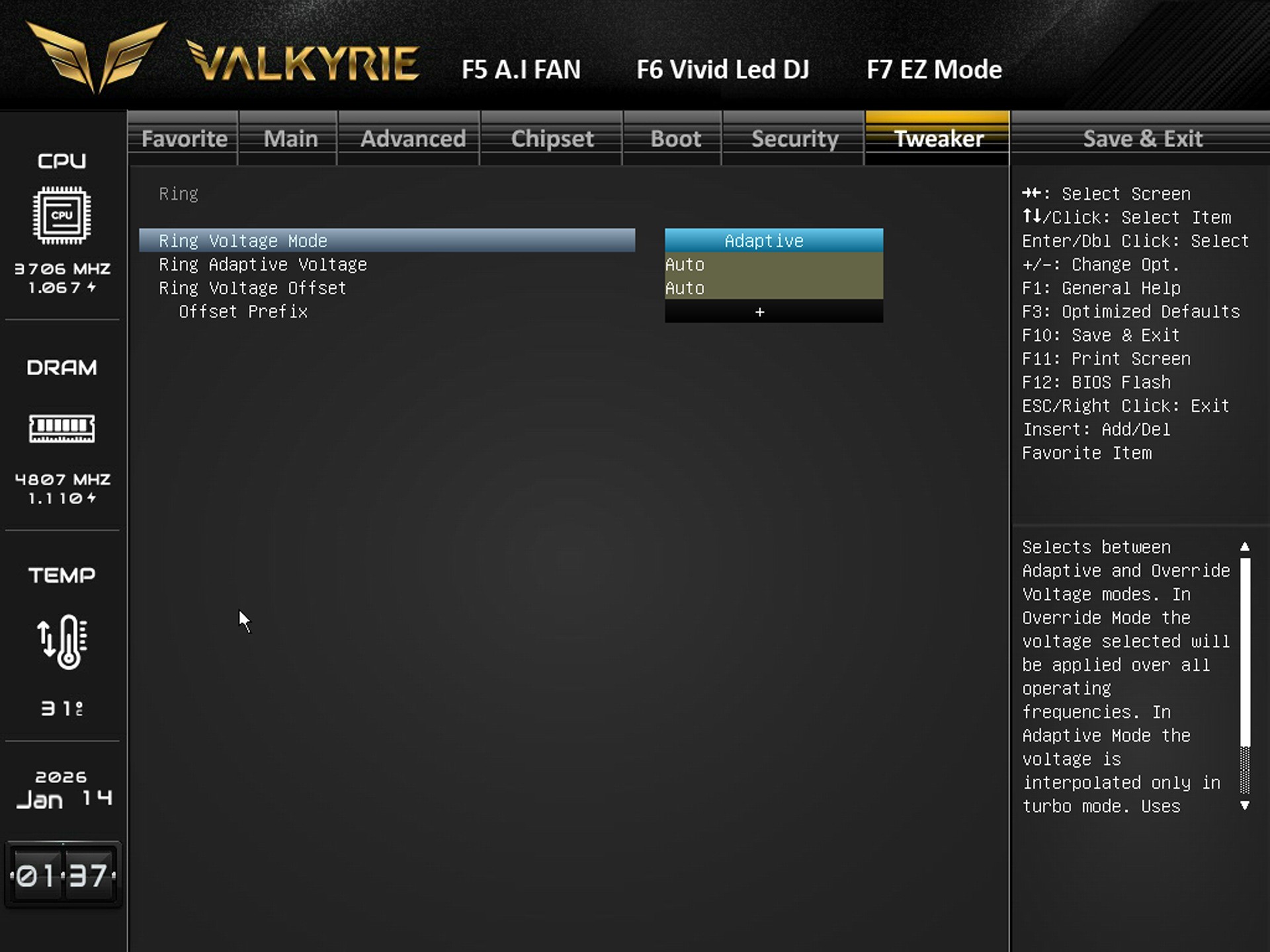
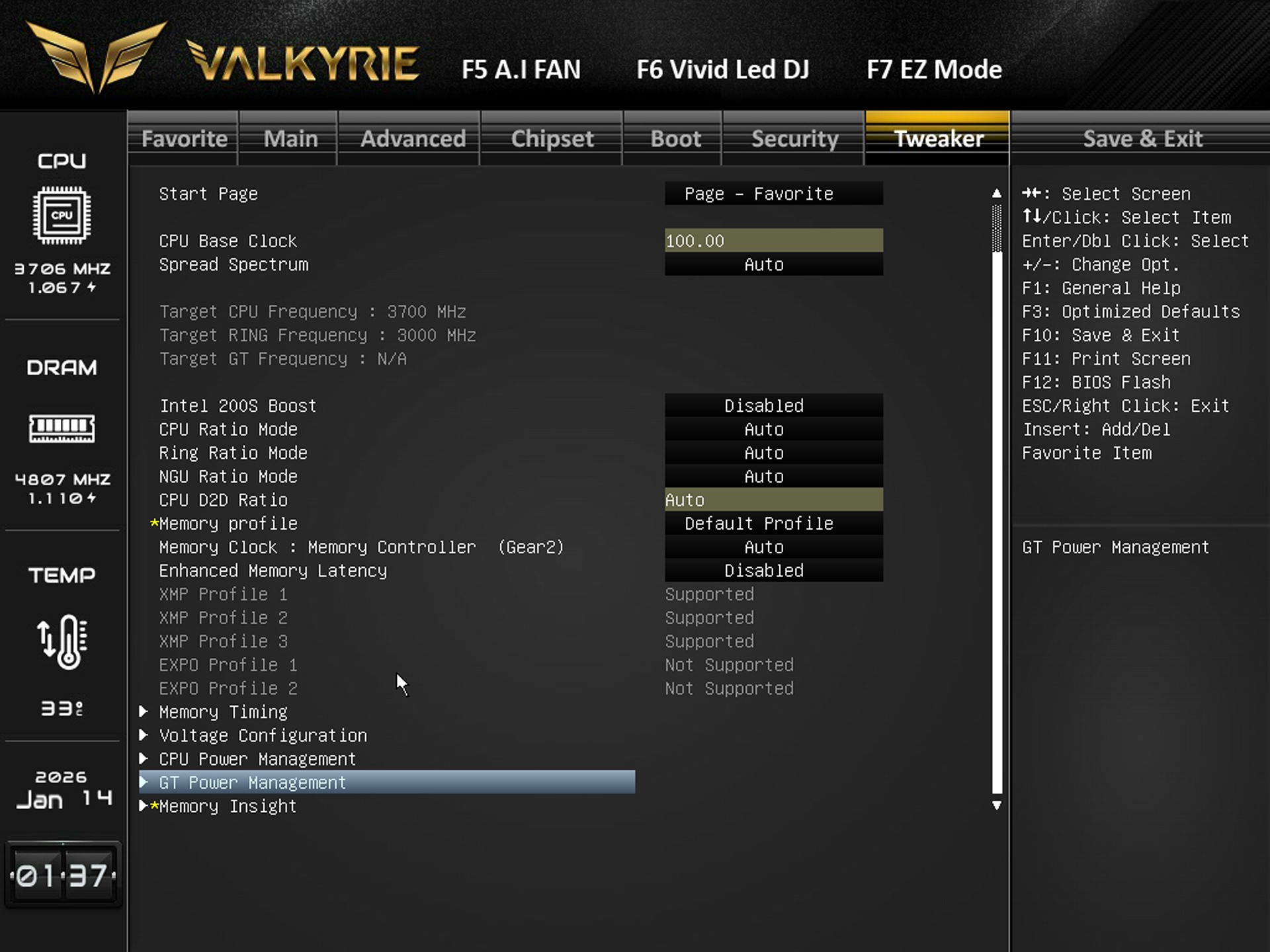
Finally the tweaker tab includes everything related to overclocking so from here you can adjust base clock, CPU ratios, ring ratios, memory profiles (XMP), memory gear mode, latency presets, manually tune individual DDR5 timings (tCL, tRCD, tRAS, etc.), adjust CPU Vcore, load‑line calibration, VSA, DDR voltages, IMC voltage, and other power rails, switch memory voltage between Adaptive and Override, and set voltage offsets, set ring voltage mode (Adaptive/Override) and adjust offsets, Select XMP profiles, adjust memory clock, enable/disable enhanced latency, and access deeper timing/voltage submenus.
TEST BED
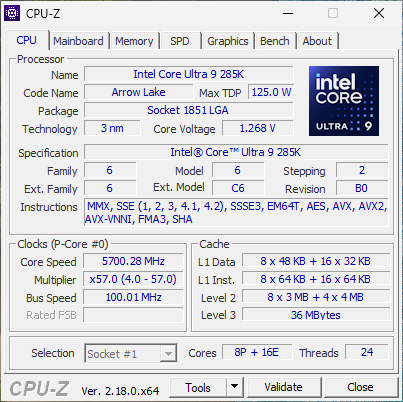
TESTING METHODOLOGY
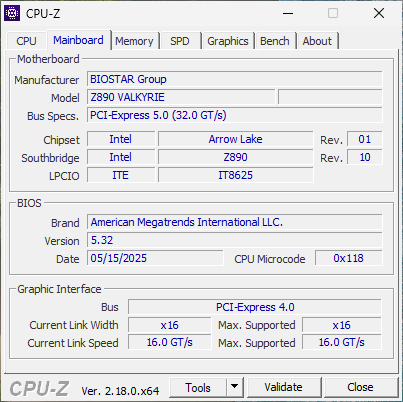
Exactly like used to do in the past each mainboard to arrive in the lab will get mounted on an open-air test bench and will be used for no less than two full weeks (daily tasks and gaming) with a fresh Windows 10 Pro installation. All motherboards arriving here will be tested with the top CPU of that line available to me at the time of each review (I9-9900K for Z390/I9-10900K for Z490/I9-11900K for Z590/I9-12900K for the Z690/Ryzen 9 5900X for X570 and B550/Ryzen 9 7900X for X670E and B650E/i9-13900K for Z790/Core Ultra 9 285K for Z890) together with 32/48GB of RAM (different models for different motherboards/CPUs). Needless to say, I’ll be clocking CPUs at the same speeds between same chipset models (unless a motherboard is not capable of getting the same speeds) for a more accurate performance comparison.
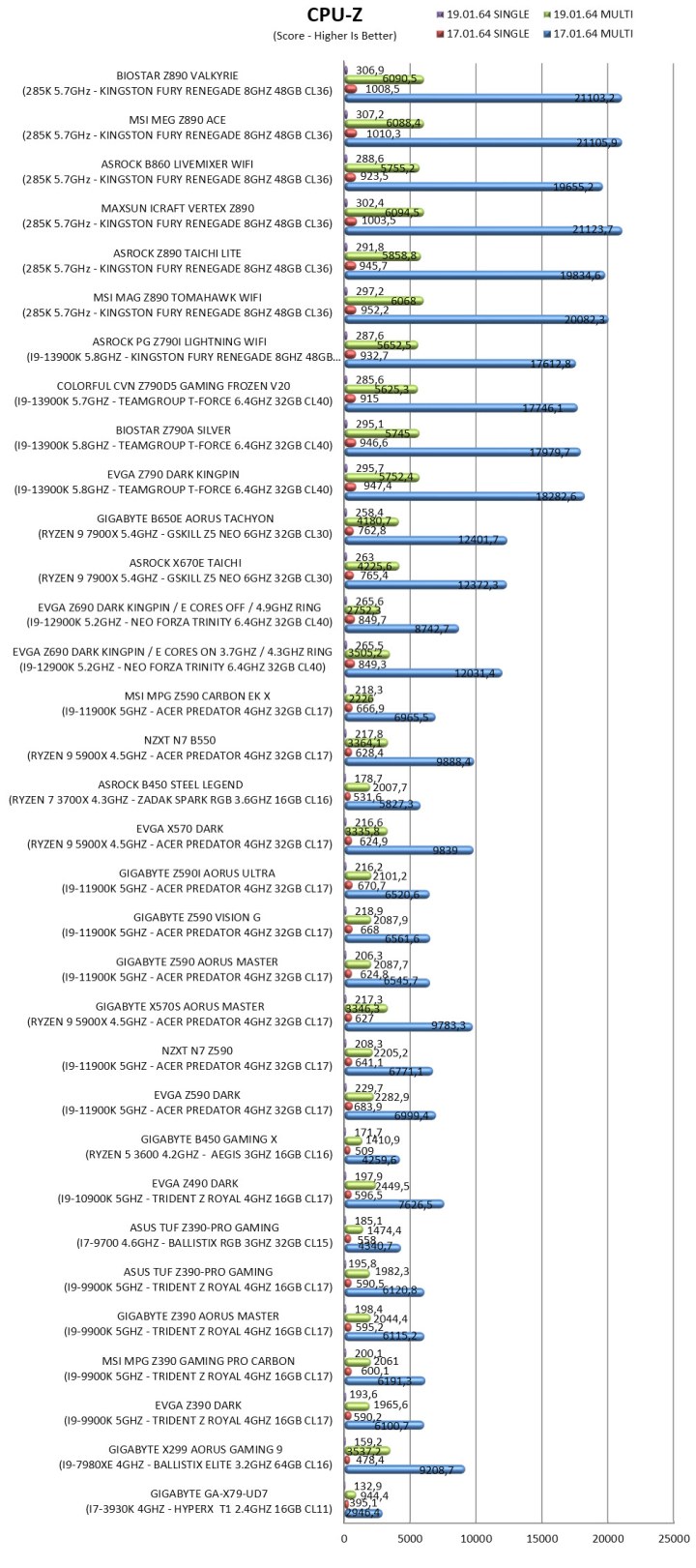
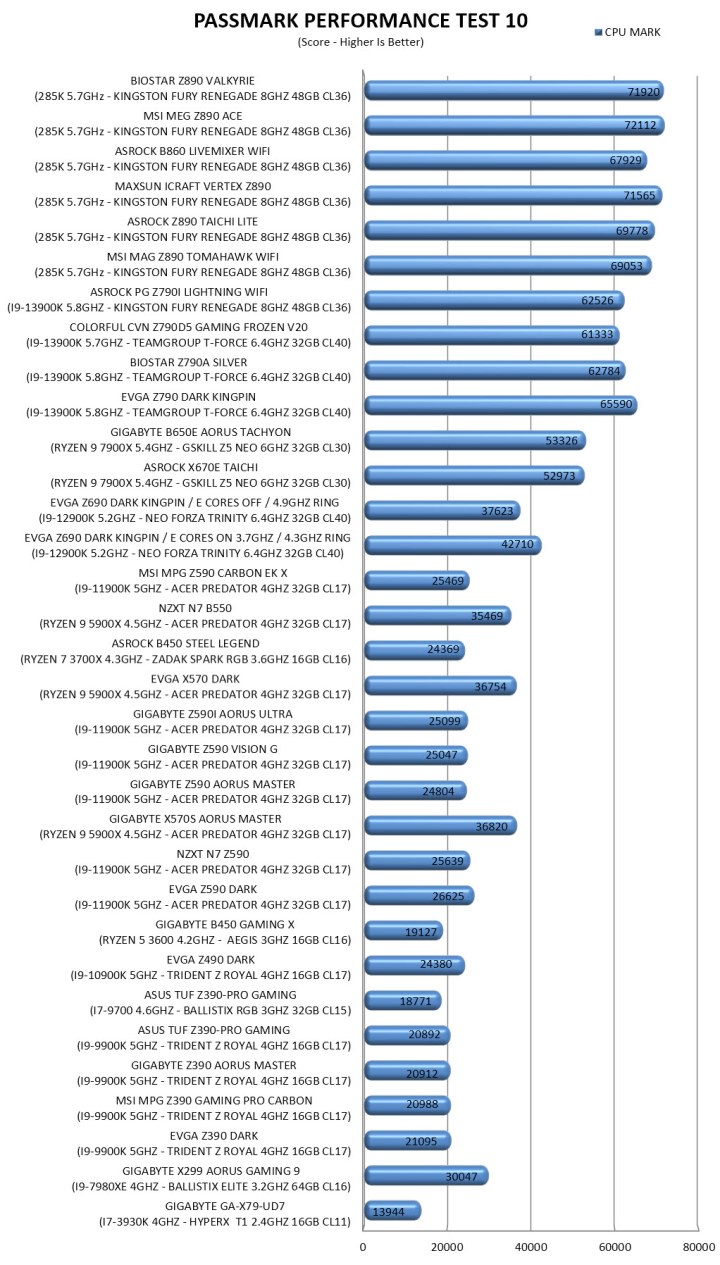
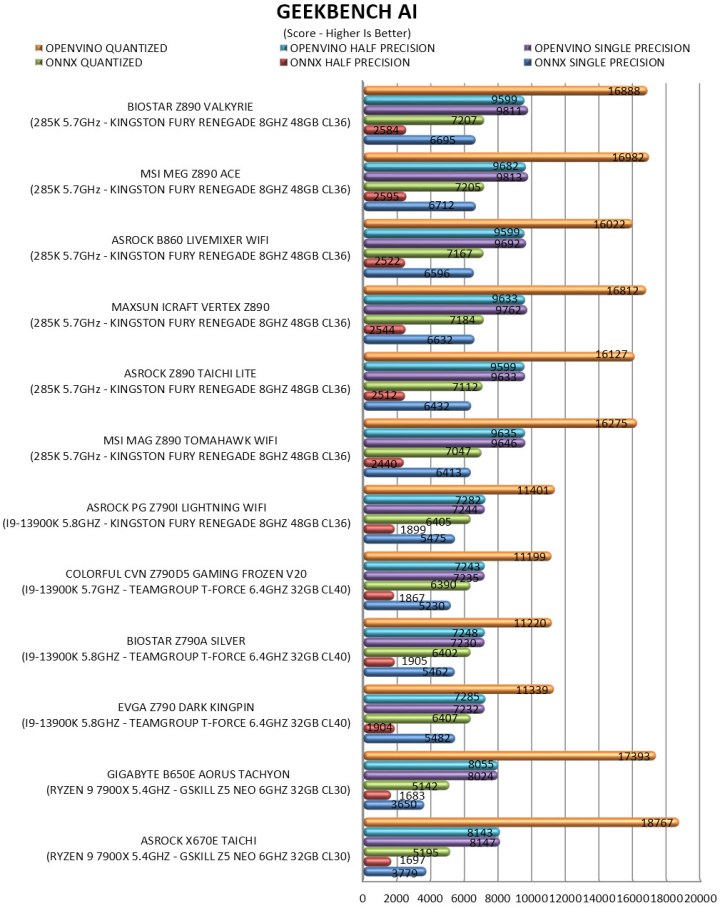
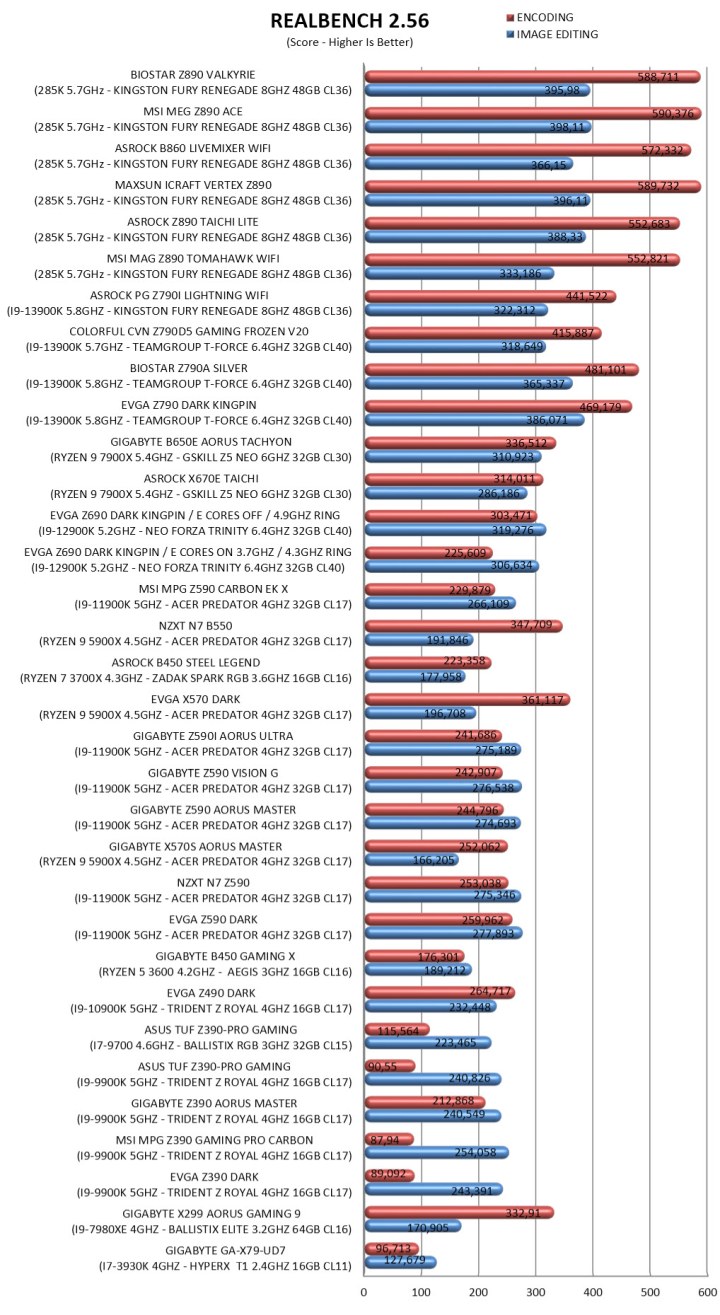
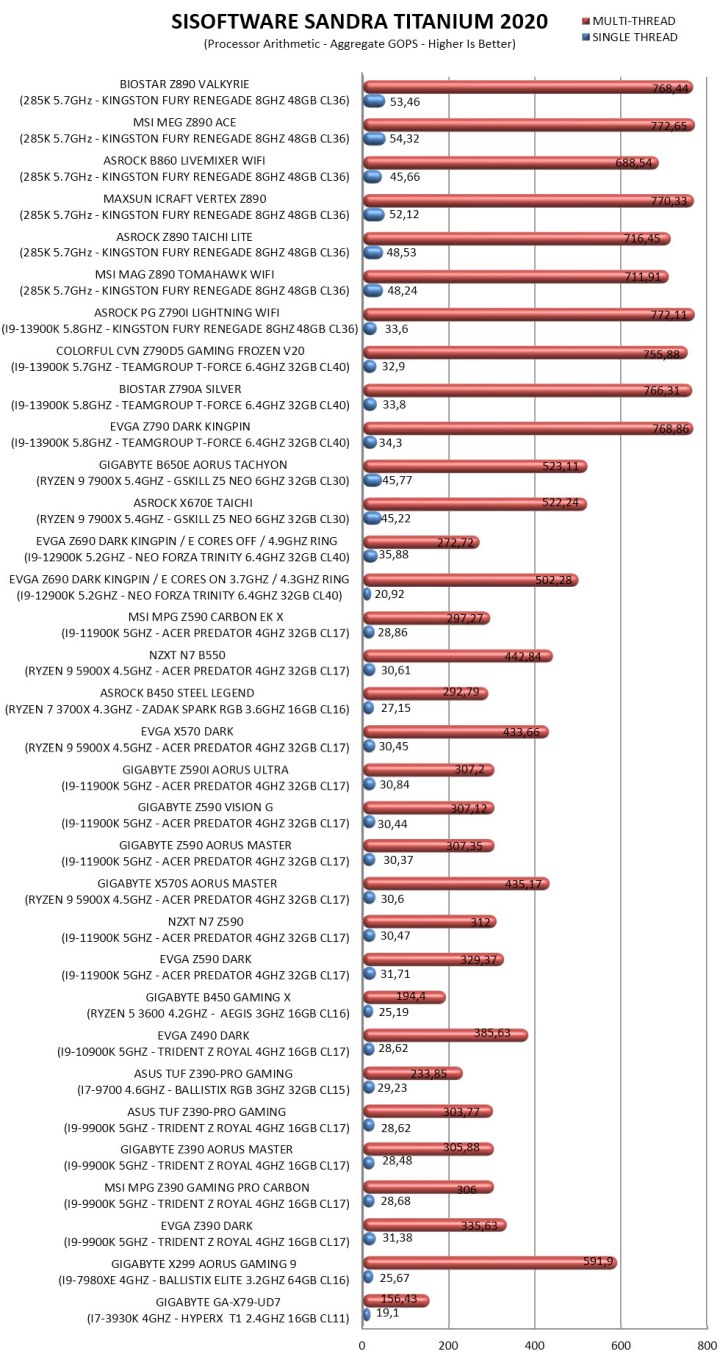
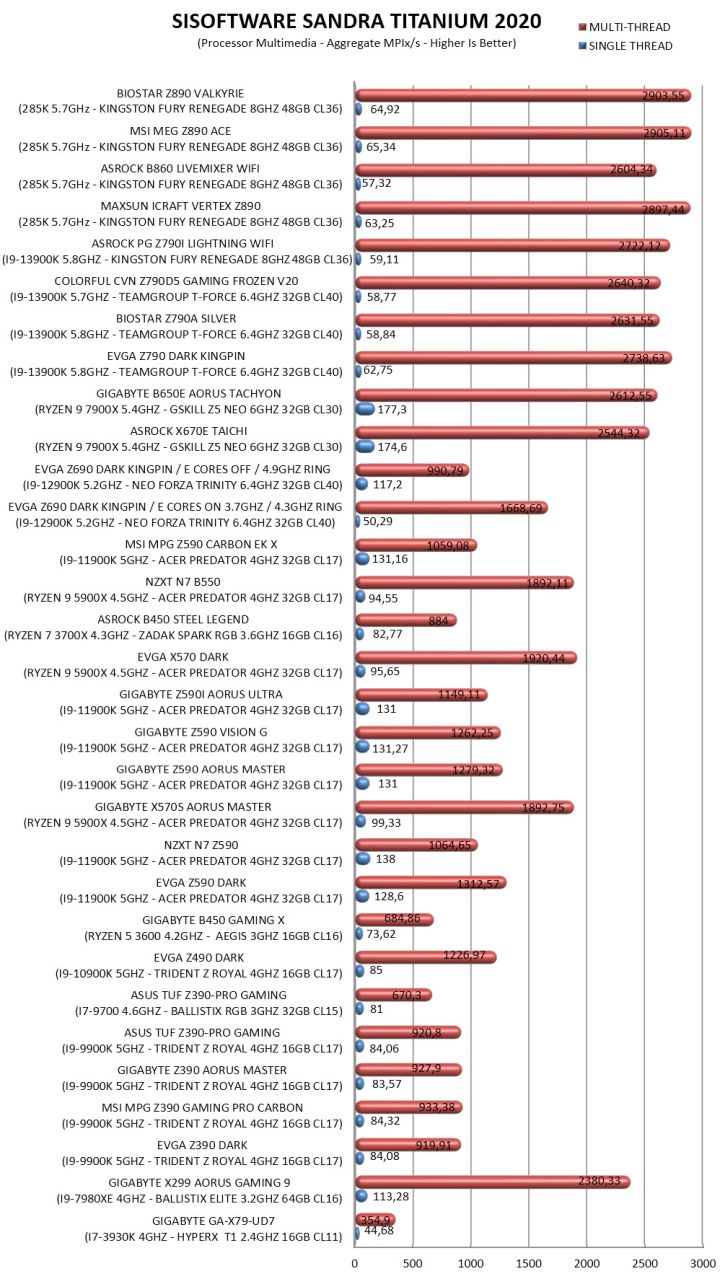
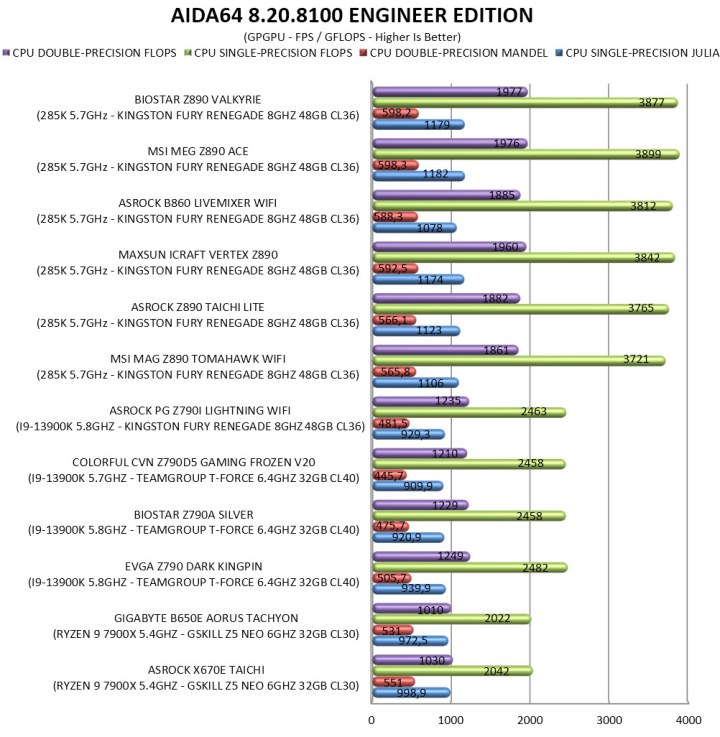
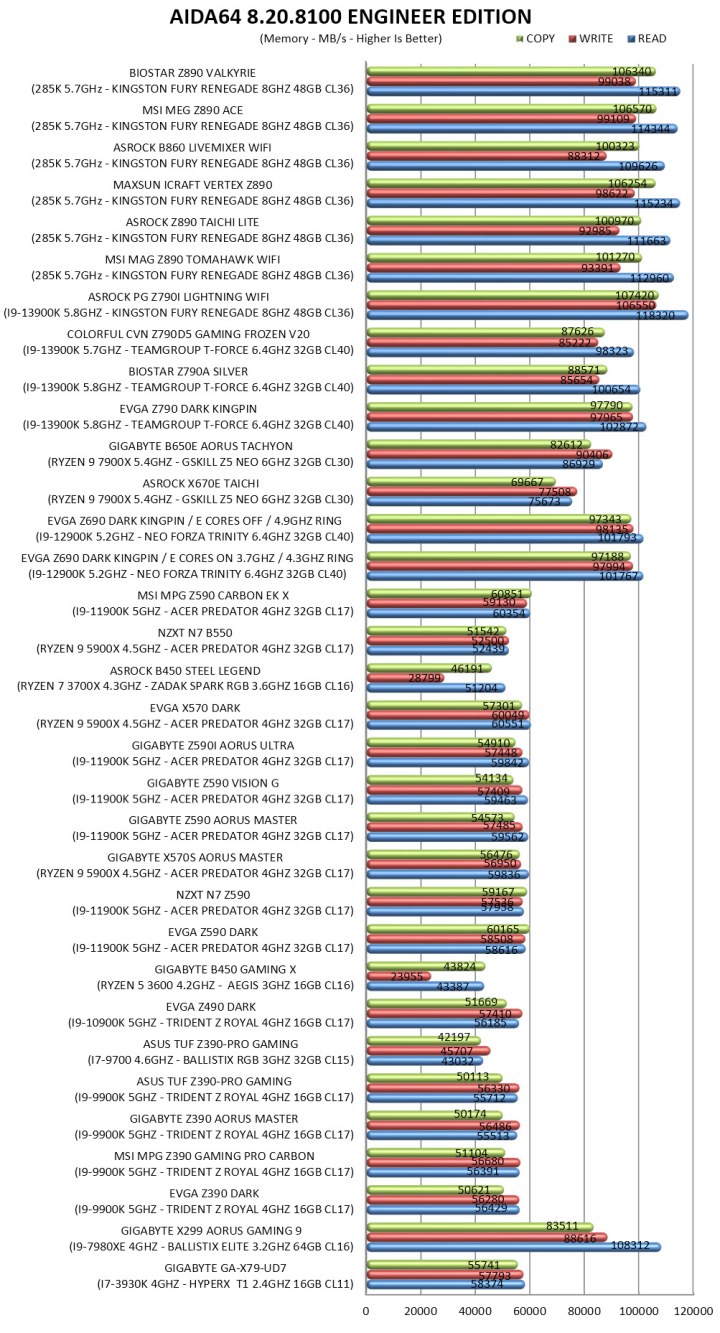
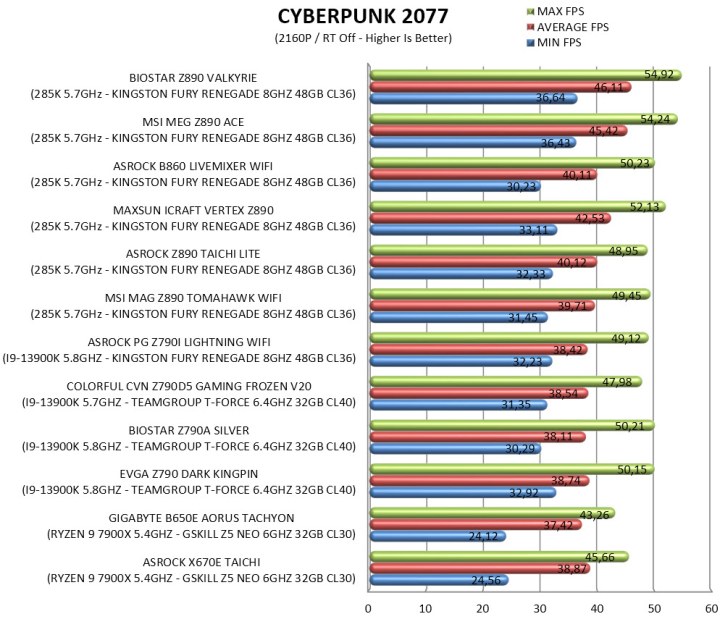
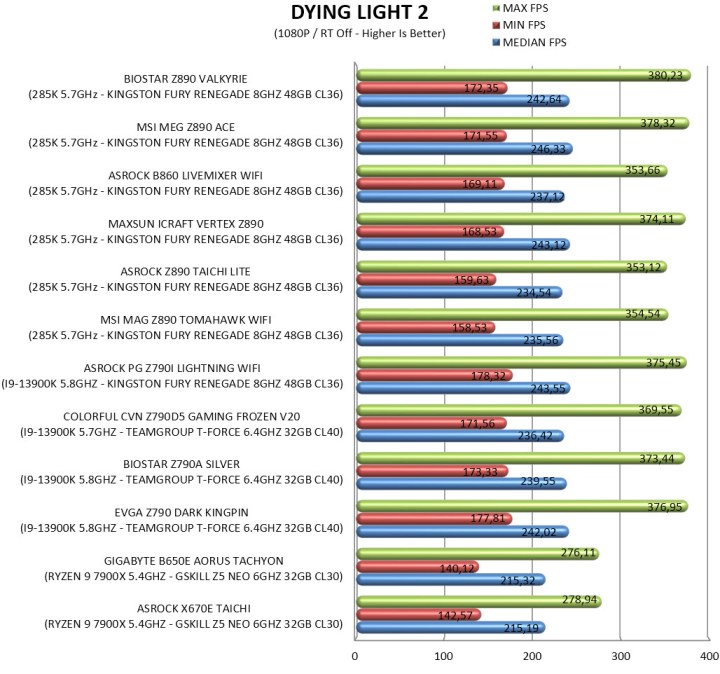
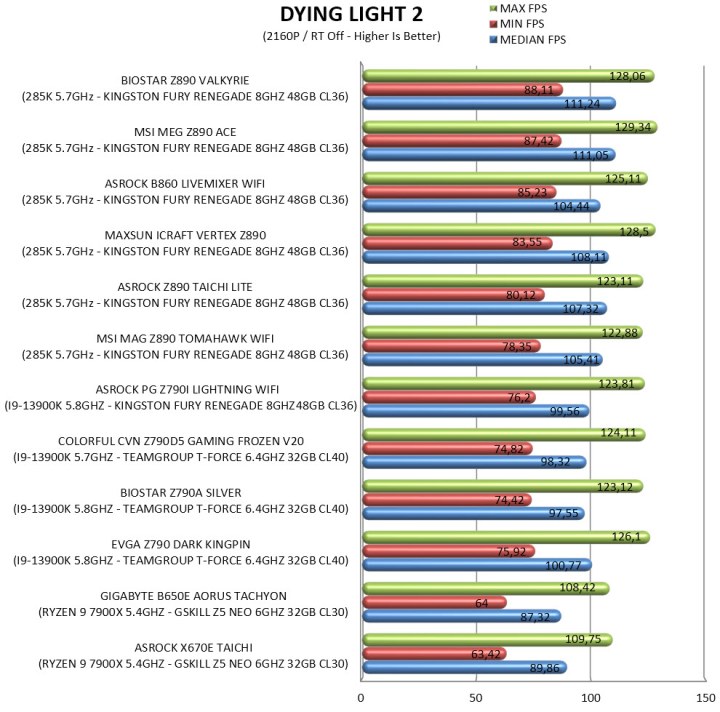
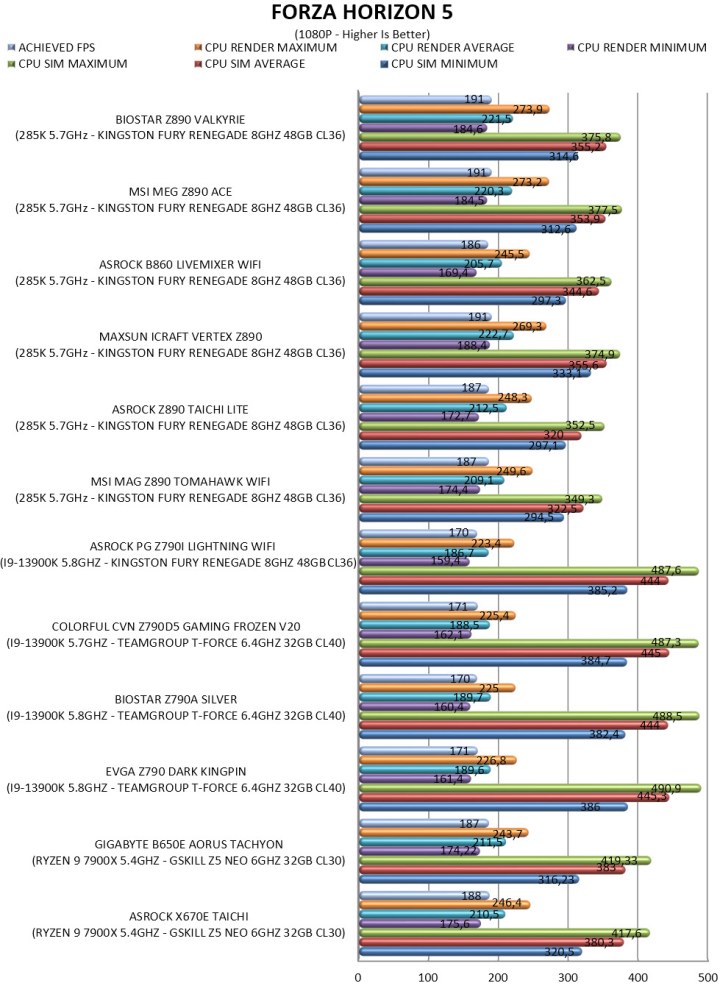
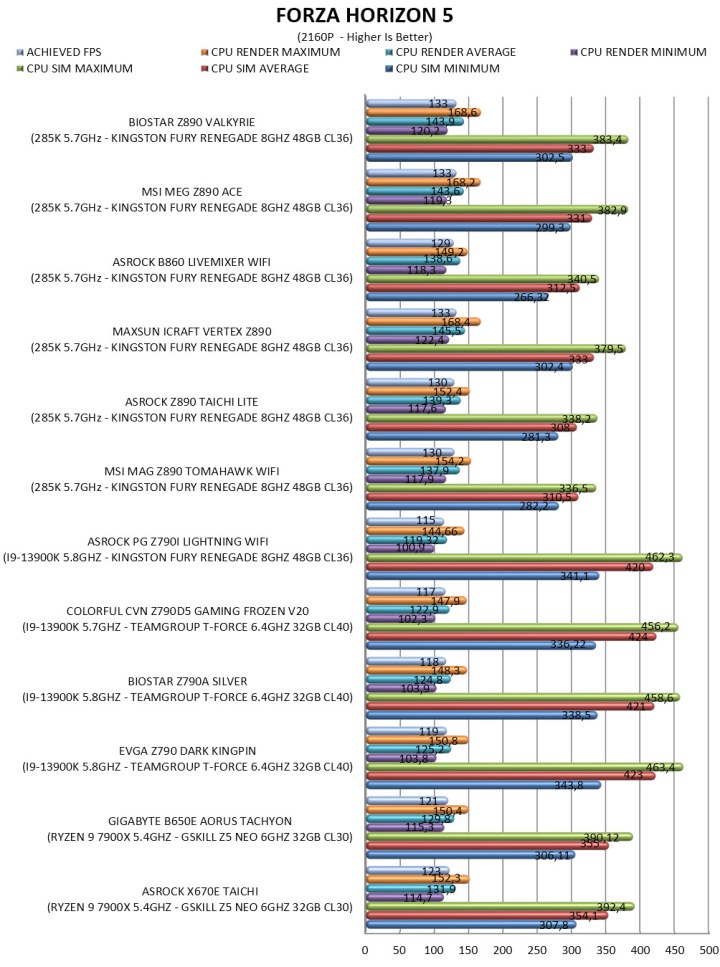
To measure performance, I’ll be using several benchmarking programs (6 repeats after which the average numbers will get recorded in the charts) like AIDA64, CINEBENCH R20, CPUZ, Passmark Performance Test, RealBench, 3Dmark, GeekBench AI and the Sisoftware Sandra Titanium version. Games like Cyberpunk 2077 (Phantom Liberty), Dying Light 2 and Forza Horizon 5 were also added for people who care about FPS*.
* Since October 2024 I added more benchmarking suites and even game titles.
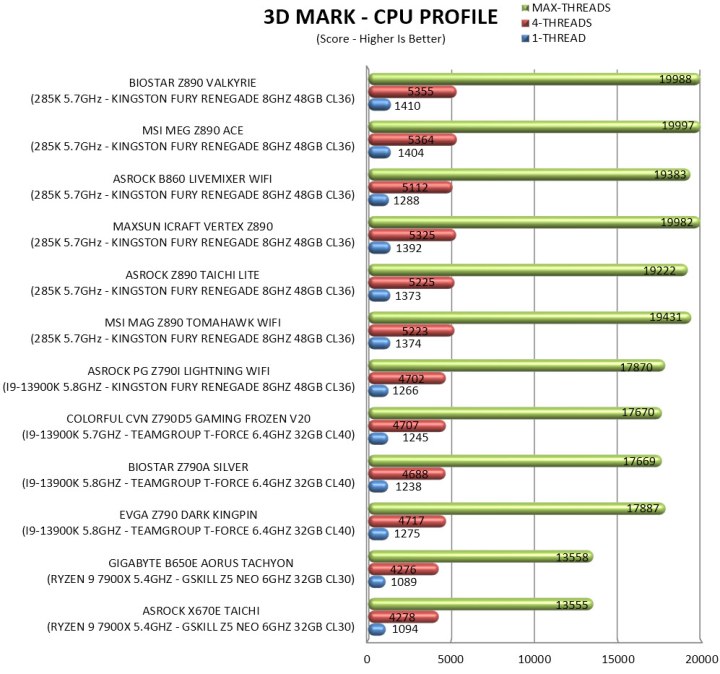
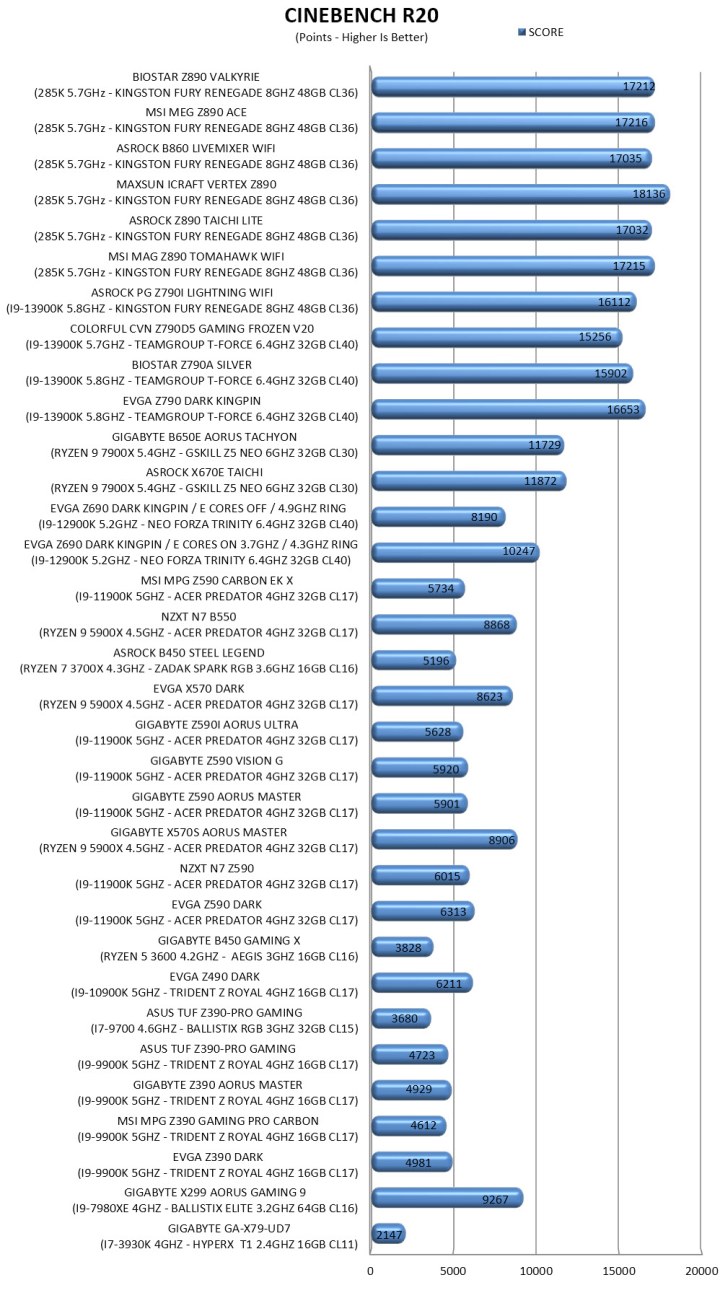
TEST RESULTS – 3DMARK / CINEBENCH R20
TEST RESULTS - CPUZ / PASSMARK PERFORMANCE TEST / GEEKBENCH AI
TEST RESULTS - REALBENCH / SISOFTWARE SANDRA TITANIUM / AIDA64
TEST RESULTS - CYBERPUNK 2077 / DYING LIGHT 2 / FORZA HORIZON 5

CONCLUSION
The Z890 Valkyrie is the kind of board that wins you over with its hardware first. A beefy VRM, loads of PCIe 5.0 bandwidth, high‑speed DDR5 support, HDMI and DP video outputs, and a stacked storage layout give it the muscle to anchor a serious build. It’s clear BIOSTAR wanted this board to compete in the heavyweight class and on a technical level, it clearly does. Performance is on par with some of the best Z890 based motherboards in the market today, as showcased in the charts. The weak points are somewhat familiar, the lack of a Wi-Fi module is somewhat problematic, BIOS updates are not released as often as with bigger brands (although this varies a lot between models), and the price feels bold for a company that usually leans on value. But if you’re chasing performance and features rather than a badge, the Z890 Valkyrie delivers more than enough to justify a closer look.
Availability is probably the most serious drawback for the Z890 Valkyrie by BIOSTAR since currently the few stores that do carry it have it for anything between 600-700Euros inside the EU (none in the USA). Overall, the BIOSTAR Z890 Valkyrie delivers on everything from performance to features and even build quality, and even though that doesn’t mean much when consumers can’t get their hands on it, still the Golden Award is in order.

PROS
- Good OC Potential (20+1+1 Phase Digital VRM)
- Three Reinforced & EMI Shielded PCIe 5.0 Slots (x16/x8/x4)
- 4 UDIMM DDR5 Slots (Up To 9066MT/s+ / 256GB Total / CUDIMM Support)
- 5 M.2 PCIe Slots (1x5.0 / 5x4.0)
- Rear Connectivity (USB-C / 9xUSB A / DisplayPort 2.1 / 2xHDMI v2.1)
- 5/2.5GbE RJ45 Ports
- Available BIOS Settings
CONS
- Price & Availability (For Some)
- WiFi 7 Module Sold Extra