





CONTROL SOFTWARE
ATTACK SHARK offers their own control software for their gaming mice so for complete control I recommend using it.
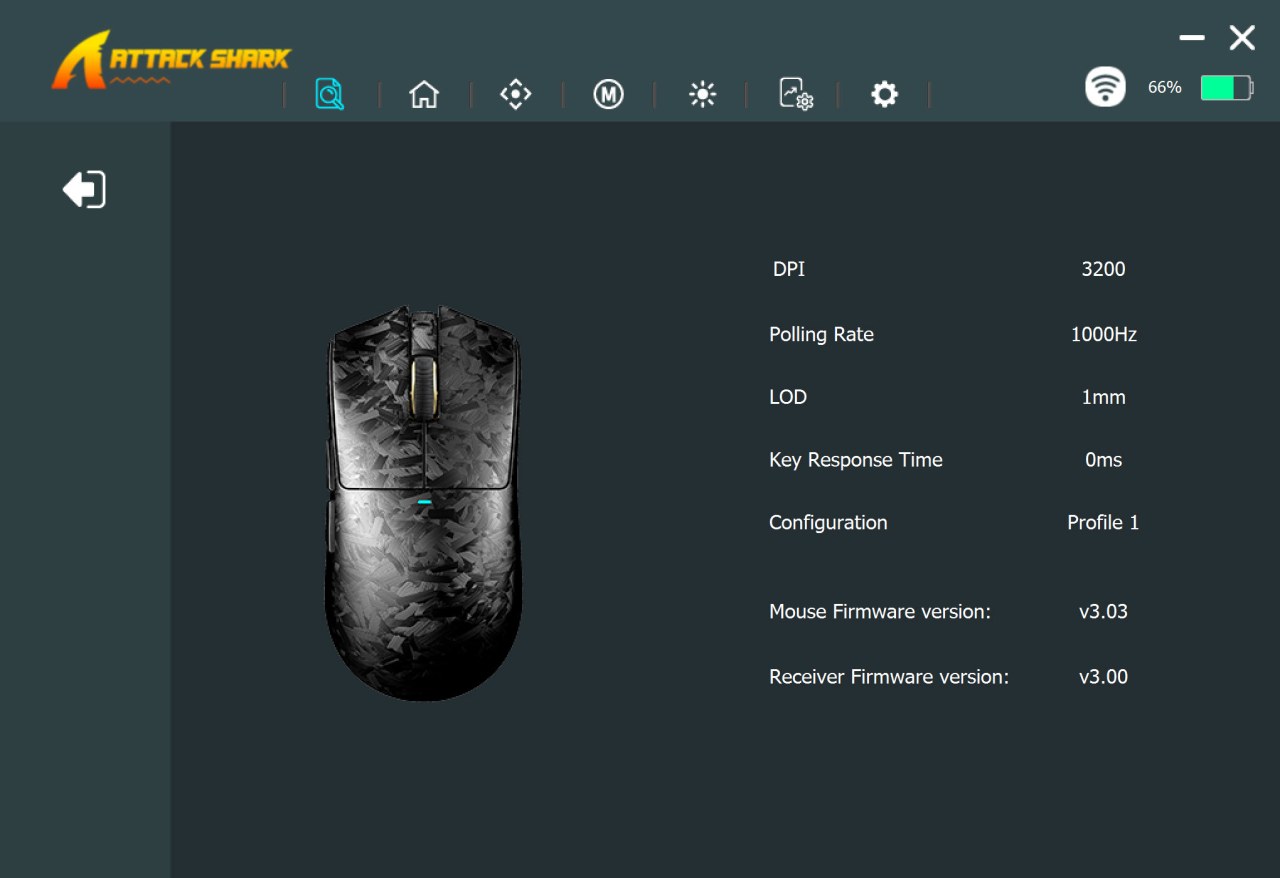
From the initial tab you can see the current settings for the mouse (signal and battery life display is on the top right corner).
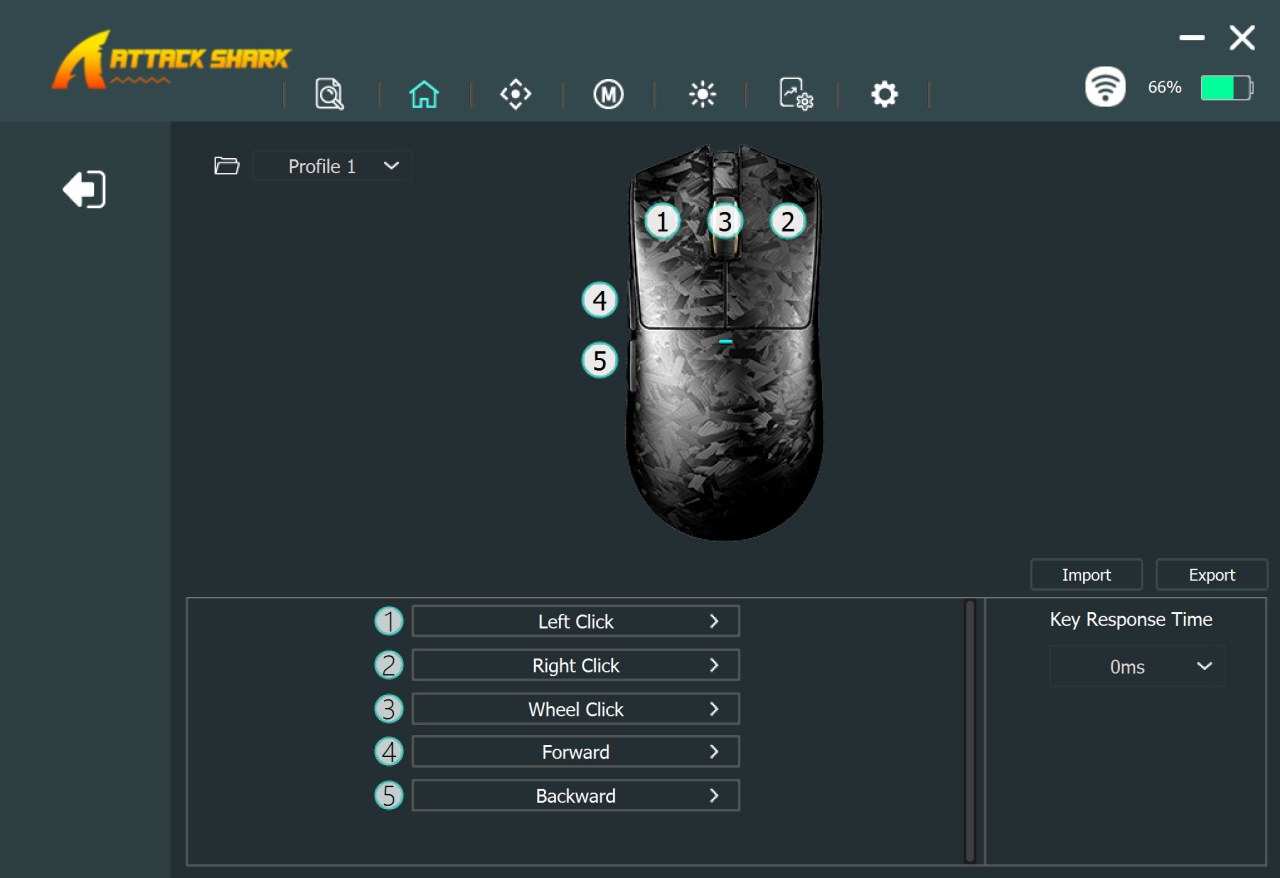
Second tab allows you to remap/program all 5 buttons on the X11 Ultra.
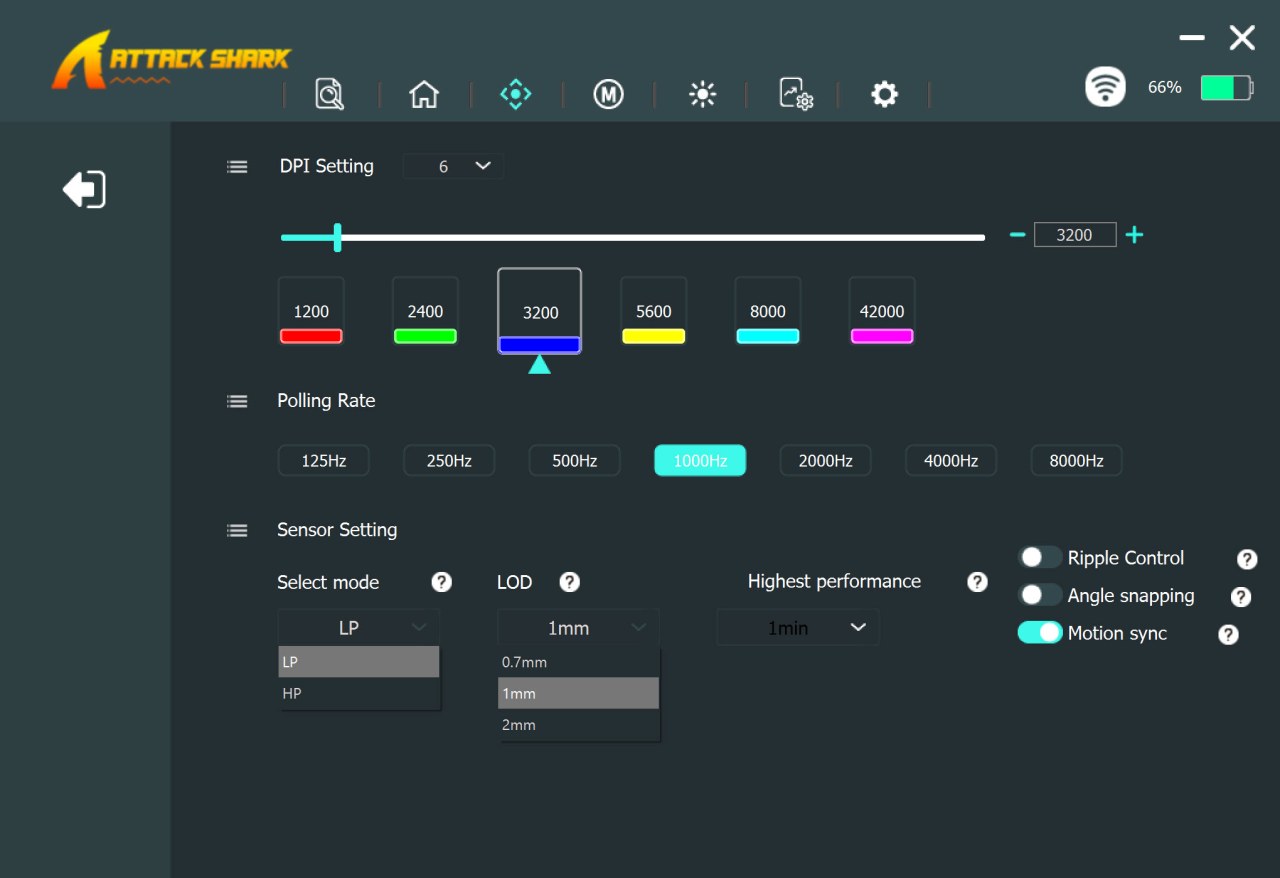
Inside the third tab we find the DPI adjustment bar, 6 DPI modes, polling rate, laser sensor mode and lod and features like angle snapping, ripple control and motion sync.
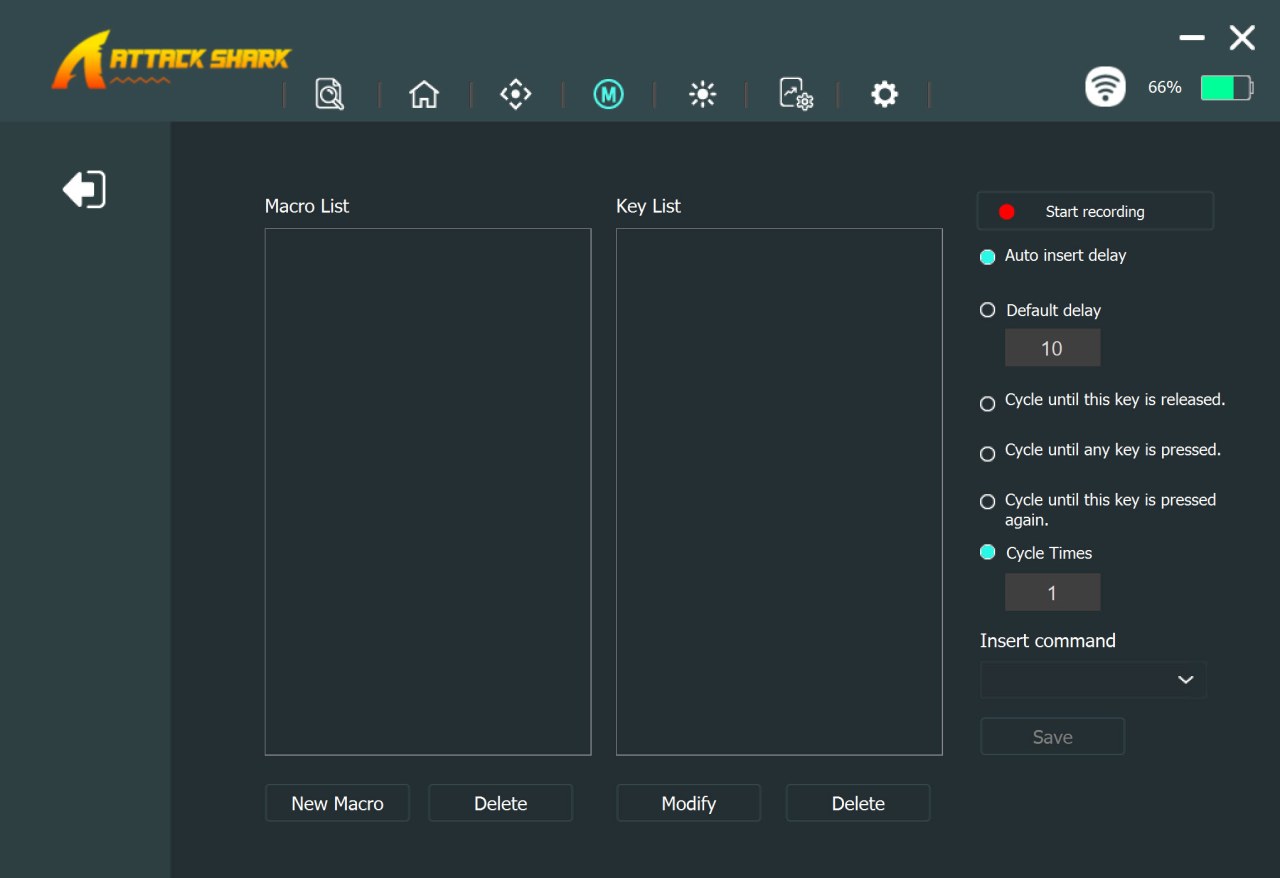
Fourth tab allows the end user to create macros.
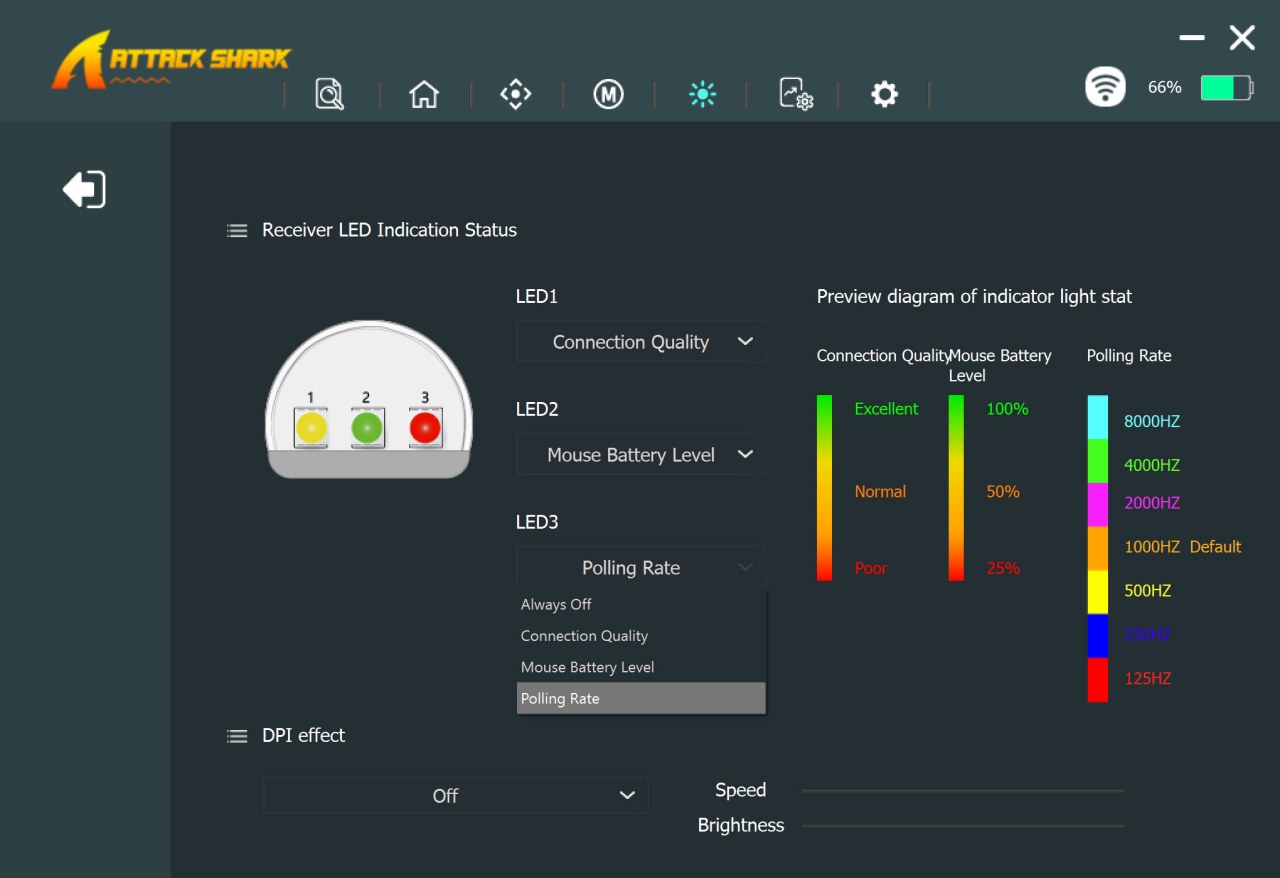
The 2.4GHz receiver LED colors can be controlled from the fifth tab as seen above.
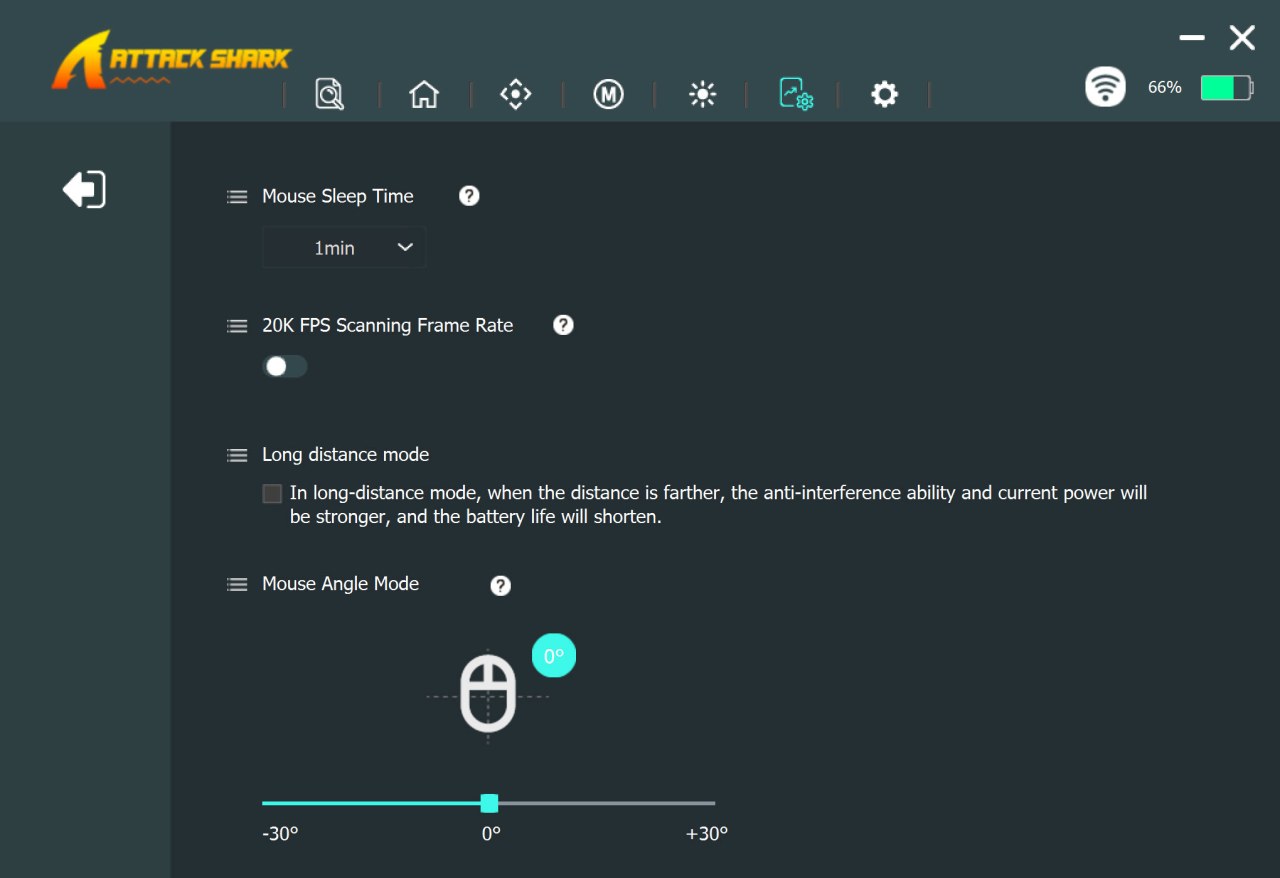
Sleep time, scanning frame rate, long distance mode and angle mode are all placed in the seventh tab.
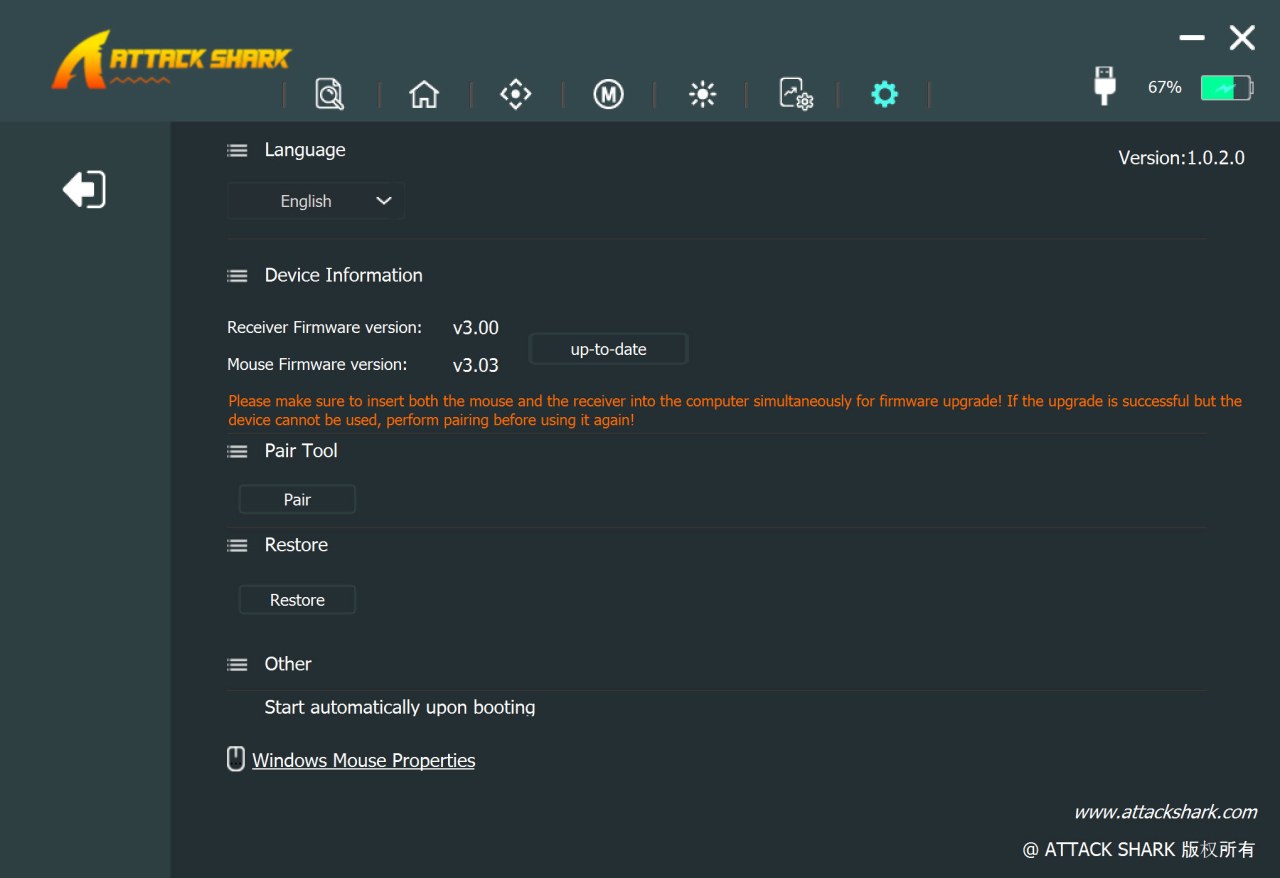
From the final tab you can change the language, check for firmware updates (both for the mouse and the receiver), pair the mouse wirelessly, restore factory settings and launch the software on startup.





